14 checklists you can print, or walk on your phone
Every template here is a real room-by-room walk: areas in order, one check per line, the trade a Fail is filed under. Print it, or download the small file and open it in Punch List AI, where each Fail becomes a numbered item with a photo and the whole walk prints as an appendix to your report.
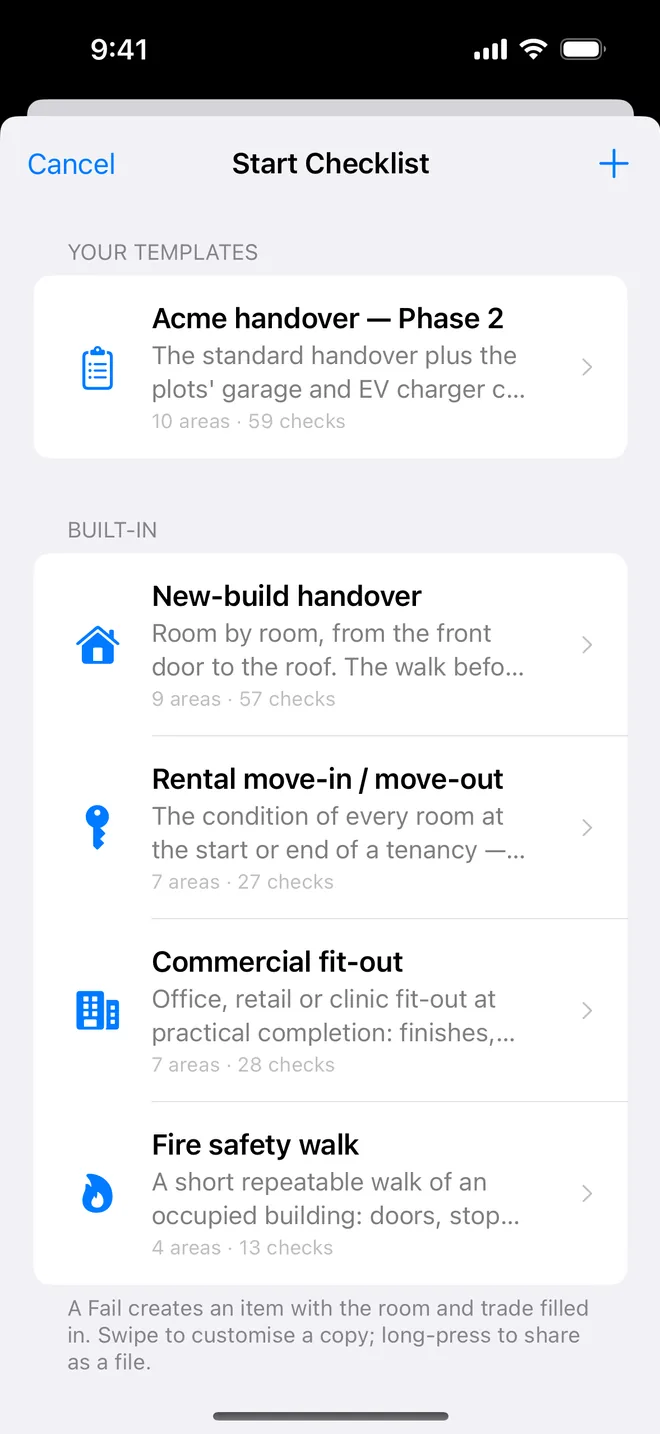
The four standard walks
New-build handover checklist
Room by room, from the front door to the roof. The walk before keys are handed over.
7 areas · 27 checksRental move-in / move-out checklist
The condition of every room at the start or end of a tenancy, the same list both times.
7 areas · 28 checksCommercial fit-out checklist
Office, retail or clinic fit-out at practical completion: finishes, services, fire, access.
4 areas · 13 checksFire safety walk checklist
A short repeatable walk of an occupied building: doors, stopping, escape, equipment.
Specialist walks
Open the file on your iPhone or iPad and it lands in the template picker. Edit a copy in the app if your practice differs.
Bathroom snagging checklist
Sanitaryware, tiling, sealant, drainage, ventilation and electrics in one wet room.
6 areas · 26 checksKitchen snagging checklist
Units, worktops, appliances, sink and plumbing, electrics, splashback and finishes.
7 areas · 31 checksPre-drywall inspection checklist
Framing, rough plumbing, rough electrical, HVAC, insulation, flashing and fire blocking before the walls close.
7 areas · 34 checksFinal walkthrough: new home checklist
The buyer's walkthrough before closing: exterior, every room, kitchen, baths, mechanical, garage.
5 areas · 21 checksRoof and rainwater checklist
Covering, flashings, ridges and verges, gutters and downpipes, then the roof space from inside.
5 areas · 23 checksExternal walls, windows and drainage checklist
Brickwork or render, openings, damp-proofing and ground levels, surface water and boundaries.
6 areas · 25 checksElectrical final fix checklist
Consumer unit, accessories, lighting, bathroom and kitchen zones, safety devices, certification.
6 areas · 23 checksLandlord periodic inspection checklist
A quarterly or six-monthly walk of a let property: safety, damp, kitchen, bathroom, rooms, exterior.
6 areas · 27 checksHotel room snagging checklist
A guest room and its bathroom at practical completion: entry, bedroom, bathroom, lighting, HVAC, finishes.
6 areas · 21 checksFirst-fix inspection checklist
Before plasterboard: structure and openings, first-fix plumbing and electrics, insulation, fire stopping, ventilation.
How to import a template
- On the iPhone or iPad, tap Download for the app on any template page. Safari saves a
.punchlist-template.jsonfile. - Open it from the Downloads folder in Files, or tap it in Safari's downloads list, and choose Punch List AI, or in the app, open the template picker, tap + and Import.
- It appears under Your templates. Start it on any project.
Made your own? Long-press a template in the app to share it as the same kind of file. Send it to us and, if it is good, we will publish it here with your name on it.
Walk your next inspection with a checklist
Free to download. Checklists, templates and the report appendix are on the free plan.