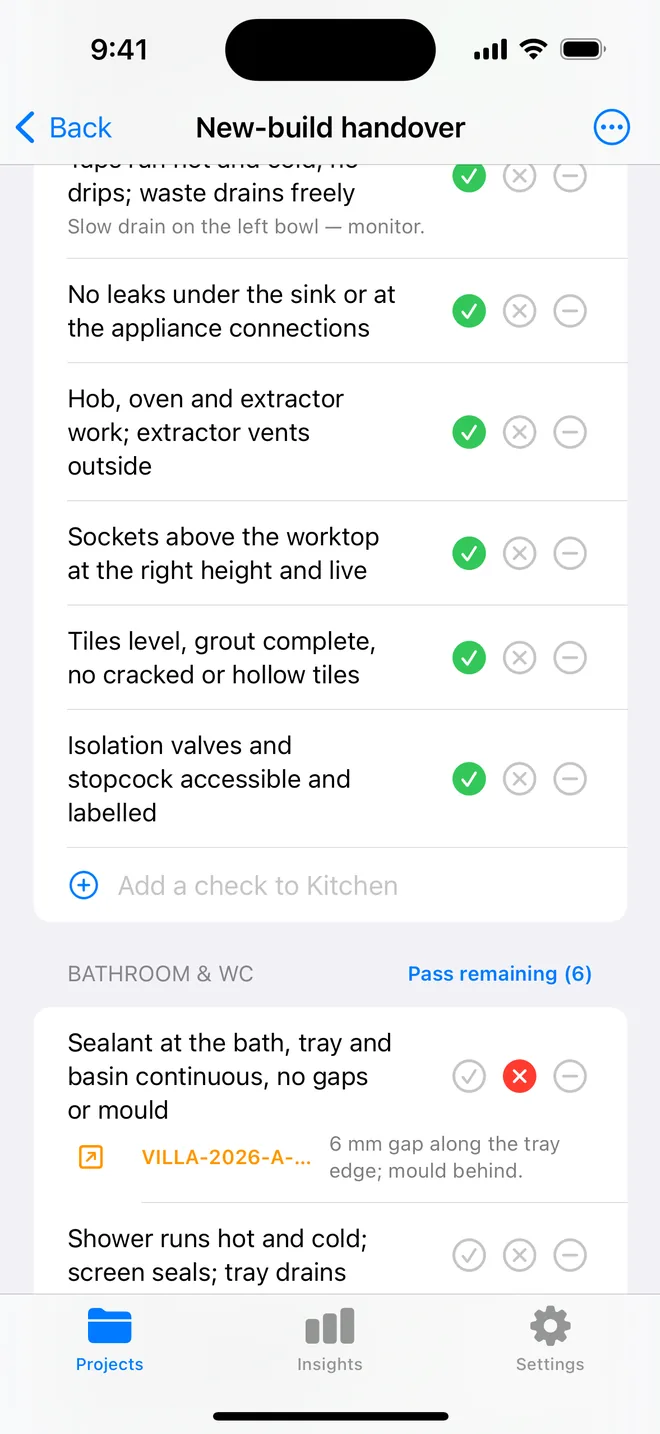
How the walk works in the app
- Download the file above on your iPhone or iPad and open it; it appears under Your templates.
- Walk the areas in order. Tap Pass, Fail or N/A.
- A Fail creates an item with the area and trade filled in; take the photo and the AI drafts the description and severity.
- Add a check on the spot if the list forgot one. Save the walk as your own template.
- The report's appendix prints every check and its result.
The checklist
Trade in grey is what a Fail is filed under. Print this page or tick on screen.
Sanitaryware 6
- WC flushes fully, refills quietly, no movement at the panPlumbing
- Basin level, secure to the wall, plug and overflow workPlumbing
- Bath or tray level; no flex or creak when stood inPlumbing
- Taps run hot and cold the right way round; no drips at the basePlumbing
- Shower head, hose and riser rail secure; mixer holds temperaturePlumbing
- Screen or door closes and seals; no leak at the hinge sideFinishing
Tiling and grout 5
- Tiles flat and level; no lippage you can feel with a fingernailFinishing
- No cracked, chipped or hollow-sounding tilesFinishing
- Grout lines full, even width, no pinholesFinishing
- Movement joints at internal corners are silicone, not groutFinishing
- Cut tiles at edges neat; trims fitted straightCosmetic
Sealant and waterproofing 5
- Sealant continuous at bath, tray and basin junctions; no gaps or tearsFinishing
- Sealant at the shower screen inside and outFinishing
- No mould or discolouration in the sealantCosmetic
- Tanking visible or certified at the tray upstandFinishing
- Fill the bath or run the shower for 5 minutes; check the ceiling belowPlumbing
Drainage 3
- Bath, basin and shower drain fast; no gurglingPlumbing
- Shower waste trap accessible and cleanPlumbing
- No smell from any waste; traps hold waterPlumbing
Ventilation and electrics 5
- Extractor runs, has an overrun, and pulls a tissue to the grilleMechanical
- Extractor ducted to outside, not into the roof spaceMechanical
- Lighting in the correct zone rating; no pendant over the bathElectrical
- Shaver socket or towel rail wired and earthed; isolator outside the roomElectrical
- Pull cord or outside switch works; no switch reachable from the bathSafety
Doors, walls and finishes 4
- Door closes and latches; lock works from insideFinishing
- Paint or panels free of runs, misses and splashesCosmetic
- Mirror, cabinet and accessories level and secureCosmetic
- Floor finish sealed at the threshold; no lifting edgesFinishing
Questions
How do I use the bathroom snagging checklist in the app?
Download the file below on your iPhone or iPad and open it, it lands in the template picker. Then open a project, tap Start next to Checklists and choose it. Tap Pass, Fail or N/A per check; a Fail creates an item with the area and trade filled in.
Can I change the checks?
Yes. In the app, swipe the template to customise a copy: rename areas, add or remove checks, change the trade. You can also add a check during a walk and save the walk as a new template.
Does the walk print on the report?
Yes. The PDF's checklist appendix lists each area, each check, its result and the item a Fail created.
Walk it on your phone
Free to download; the first project is free for good. Checklists are free.
Download on theApp Store