
Part of the guide: The Complete Guide to Inspection Reports: Structure, Evidence, Sign-off and Examples
Most free punch list templates you will find are a five-column spreadsheet: item, location, description, responsible, done. They work for about forty items. Past that, they generate disputes, because they lack the fields that let you prove what was raised, when, by whom, and whether it was ever actually verified.
Here is the full field set, what each one is for, and which ones you can safely drop.
The 12 fields
| # | Field | Why it exists | Skippable? |
|---|---|---|---|
| 1 | Reference | Unambiguous identity for tracking, correspondence and disputes | No |
| 2 | Location | Building / level / room / grid. The single biggest time-saver for the sub | No |
| 3 | Trade or responsible party | Lets you split the list per subcontractor | No |
| 4 | Description | What is wrong, factually and specifically | No |
| 5 | Photograph | Ends 90% of "that's not what I saw" conversations | No |
| 6 | Severity | How bad the defect is, objectively | No |
| 7 | Priority | How urgently this project needs it fixed | Sometimes |
| 8 | Required action | What "fixed" looks like | No |
| 9 | Raised by / date raised | Provenance. Matters when the list is contested | No |
| 10 | Due date | Without it, nothing is late, so nothing is urgent | No |
| 11 | Status | Open → in progress → closed → rejected | No |
| 12 | Verified by / date closed | Proof of back-check. The field most templates omit | No |
The four that most templates omit, priority, raised by, due date and verified by, are precisely the four you need when a closeout goes wrong. Add them even if you never look at them on a good project.

Reference numbering that survives contact with a project
Sequential numbering (1, 2, 3…) breaks the moment two people punch simultaneously, or when you insert an item later. Use a compound reference:
{PROJECT}-{AREA}-{SEQ} → RIVERSIDE-L2-047
Three properties make a reference scheme good:
- Unique forever. Never reuse a number, even for a deleted item.
- Readable aloud. Someone will say it on the phone. "Riverside level two, forty-seven" works; a UUID does not.
- Sortable by area. So the sub working level 2 can filter to their own items.
Auto-generate it and allow a manual override. Auto-generation prevents collisions; the override handles the project where the client insists on their own scheme.
Severity vs priority: keep both
Most templates collapse these into one column. That is a mistake, and it shows up as soon as you have a cosmetic defect in the show apartment the owner is walking on Friday.
| Severity | Priority | |
|---|---|---|
| Answers | How serious is this defect? | How soon must it be fixed? |
| Derived from | The defect itself | Project context, sequence, who is visiting |
| Changes over time? | Rarely | Constantly |
| Scale | Low / Medium / High / Critical | Low / Medium / High / Critical |
| Example | Scuffed skirting = Low severity | …but High priority if it is in the show unit |
Keeping them separate lets you sort by severity for the client report and by priority for the week's work schedule. Same data, two audiences.
Severity definitions worth writing down
- Critical: safety risk, structural concern, or prevents occupation. Stop and escalate.
- High: will cause damage, failure or a legitimate complaint if not corrected. Water ingress belongs here.
- Medium: clear non-conformance with the spec or workmanship standard, no immediate consequence.
- Low: cosmetic, minor, visible only on close inspection.
Put these four definitions in the report header. Without them, "high" means whatever the reader wants it to mean.
The status workflow
Five states, and the transitions matter more than the states:
- Open: raised, issued, untouched
- In progress: the sub has started
- Ready for inspection: the sub says it is done. Only the sub sets this.
- Closed: verified by the person who raised it. Only the raiser sets this.
- Rejected: inspected, still wrong, with a written reason. Returns to open.
Add a sixth, On hold, if you regularly hit items blocked by something outside the sub's control: waiting on a variation instruction, waiting on a long-lead part. Without it, those items sit as "open" and pollute your overdue count.
A copyable structure
If you are building this in a spreadsheet today, these are the columns in the order that works on a phone screen:
| Ref | Location | Trade | Description | Severity | Priority | Action required | Raised by | Raised | Due | Status | Verified by | Closed | Photo |
|---|---|---|---|---|---|---|---|---|---|---|---|---|---|
| RIV-L2-047 | L2 / Rm 214 / N wall | Plastering | Diagonal crack in plaster approx. 300 mm from door frame corner | Medium | Medium | Expose, assess cause, make good and redecorate to match | J. Okafor | 10 Sep | 24 Sep | Open | , | , | IMG_4471 |
| RIV-L3-112 | L3 / Apt 3B / ensuite | Wet trades | Discontinuous silicone at shower tray / wall junction, approx. 120 mm | High | High | Strip and reapply full mould-resistant bead | J. Okafor | 10 Sep | 17 Sep | Ready for inspection | , | , | IMG_4488 |
Fields to leave out
Templates bloat. These usually earn their removal:
- Cost estimate per item, unless you are the one paying for the fix, this invites argument and is rarely accurate at inspection time.
- Free-text "comments" with no owner, becomes a graveyard. Use rejection reasons and dated notes instead.
- Duplicate location fields (building / block / zone / area / room), collapse to one structured location string.
- "% complete" per item, an item is done or it is not. Percentages hide the truth.
Where spreadsheets break down
A spreadsheet is a perfectly good punch list for a small job. It fails on three specific things, and it fails predictably:
- Photos. The moment images live in a separate folder referenced by filename, they start getting lost, and a punch list without photographs is an opinion.
- Concurrent editing on site. Two people punching different floors into one file produces two versions of the file.
- The transcription gap. Notes taken on site get typed up later, that evening at best. Detail decays fast, and roughly a third of the items lose the specificity that made them actionable.
That last one is the real cost. Whatever tool you use, the test is whether the item is finished before you walk away from the defect.
Every field above, filled in on site
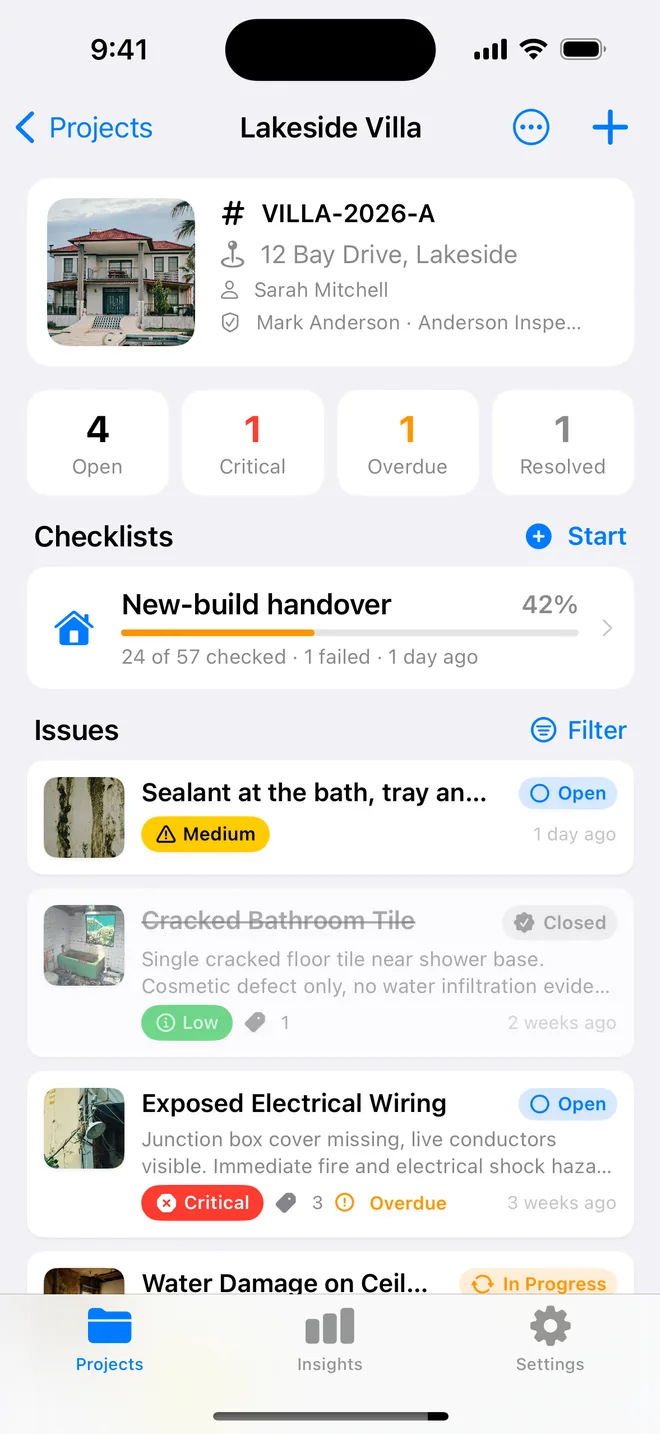
Punch List AI has this exact structure built in, auto reference numbering, separate severity and priority, the five-state status workflow, and drafts the description and required action from your photograph.
Get the free appQuestions people ask
Should I use a spreadsheet or an app for a punch list?
A spreadsheet is fine for a small job with one trade. It breaks down when photos have to travel with items, when the list is updated on site rather than at a desk, and when the client wants a report rather than a file. Here is how to choose an app if you are past that point.
What is the difference between severity and priority on a punch list?
Severity is how bad the defect is; priority is how soon it has to be dealt with. A cosmetic scratch on the handover day is low severity but high priority. Keeping both lets you sort the client report one way and the week's work the other.
How should punch list items be numbered?
Project code, then a running number that never gets reused, even when an item is closed or rejected. PROJ-014 stays PROJ-014 for the life of the job. Renumbering is how items get lost.