The report now looks like yours
Version 1.3 is about the document you hand over: how it looks, what it says and who signs it. Everything below is on the free plan except the Word export, which is part of Pro. Update from the App Store; your projects and reports stay as they are.
Ten themes, three layouts
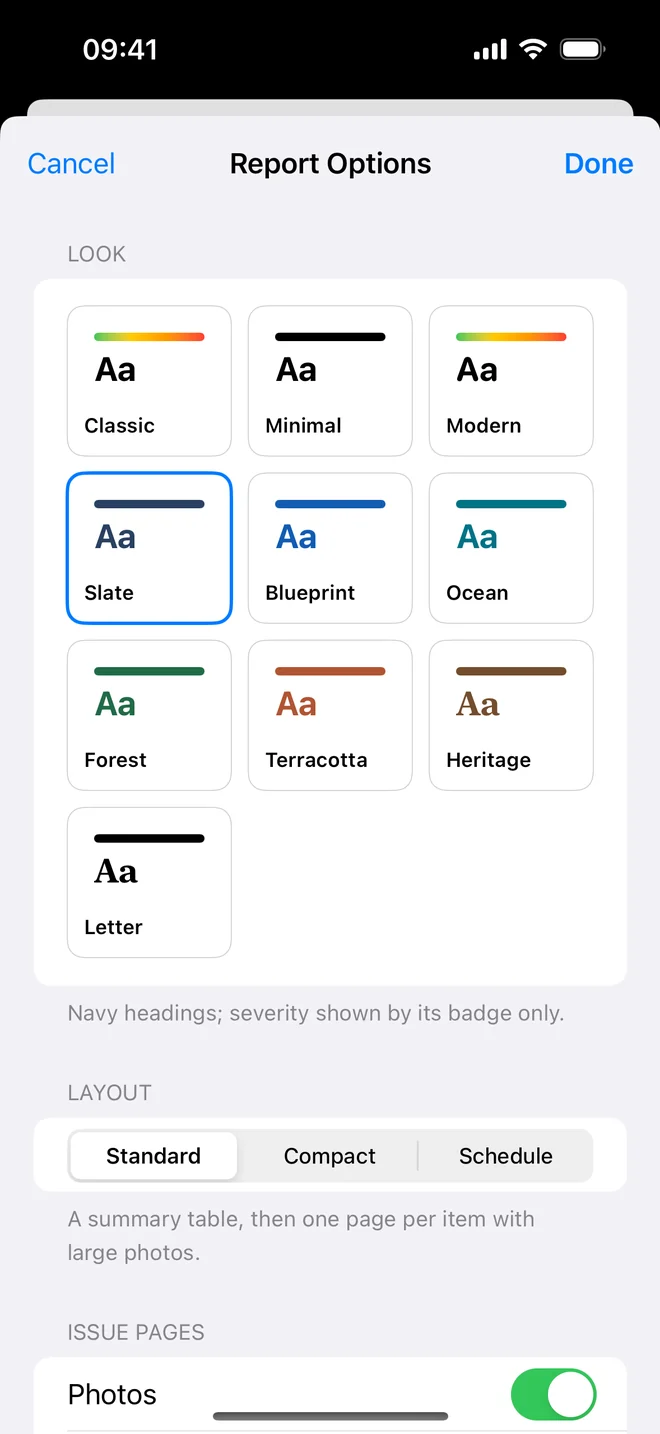
Classic, Minimal, Modern, Slate, Blueprint, Ocean, Forest, Terracotta, Heritage and Letter: each sets the accent colour, the typeface and how severity shows, from colour bands to a badge only.
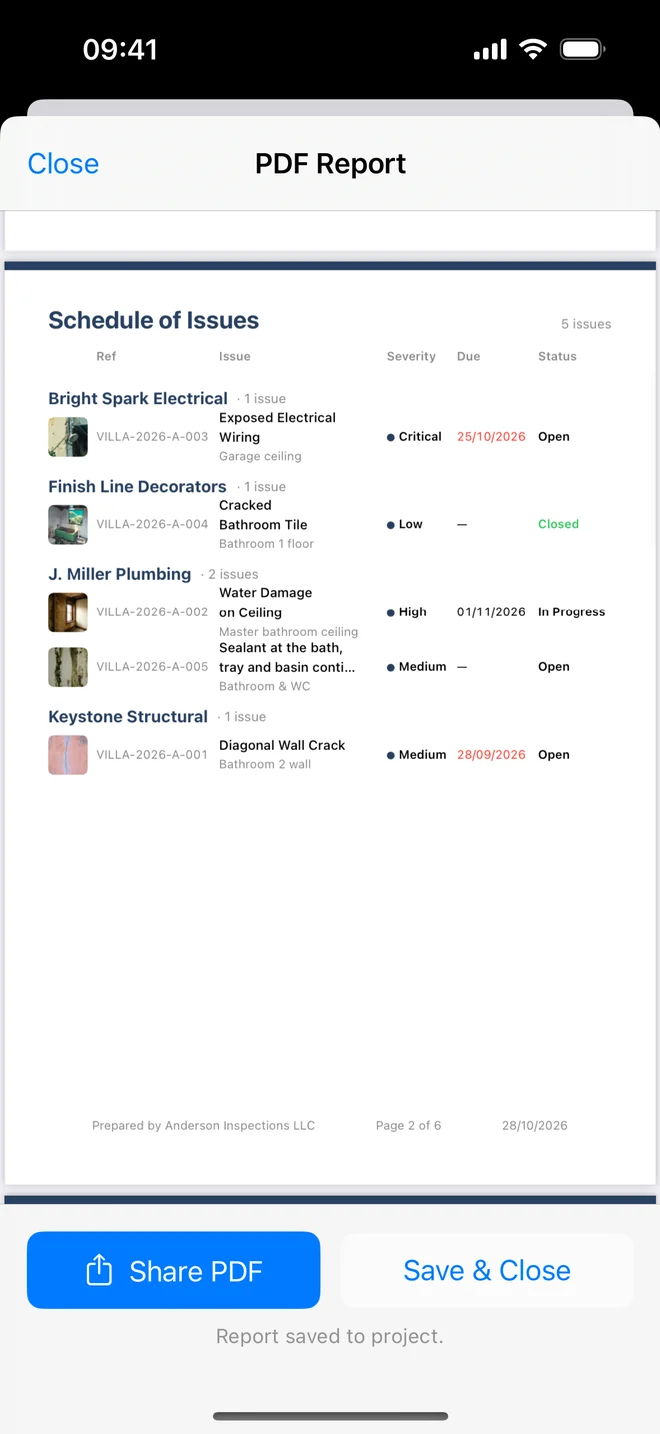
Three layouts: Standard, one item a page with large photos; Compact, two a page with the photo beside the text; Schedule, one table grouped by the contractor each item is assigned to, to hand out to the trades.
A table per trade
The Schedule layout replaces the item pages with one table grouped by assignee, with thumbnails, severity, due date and status. Each contractor gets the rows that are theirs.
The client signs at handover
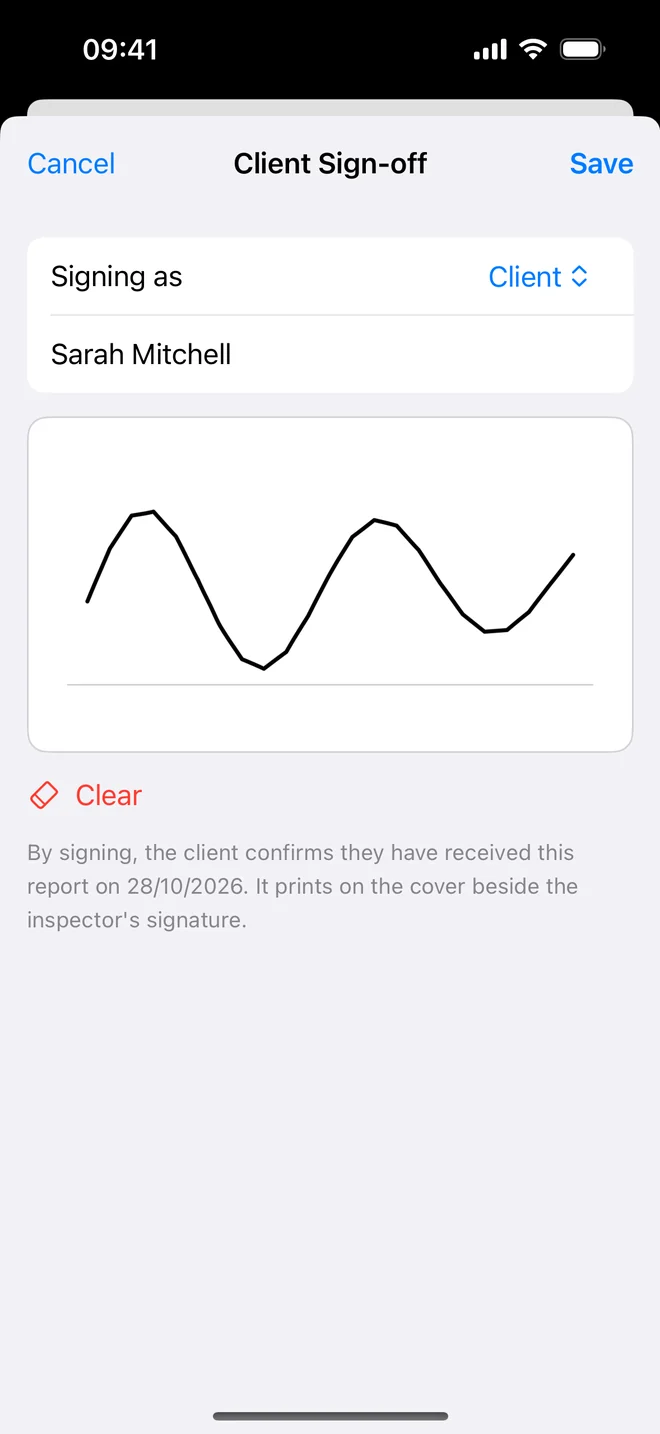
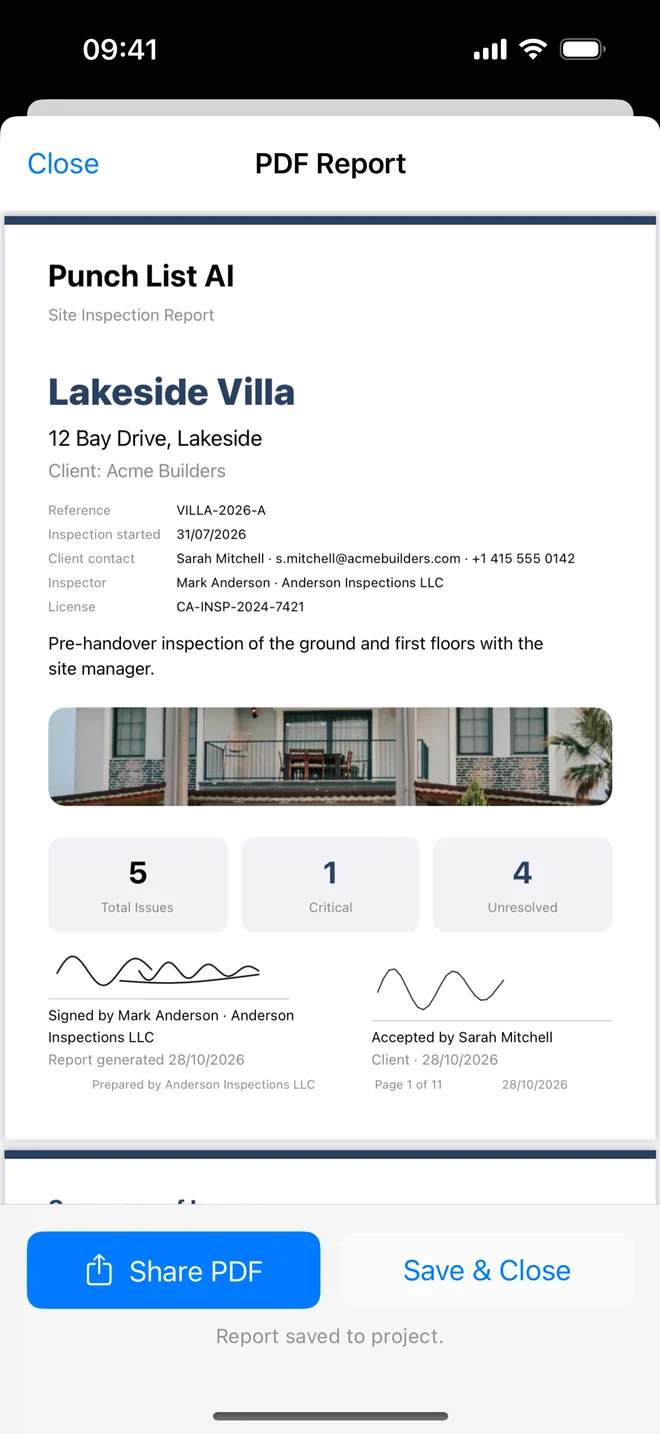
Client sign-off on the report screen: the client, the contractor or the owner's representative signs on your phone or iPad. Their name, role, date and signature print on the cover beside yours.
Report wording sets the cover title, renames the headings on each page, and adds an introduction on the cover and closing remarks on their own page. You can also call each item by your own word.
Word, and a lighter PDF
Word (.docx), on Pro, exports the whole report for Word, Pages or Google Docs, photos and signatures included, for when a client wants to edit the text.
The PDF now has real text you can search and copy, and files are much smaller to email.
Also in 1.3
- Search, filters by status, severity, trade, assignee and overdue, and bulk changes on many items at once.
- Assign each item to a trade or contractor; the next item starts with the same location and contractor.
- Closure evidence: an after photo, who verified the fix and when, Before and After on the report, and an AI read of the two photos.
- Room-by-room checklists for new-build handover, rental move-in and move-out, commercial fit-out and fire safety, or your own.
- Folders on the Projects screen, CSV with every photo in a zip, and time and GPS under each photo.
The full list of features is on the features page, and the user guide shows where each one lives in the app. Questions and requests are read by a person: punchlistai@niceexpress.org.
Try 1.3 on your next walk
Free to download; the first project is free for good.
Download on theApp Store