How the walk works in the app
- Download the file above on your iPhone or iPad and open it; it appears under Your templates.
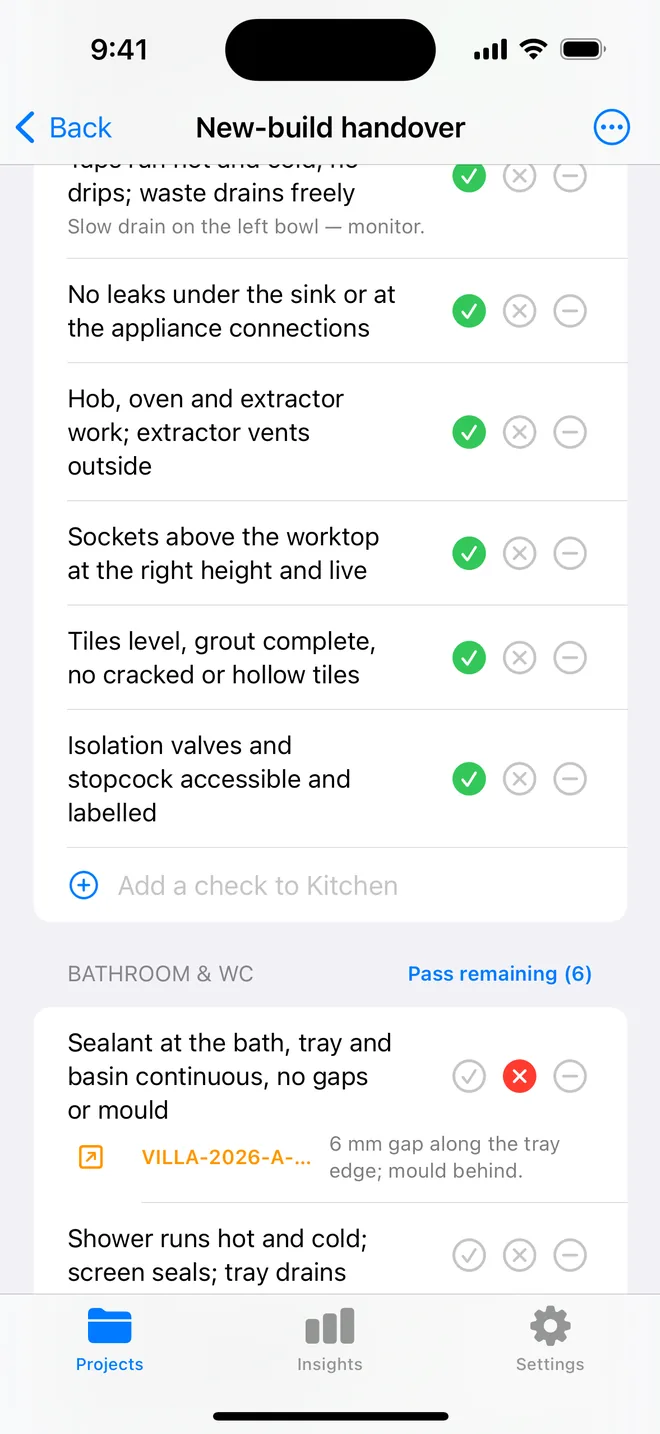
- Walk the areas in order. Tap Pass, Fail or N/A.
- A Fail creates an item with the area and trade filled in; take the photo and the AI drafts the description and severity.
- Add a check on the spot if the list forgot one. Save the walk as your own template.
- The report's appendix prints every check and its result.
The checklist
Trade in grey is what a Fail is filed under. Print this page or tick on screen.
Framing 6
- Studs plumb, straight, no bowed or split membersStructural
- Headers sized and bearing correctly; jack studs full heightStructural
- Top plates lapped at corners; no over-notched or over-bored studsStructural
- Blocking for cabinets, grab bars, TV mounts and towel bars in placeFinishing
- Floor and ceiling joists not cut or notched beyond codeStructural
- Hurricane ties, hold-downs and straps installed as drawnStructural
Rough plumbing 5
- Supply lines strapped, protected with nail plates where within 1¼" of the facePlumbing
- DWV pipes sloped, vented, and pressure-tested (test caps on)Plumbing
- Tub and shower valves centered and at the right heightPlumbing
- Hose bibs, ice maker and washer boxes located as drawnPlumbing
- No stress on PEX at fittings; expansion allowedPlumbing
Rough electrical 5
- Boxes at correct heights and counts per room; nail plates on bored studsElectrical
- Cable stapled within 12" of boxes and every 4½ ftElectrical
- Smoke and CO detector locations roughed in; interconnectedSafety
- Dedicated circuits for kitchen, bath, laundry and HVACElectrical
- Low-voltage, data and speaker runs in before insulationElectrical
HVAC rough-in 4
- Ducts sealed with mastic, not tape; supported every 4 ftMechanical
- Returns in every closed room or transfer grillesMechanical
- Bath and range exhaust ducted to the exteriorMechanical
- Condensate drain routed with trap and secondary pan where requiredMechanical
Insulation and air sealing 4
- Gaps at plates, penetrations and window jambs foamed or caulkedFinishing
- Batts fill the cavity without compression; no voids behind pipesFinishing
- Vapor retarder on the correct side for the climate zoneFinishing
- Attic access and knee walls insulatedFinishing
Windows, doors and flashing 4
- Sill pan or flashing at every window; laps shingle-fashionFinishing
- House wrap taped at seams and integrated with flashingFinishing
- Windows square, shimmed, foamed, operate every sashFinishing
- Exterior doors flashed and sealed at the thresholdFinishing
Fire blocking and draft stops 3
- Fire blocking at soffits, drop ceilings and chasesSafety
- Penetrations through top plates fire-caulkedSafety
- Garage-to-house separation continuousSafety
Questions
How do I use the pre-drywall inspection checklist in the app?
Download the file below on your iPhone or iPad and open it, it lands in the template picker. Then open a project, tap Start next to Checklists and choose it. Tap Pass, Fail or N/A per check; a Fail creates an item with the area and trade filled in.
Can I change the checks?
Yes. In the app, swipe the template to customise a copy: rename areas, add or remove checks, change the trade. You can also add a check during a walk and save the walk as a new template.
Does the walk print on the report?
Yes. The PDF's checklist appendix lists each area, each check, its result and the item a Fail created.
Walk it on your phone
Free to download; the first project is free for good. Checklists are free.
Download on theApp Store