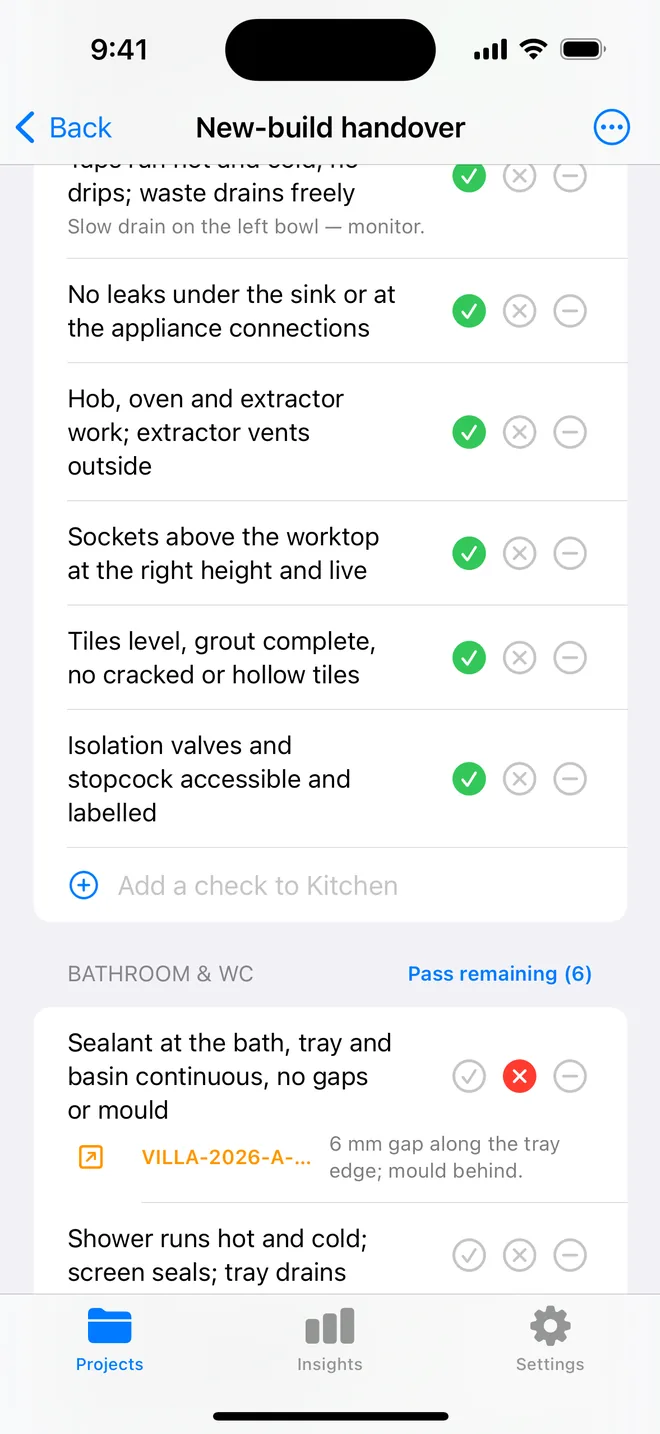
How the walk works in the app
- Download the file above on your iPhone or iPad and open it; it appears under Your templates.
- Walk the areas in order. Tap Pass, Fail or N/A.
- A Fail creates an item with the area and trade filled in; take the photo and the AI drafts the description and severity.
- Add a check on the spot if the list forgot one. Save the walk as your own template.
- The report's appendix prints every check and its result.
The checklist
Trade in grey is what a Fail is filed under. Print this page or tick on screen.
Units and worktops 6
- Doors and drawers aligned, level gaps, soft-close worksFinishing
- Handles straight and tight; no missing screwsCosmetic
- Worktop level; joints filled and sealed; no chips at cut-outsFinishing
- Sealant at the wall-to-worktop junction continuousFinishing
- Plinths clipped on and cut round the pipes; end panels fittedCosmetic
- Carcasses secure to the wall; shelves and pegs presentFinishing
Appliances 6
- Hob ignites or heats on every ring; child lock if fittedElectrical
- Oven heats, light works, door seal intact, shelves suppliedElectrical
- Extractor or hood runs on all speeds and is ducted outMechanical
- Dishwasher fills, drains and stops; no leak under the sink after a cyclePlumbing
- Fridge-freezer level, cold, door seals closeMechanical
- Washing machine stable; outlet hose secure; run a cyclePlumbing
Sink and plumbing 4
- Tap runs hot and cold; no drip; base sealedPlumbing
- Sink drains fast; waste and overflow tight; check under the cupboard with a torchPlumbing
- Isolation valves fitted and reachablePlumbing
- Boiling-water or filter tap, if fitted, works and is isolatedPlumbing
Electrical 4
- All sockets live; RCD trips on testElectrical
- Sockets 300 mm from the sink and hobSafety
- Cooker switch and isolators labelled and reachableElectrical
- Under-unit and ceiling lights all workElectrical
Splashback, walls and ceiling 3
- Tiles or glass splashback flat, sealed at the edgesFinishing
- No cracks or unfilled holes; paint evenCosmetic
- Ceiling free of stains, especially under a bathroomCosmetic
Floor 3
- Floor level; no lifting edges or hollow spotsFinishing
- Threshold strips fitted; no gaps at the plinthsCosmetic
- No scratches or damage from the appliance installCosmetic
Questions
How do I use the kitchen snagging checklist in the app?
Download the file below on your iPhone or iPad and open it, it lands in the template picker. Then open a project, tap Start next to Checklists and choose it. Tap Pass, Fail or N/A per check; a Fail creates an item with the area and trade filled in.
Can I change the checks?
Yes. In the app, swipe the template to customise a copy: rename areas, add or remove checks, change the trade. You can also add a check during a walk and save the walk as a new template.
Does the walk print on the report?
Yes. The PDF's checklist appendix lists each area, each check, its result and the item a Fail created.
Walk it on your phone
Free to download; the first project is free for good. Checklists are free.
Download on theApp Store