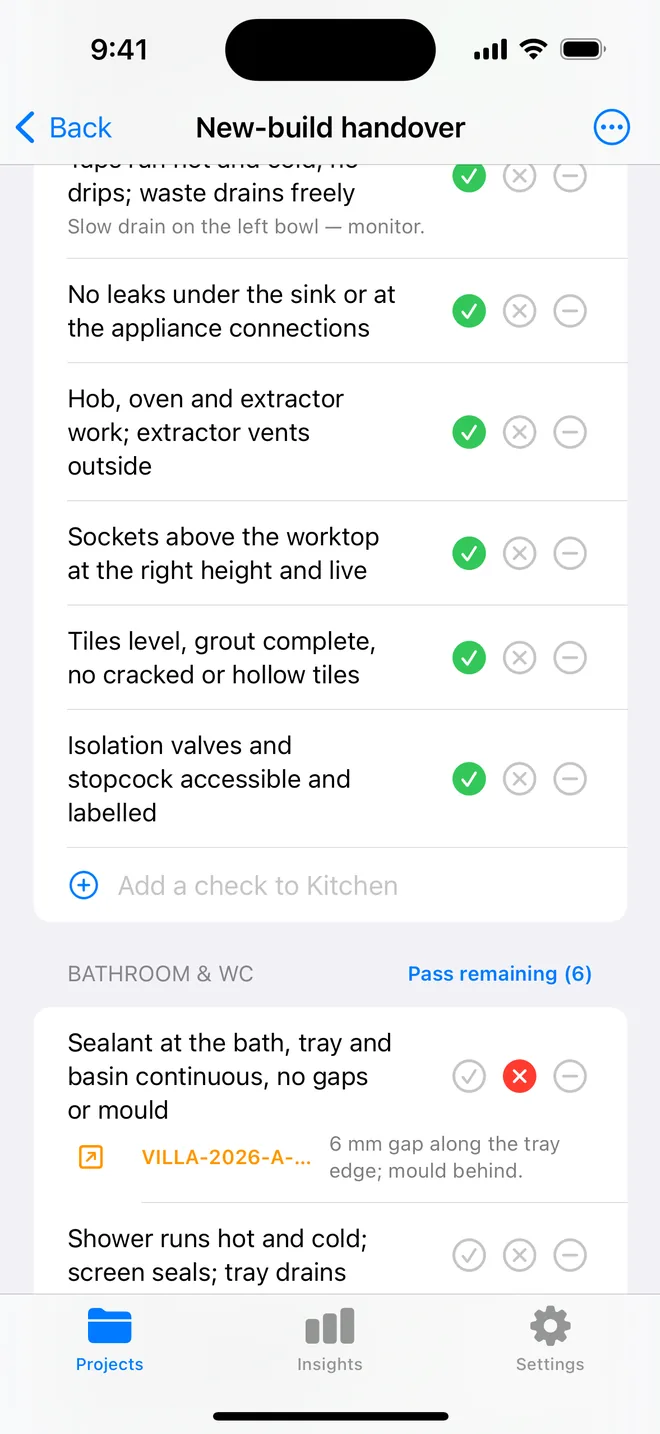
How the walk works in the app
- Download the file above on your iPhone or iPad and open it; it appears under Your templates.
- Walk the areas in order. Tap Pass, Fail or N/A.
- A Fail creates an item with the area and trade filled in; take the photo and the AI drafts the description and severity.
- Add a check on the spot if the list forgot one. Save the walk as your own template.
- The report's appendix prints every check and its result.
The checklist
Trade in grey is what a Fail is filed under. Print this page or tick on screen.
Structure and openings 4
- Studs, noggins and pattresses in for radiators, basins, cabinets and TVsStructural
- Lintels bearing correctly; cavity trays and stop ends over openingsStructural
- Window and door frames plumb, fixed, cavity closers fittedFinishing
- Floor joists strutted; no over-notching for servicesStructural
First-fix plumbing 4
- Pipework clipped, sleeved through walls, pressure-testedPlumbing
- Waste and soil runs to fall, vented, testedPlumbing
- Underfloor heating loops laid and pressure-held, if specifiedMechanical
- Boiler flue route and condensate drain agreedMechanical
First-fix electrical 4
- Back boxes at correct heights and counts; cables clipped in safe zonesElectrical
- Cables not crossing joists unprotected; grommets in metal boxesElectrical
- Smoke, heat and CO detector positions wiredSafety
- Data, TV and speaker cables pulledElectrical
Insulation and vapour control 3
- Insulation continuous, no gaps at studs and around boxesFinishing
- Vapour control layer on the warm side, lapped and tapedFinishing
- Acoustic insulation in party and floor voidsFinishing
Fire stopping 3
- Service penetrations through fire walls and floors stopped with a tested systemSafety
- Cavity barriers at floor lines, party walls and around openingsSafety
- Fire stopping photographed before it is coveredSafety
Ventilation 3
- Extract ducting rigid where possible, sealed, routed to outsideMechanical
- MVHR ducts labelled, insulated in cold spaces, terminals locatedMechanical
- Trickle vents or background ventilation as designedMechanical
Questions
How do I use the first-fix inspection checklist in the app?
Download the file below on your iPhone or iPad and open it, it lands in the template picker. Then open a project, tap Start next to Checklists and choose it. Tap Pass, Fail or N/A per check; a Fail creates an item with the area and trade filled in.
Can I change the checks?
Yes. In the app, swipe the template to customise a copy: rename areas, add or remove checks, change the trade. You can also add a check during a walk and save the walk as a new template.
Does the walk print on the report?
Yes. The PDF's checklist appendix lists each area, each check, its result and the item a Fail created.
Walk it on your phone
Free to download; the first project is free for good. Checklists are free.
Download on theApp Store