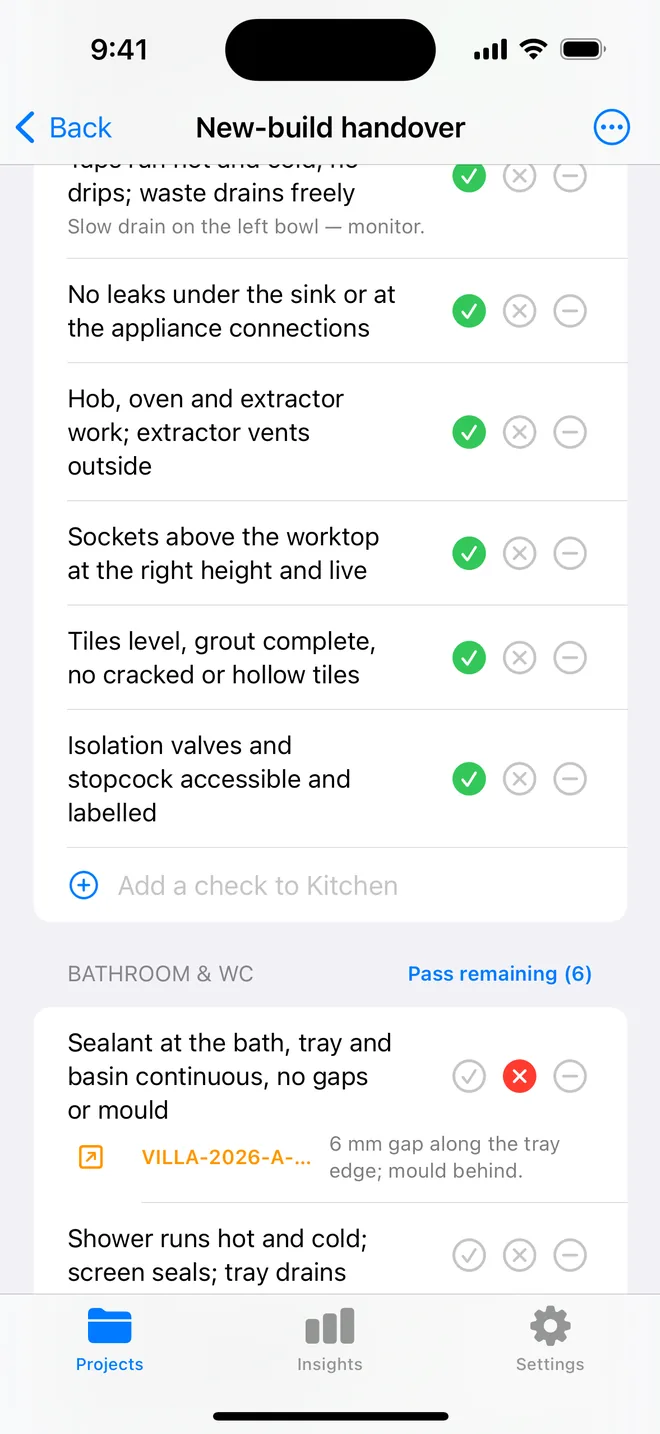
How the walk works in the app
- Download the file above on your iPhone or iPad and open it; it appears under Your templates.
- Walk the areas in order. Tap Pass, Fail or N/A.
- A Fail creates an item with the area and trade filled in; take the photo and the AI drafts the description and severity.
- Add a check on the spot if the list forgot one. Save the walk as your own template.
- The report's appendix prints every check and its result.
The checklist
Trade in grey is what a Fail is filed under. Print this page or tick on screen.
Exterior 5
- Grading slopes away from the foundation; downspouts discharge clearStructural
- Siding, trim and paint complete; no gaps at corners or penetrationsFinishing
- Driveway, walks and steps free of cracks and trip edgesStructural
- Exterior lights, outlets (GFCI) and hose bibs workElectrical
- Roof: no lifted shingles, flashing sealed, gutters attachedStructural
Entry and living areas 7
- Front door locks, deadbolt throws, weatherstrip sealsFinishing
- Walls and ceilings: no cracks, nail pops or visible seamsCosmetic
- Paint uniform; touch-ups blendCosmetic
- Flooring: no squeaks, gaps, scratches or loose transitionsFinishing
- Windows open, lock and have screens; no fogging between panesFinishing
- Outlets, switches and fixtures all work; cover plates straightElectrical
- Stairs: treads solid, handrail secure, balusters tightSafety
Kitchen 5
- Every appliance runs; manuals and warranty cards presentElectrical
- Cabinet doors and drawers aligned; hardware completeFinishing
- Countertop seams tight; backsplash sealedFinishing
- Sink, disposal and dishwasher run without leaks belowPlumbing
- GFCI outlets at counter trip on testSafety
Bathrooms 5
- Toilet secure, flushes, no rockingPlumbing
- Tub, shower and faucets run hot and cold; drains clearPlumbing
- Caulk at tub, shower and countertop continuousFinishing
- Exhaust fan runs and vents outsideMechanical
- Tile and grout complete; no cracked tilesFinishing
Bedrooms and closets 4
- Doors latch; closet doors track; shelving secureFinishing
- Carpet seams invisible, stretched, tack strip not felt at edgesCosmetic
- Smoke detector in each bedroom testedSafety
- Egress window opens fullySafety
Mechanical and utility 5
- Furnace and A/C run through a full cycle; filter newMechanical
- Water heater: no leaks, T&P discharge piped, gas shut-off reachablePlumbing
- Electrical panel labelled; breakers seated; no open knockoutsElectrical
- Main water shut-off located and shownPlumbing
- Sump pump, if any, cycles on testPlumbing
Garage 3
- Opener works, reverses on obstruction, remotes suppliedSafety
- Fire-rated door to house self-closesSafety
- Slab and walls free of cracks; drain clearStructural
Questions
How do I use the final walkthrough: new home checklist in the app?
Download the file below on your iPhone or iPad and open it, it lands in the template picker. Then open a project, tap Start next to Checklists and choose it. Tap Pass, Fail or N/A per check; a Fail creates an item with the area and trade filled in.
Can I change the checks?
Yes. In the app, swipe the template to customise a copy: rename areas, add or remove checks, change the trade. You can also add a check during a walk and save the walk as a new template.
Does the walk print on the report?
Yes. The PDF's checklist appendix lists each area, each check, its result and the item a Fail created.
Walk it on your phone
Free to download; the first project is free for good. Checklists are free.
Download on theApp Store