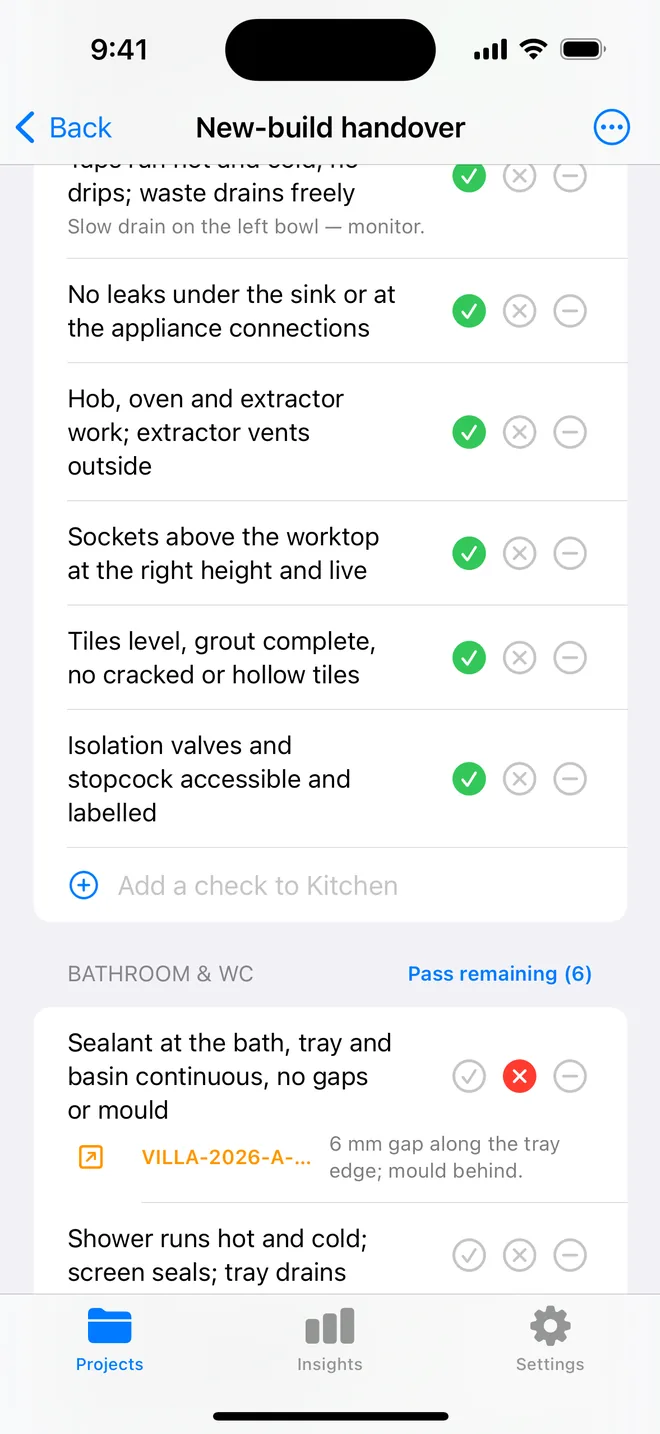
How the walk works in the app
- Download the file above on your iPhone or iPad and open it; it appears under Your templates.
- Walk the areas in order. Tap Pass, Fail or N/A.
- A Fail creates an item with the area and trade filled in; take the photo and the AI drafts the description and severity.
- Add a check on the spot if the list forgot one. Save the walk as your own template.
- The report's appendix prints every check and its result.
The checklist
Trade in grey is what a Fail is filed under. Print this page or tick on screen.
Walls 6
- Brickwork: perps and beds full, no cracked or spalled unitsStructural
- No stepped or diagonal cracking at corners or above openingsStructural
- Render: no crazing, hollow patches or cracks at the beadFinishing
- Movement joints continuous and sealedStructural
- Weep holes present above lintels and at the DPCStructural
- Efflorescence noted and photographed (report, do not fail on its own)Cosmetic
Windows and external doors 5
- Frames plumb and sealed; mastic continuous, no gaps at the sillFinishing
- Sills project with a drip; no water tracking backFinishing
- Glazing free of scratches; units not mistedCosmetic
- Trickle vents fitted and open; restrictors on upper floorsSafety
- Door thresholds level with the step; drainage channel clearFinishing
Damp-proofing and ground levels 4
- External ground at least 150 mm below the DPCStructural
- DPC not bridged by render, paving or soilStructural
- Air bricks unobstructed and above groundStructural
- No damp staining at the wall base insideStructural
Surface water and drainage 4
- Paving falls away from the buildingStructural
- Gulleys, channels and soakaways clear and coveredPlumbing
- Inspection chambers lidded, benching soundPlumbing
- Downpipe shoes or connections completePlumbing
Boundaries and externals 4
- Fences, gates and walls plumb, capped and secureStructural
- Steps and paths even; no trip edgesSafety
- External taps, lights and sockets work; sockets RCD-protectedElectrical
- Meter boxes closed and labelledOther
Questions
How do I use the external walls, windows and drainage checklist in the app?
Download the file below on your iPhone or iPad and open it, it lands in the template picker. Then open a project, tap Start next to Checklists and choose it. Tap Pass, Fail or N/A per check; a Fail creates an item with the area and trade filled in.
Can I change the checks?
Yes. In the app, swipe the template to customise a copy: rename areas, add or remove checks, change the trade. You can also add a check during a walk and save the walk as a new template.
Does the walk print on the report?
Yes. The PDF's checklist appendix lists each area, each check, its result and the item a Fail created.
Walk it on your phone
Free to download; the first project is free for good. Checklists are free.
Download on theApp Store