A checklist that turns a Fail into an item
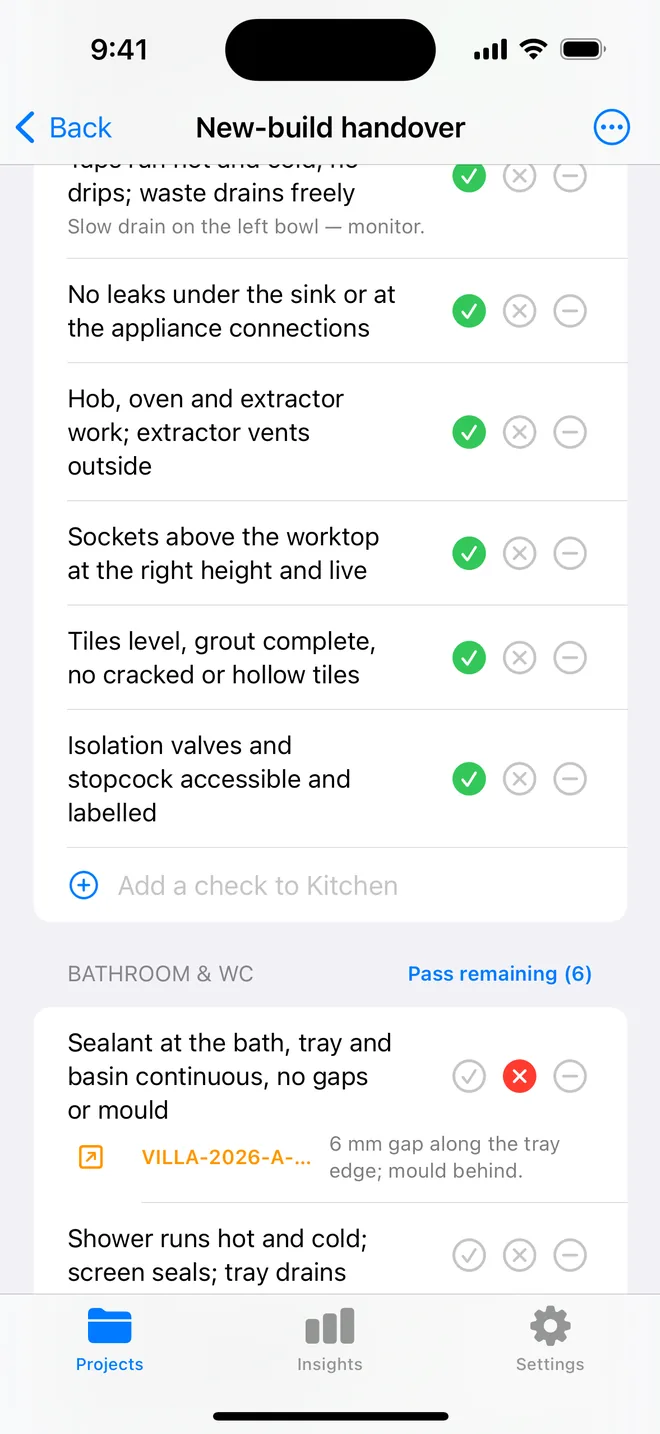
Four built-in walks and your own templates. Each check is Pass, Fail or N/A with a 28-point target you can hit with a glove on. A Fail creates the item, room, trade and the check text already filled, and the whole walk prints as an appendix to the report.
Four walks written to match the field guide
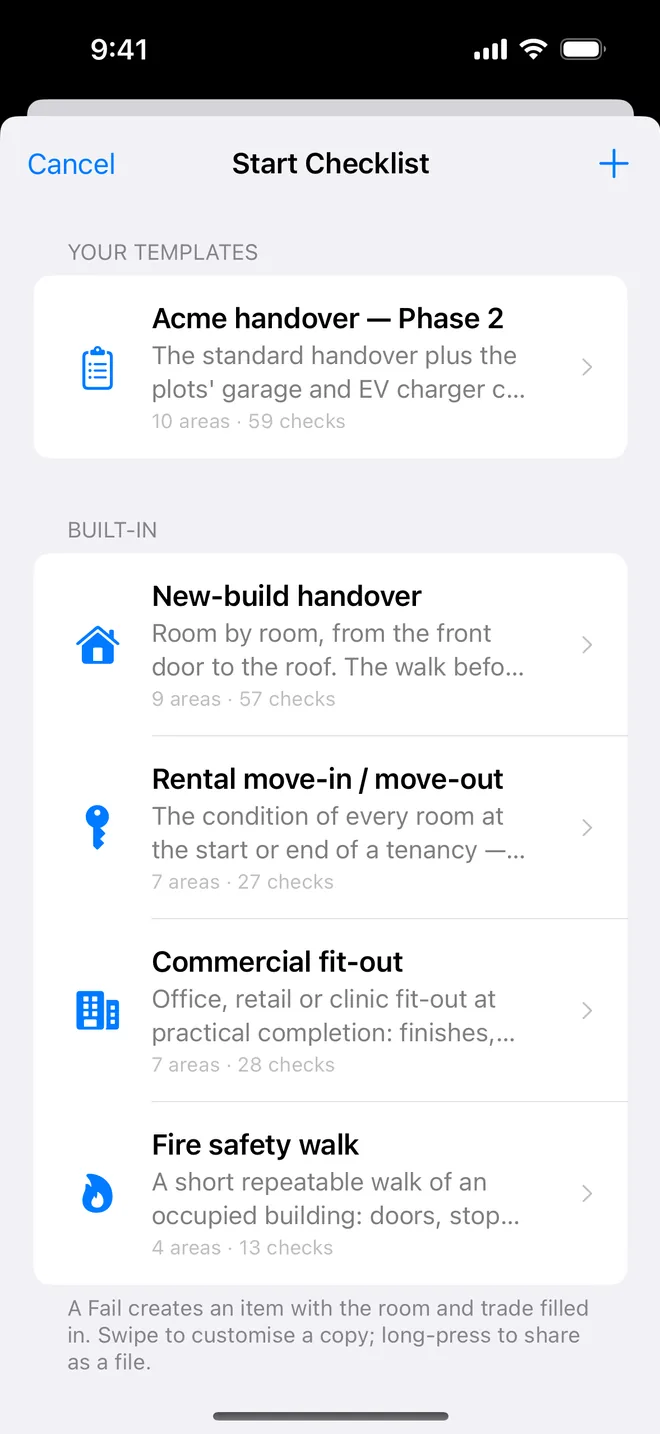
- New-build handover: 9 areas, 57 checks, from the front door to the roof.
- Rental move-in / move-out, 7 areas, 27 checks, the condition of every room.
- Commercial fit-out: 7 areas, 28 checks at practical completion.
- Fire safety walk: 4 areas, 13 checks, short and repeatable.
Every one is also on this site, printable and downloadable: see the template library.
Custom templates, added mid-walk, shared as a file
Swipe a built-in walk to customise a copy, or build one from scratch: areas, checks and the trade each check belongs to. Notice something on site that the list forgot? Add the check during the walk and save the walk as a new template when you finish.
Templates export as a small .punchlist-template.json file. AirDrop it to a colleague and it imports
in one tap. A stray JSON file is refused with a reason; a newer format tells you to update.
The appendix prints every check and its result
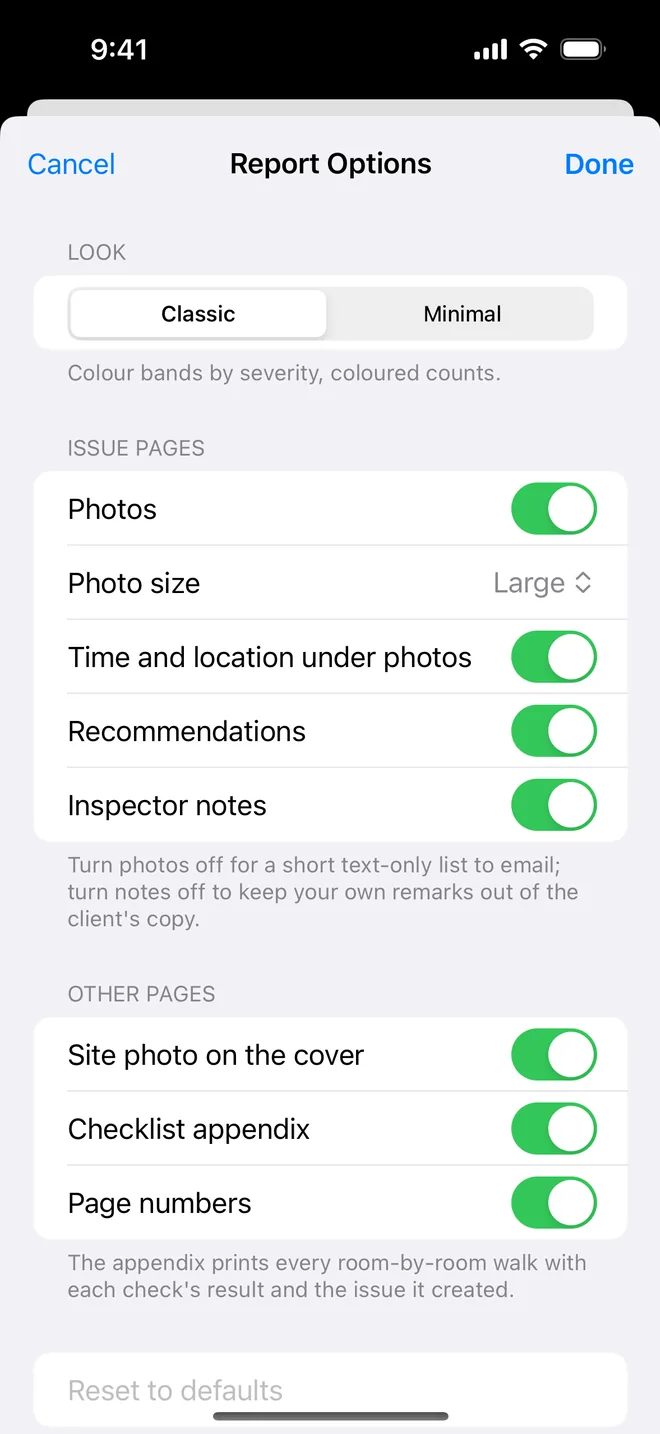
The PDF's checklist appendix lists each area, each check, Pass / Fail / N/A, and the item a Fail created, with page numbers. Turn it off in Report options for a shorter client copy.
About room-by-room checklists
Can I use my own checklist?
Yes. Build it in the app (areas, checks, trade per check), or start from a built-in walk and edit a copy. You can also import a template file someone shares with you.
What happens when I mark a check as Fail?
An item is created immediately with the room as its location, the trade from the check and the check text as the title. Add a photo and the AI drafts the description and severity.
Do checklists work on the free plan?
Yes, checklists are free. The free plan limits you to one project and five items; Pro removes those limits.
Related features
AI defect analysis
Photograph the defect. The title, description, trade, severity and a fix come back drafted for your review.
FeaturePDF and Word reports
Ten themes, three layouts, your own wording, a client sign-off on the cover. Word, CSV and a photo zip.
FeatureFolders, search, bulk actions
Projects in folders by client. Search and filter items, select many and change them at once, assign a trade.
Turn your next site walk into a finished report
Free to download. Open the sample inspection or analyse your first defect in under a minute. No account, no setup.