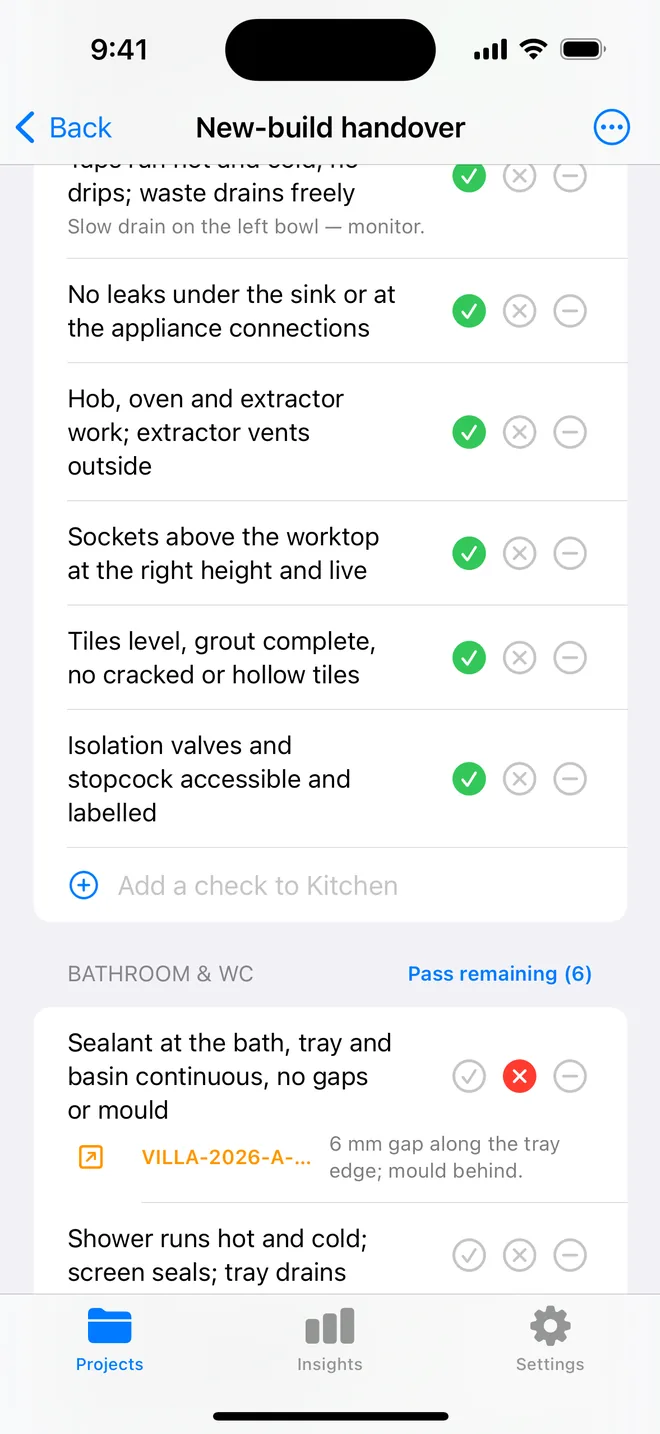
How the walk works in the app
- Download the file above on your iPhone or iPad and open it; it appears under Your templates.
- Walk the areas in order. Tap Pass, Fail or N/A.
- A Fail creates an item with the area and trade filled in; take the photo and the AI drafts the description and severity.
- Add a check on the spot if the list forgot one. Save the walk as your own template.
- The report's appendix prints every check and its result.
The checklist
Trade in grey is what a Fail is filed under. Print this page or tick on screen.
Safety 5
- Smoke alarms on every floor tested; CO alarm where requiredSafety
- Gas safety certificate in date; boiler servicedSafety
- Electrical condition report in date; no damaged sockets or leadsElectrical
- Fire doors self-close; escape routes clearSafety
- Window restrictors and blind cords safe where children liveSafety
Damp, mould and ventilation 4
- No mould in bathroom or bedroom corners; extractor used and workingMechanical
- No condensation staining on windows or revealsCosmetic
- Trickle vents open; furniture off external wallsOther
- No leaks under sinks, behind the WC or around the bathPlumbing
Kitchen 3
- Appliances working; seals and filters cleanMechanical
- Worktops, units and floor undamaged beyond fair wearCosmetic
- Extractor and hob clean and functionalMechanical
Bathroom 3
- Sealant and grout intact; no soft plasterFinishing
- WC, basin and shower work; no dripsPlumbing
- Extractor runsMechanical
Living areas and bedrooms 4
- Walls, doors and floors free of damage beyond fair wearCosmetic
- Windows and locks operate; keys heldFinishing
- Heating works in every room; radiators bleed and valves turnMechanical
- Furniture and inventory items present and undamagedOther
Exterior and common parts 4
- Gutters and drains clear; no overflow marksPlumbing
- Garden or yard maintained as the tenancy requiresOther
- Bins, meters and access secureOther
- Roof, walls and paths, anything the tenant has noticedStructural
Questions
How do I use the landlord periodic inspection checklist in the app?
Download the file below on your iPhone or iPad and open it, it lands in the template picker. Then open a project, tap Start next to Checklists and choose it. Tap Pass, Fail or N/A per check; a Fail creates an item with the area and trade filled in.
Can I change the checks?
Yes. In the app, swipe the template to customise a copy: rename areas, add or remove checks, change the trade. You can also add a check during a walk and save the walk as a new template.
Does the walk print on the report?
Yes. The PDF's checklist appendix lists each area, each check, its result and the item a Fail created.
Walk it on your phone
Free to download; the first project is free for good. Checklists are free.
Download on theApp Store