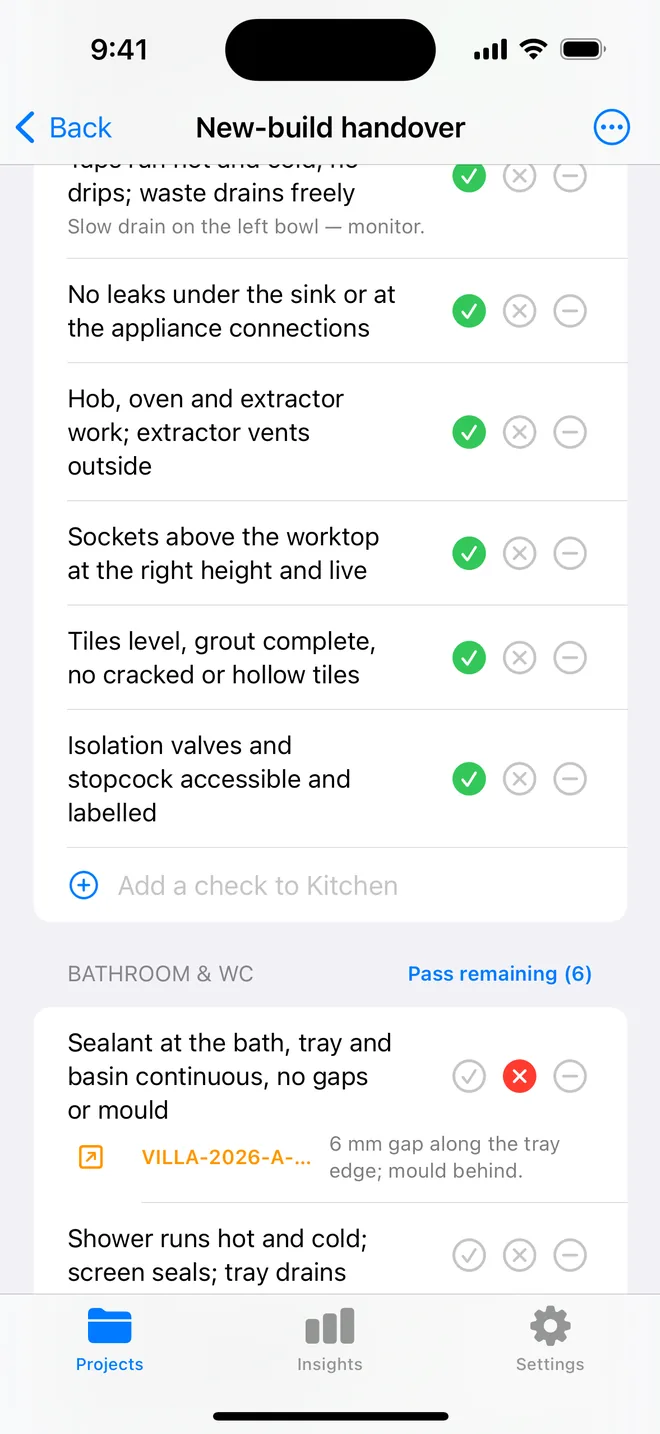
How the walk works in the app
- Open a project, tap Start next to Checklists and pick this walk, it is built in.
- Walk the areas in order. Tap Pass, Fail or N/A.
- A Fail creates an item with the area and trade filled in; take the photo and the AI drafts the description and severity.
- Add a check on the spot if the list forgot one. Save the walk as your own template.
- The report's appendix prints every check and its result.
The checklist
Trade in grey is what a Fail is filed under. Print this page or tick on screen.
Entrance 3
- Door, frame and locks: condition and operationFinishing
- Keys and fobs countedOther
- Walls, ceiling and floor: marks, damage, wearCosmetic
Living room 5
- Walls and ceiling: marks, holes, cracksCosmetic
- Floor and carpet: stains, burns, wearCosmetic
- Windows, blinds and curtains: condition and operationFinishing
- Sockets, switches and light fittings workElectrical
- Heating works; radiator conditionMechanical
Kitchen 5
- Appliances present and working: oven, hob, fridge, washerElectrical
- Cabinets and worktop: chips, water damage, hingesFinishing
- Sink, taps and waste: leaks, drips, drainagePlumbing
- Sealant and tiling conditionFinishing
- Extractor and lights workElectrical
Bathroom 4
- Bath, shower, basin and WC: condition and operationPlumbing
- Sealant and grout: gaps, mouldPlumbing
- Extractor worksElectrical
- Floor: water damage at the edgesPlumbing
Bedrooms 4
- Walls, ceiling and floor: marks and damageCosmetic
- Windows and locks operateFinishing
- Wardrobes and fitted furniture: conditionFinishing
- Sockets, switches and lights workElectrical
Safety 3
- Smoke alarms present and testedSafety
- Carbon monoxide alarm present where requiredSafety
- Gas and electrical certificates on fileSafety
Exterior 3
- Garden, paths and bins area: conditionOther
- External doors, gates and fences: conditionFinishing
- Gutters clear; no visible roof damageStructural
Questions
How do I use the rental move-in / move-out checklist in the app?
It is built in: open a project, tap Start next to Checklists and choose it. Tap Pass, Fail or N/A per check; a Fail creates an item with the area and trade filled in.
Can I change the checks?
Yes. In the app, swipe the template to customise a copy: rename areas, add or remove checks, change the trade. You can also add a check during a walk and save the walk as a new template.
Does the walk print on the report?
Yes. The PDF's checklist appendix lists each area, each check, its result and the item a Fail created.
Walk it on your phone
Free to download; the first project is free for good. Checklists are free.
Download on theApp Store