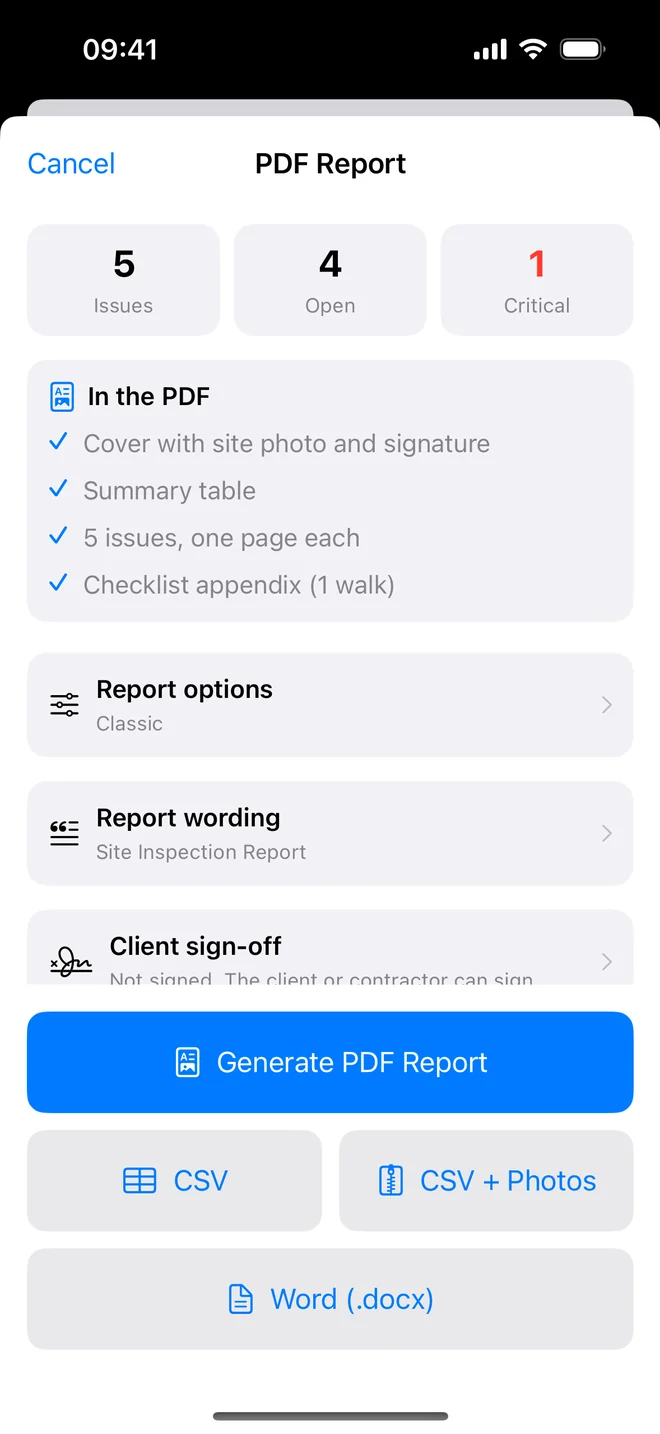
Step by step
- Assign each item to a trade or a named contractor; the project's previous assignees are offered as chips.
- ⋯ → Generate Report → Generate PDF Report; read it once.
- Tap Email Client for the pre-addressed message, or the share sheet to send it anywhere.
- Send the CSV to anyone who will track the list in a spreadsheet; the assignee column sorts it by trade.
Related questions
Can I send only one trade's items?
The PDF covers the whole project so the numbering stays complete. The summary table shows the assignee on every row, and the CSV sorts by it.
Does the contractor need the app?
No. They work from the PDF or the CSV; you record the fix on your re-inspection.
Try it on your next walk
Free to download; the first project is free for good. No account.
Download on theApp Store