From a list of problems to a record of what was fixed
A snag list is only half the job. Re-inspection is where disputes start, and where the evidence has to be. Punch List AI keeps the before photo, adds the after photo, records who verified the fix, and prints both on the same page.
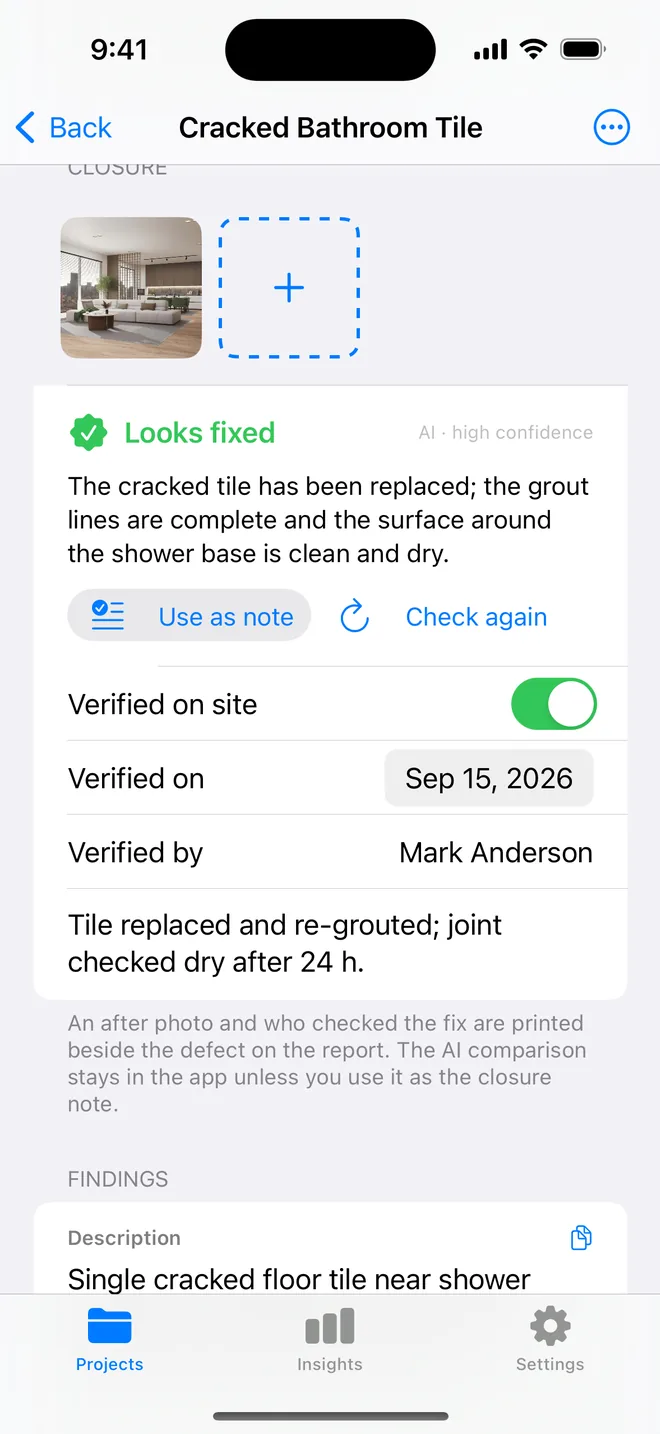
Close it with a photo, a name and a date
Open the item, tap Add after photo, confirm who verified it. The status moves to Closed, the resolution date is recorded, and the summary table stops counting it as open. Reopen it and the dates clear.
The after photos carry the same time and GPS line as the originals, so the record shows the fix was checked on site, not from the office.
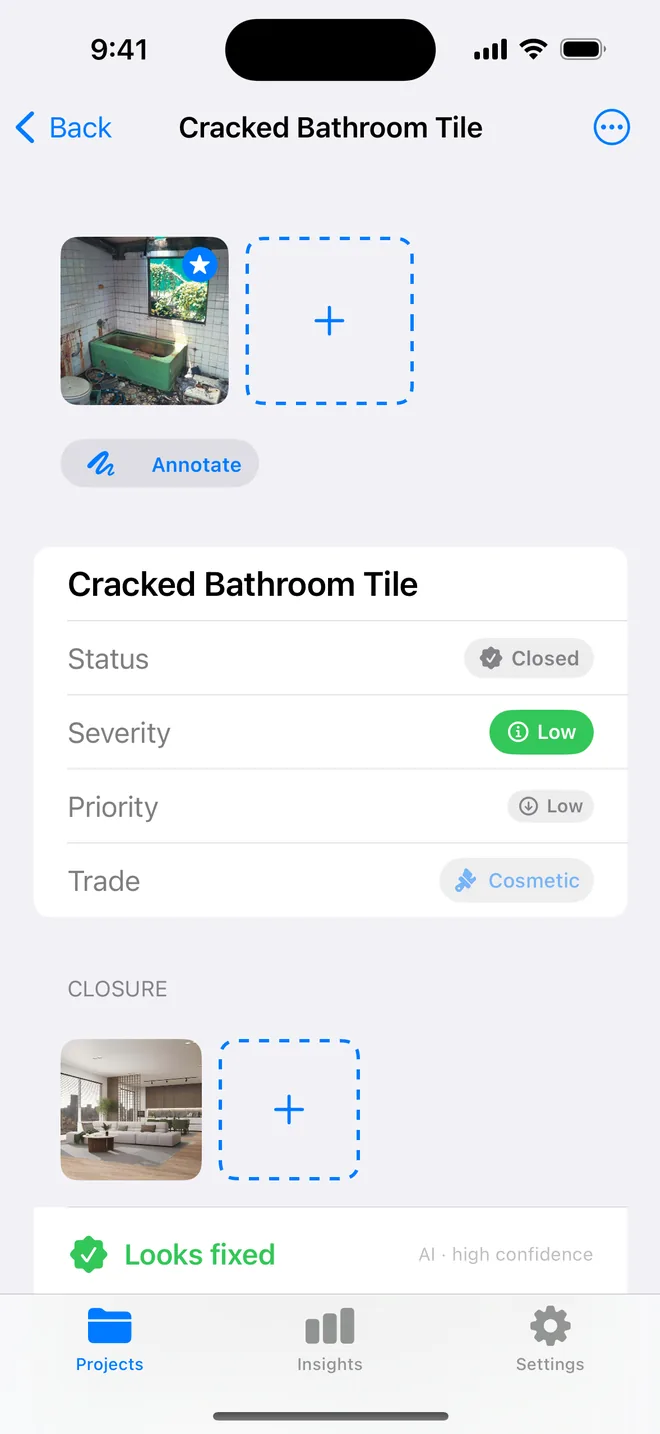
A second pair of eyes on the pair
Check with AI sends the before and after photos as one labelled image and returns a verdict fixed, partially fixed, not fixed or unclear, with what still remains and a confidence rating. Use it as the closure note in one tap, or ignore it.
The AI verdict is advisory and is never printed on the report. What prints is your photo, your name and your note.
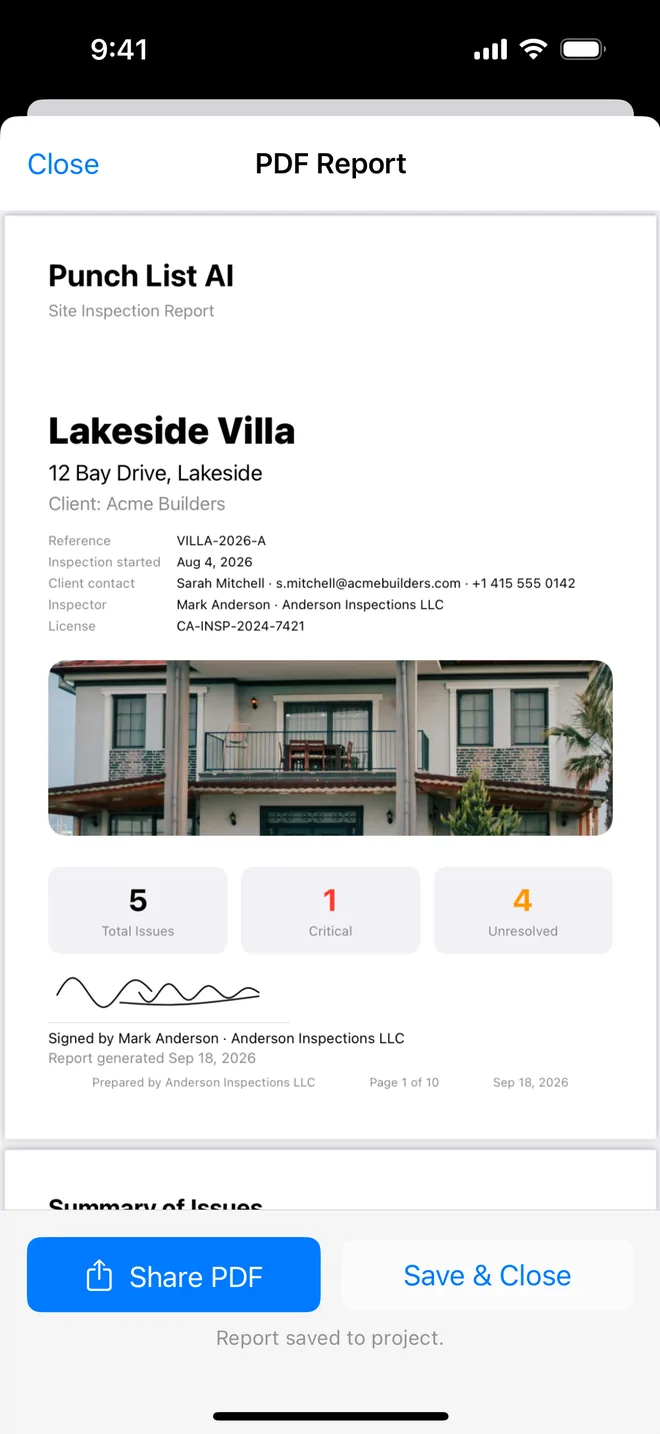
Before and After, side by side
Each closed item's page shows the original photo beside the after photo, the closure line (verified by, date, note) and the item's history. The summary table lists it as Closed with the resolution date. That page is what you hand over when someone asks "was this actually done?".
About closure evidence
Can a contractor close items themselves?
Not in a shared workspace, the app is single-user by design, your data stays in your iCloud. Contractors work from the PDF or CSV; you verify and close on your re-inspection.
Is the AI verdict on the PDF?
No, never. It helps you decide; the report shows only what you recorded.
What if there is no before photo?
You can still close with an after photo, a verifier and a note. The report shows After and the closure line.
Related features
AI defect analysis
Photograph the defect. The title, description, trade, severity and a fix come back drafted for your review.
FeaturePDF and Word reports
Ten themes, three layouts, your own wording, a client sign-off on the cover. Word, CSV and a photo zip.
FeatureRoom-by-room checklists
Walk a handover, a rental condition, a fit-out or a fire walk. Pass, Fail or N/A, a Fail becomes an item.
Turn your next site walk into a finished report
Free to download. Open the sample inspection or analyse your first defect in under a minute. No account, no setup.