The photo is the entry. The write-up is drafted for you.
Every other punch list app is form-first: project, location, trade, title, severity, then the photo. Punch List AI reverses it. Take the photo; a structured draft comes back in about two seconds; you correct rather than compose.
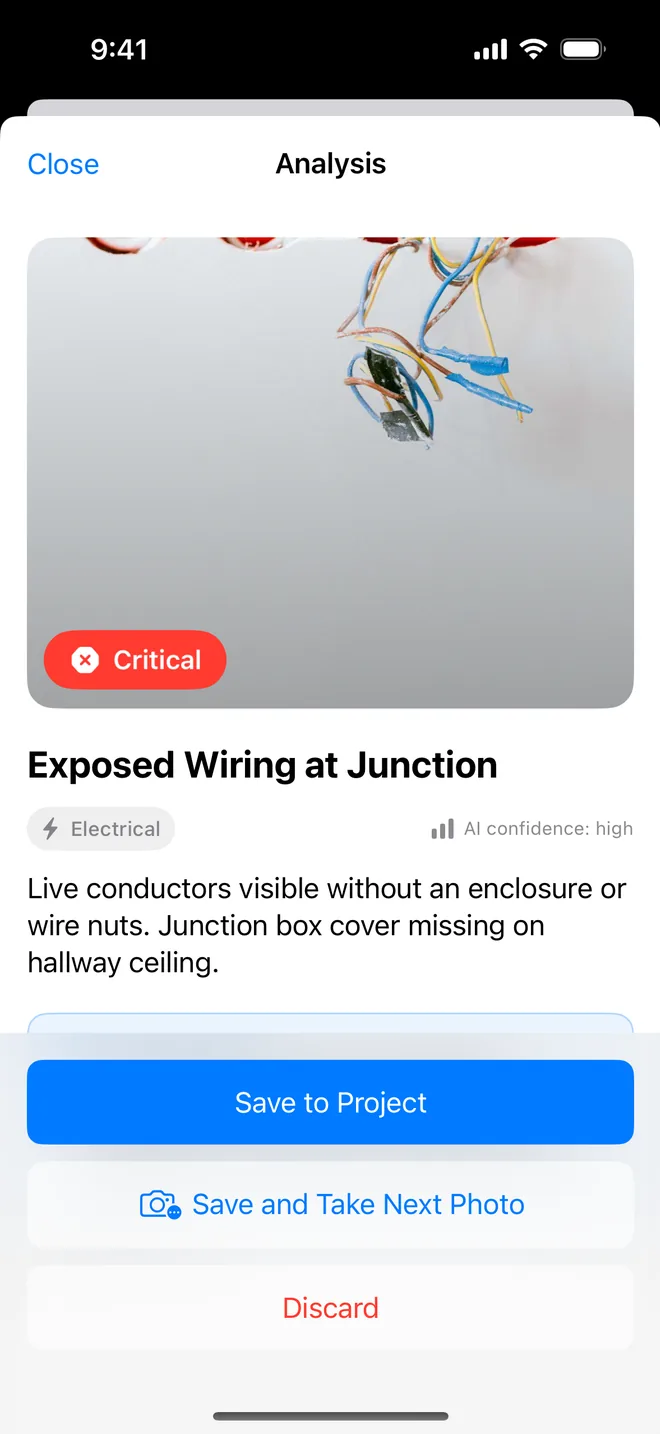
Five fields, drafted from the image
- Title and description in plain English, written the way a report reads.
- Severity: low, medium, high or critical. Priority follows it unless you set it apart.
- Trade: plumbing, electrical, structural, cosmetic, safety, mechanical, finishing or other.
- Recommendation: the one-line remedial instruction a subcontractor can act on.
- Confidence: so you know when to look closer yourself.
Nothing is saved until you tap Save. Edit any field first; the report never says which words were the AI's.
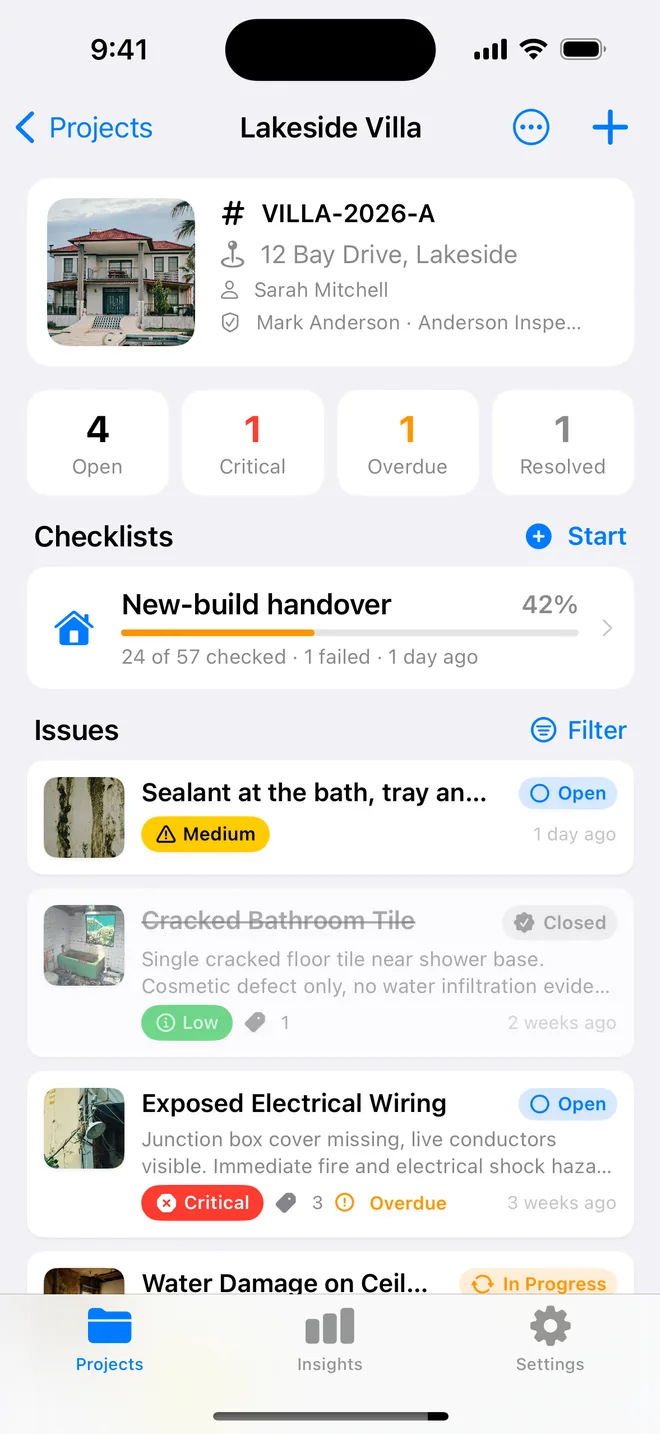
Save and take the next photo
On the result screen, Save and Take Next Photo keeps the camera open, so a full walk is photo → glance → photo. The location and assignee you used on the last item are offered for the next one, with the project's existing rooms as suggestions, no retyping "Bathroom 2" twelve times.
Already have the photos? Multi-add imports several at once and drafts each one in turn.
Time and place on every photo
Photos taken in the app carry the capture time and, with your permission, the GPS position. Imported photos keep their EXIF data. Both print under the photo on the report if you leave the option on, the same evidence line Site Audit Pro built its reputation on, at no extra cost.
Annotations sit on a separate layer: circle the crack, arrow the missing sealant, and the original photo is never destroyed. Voice notes dictate straight into the notes field.
About ai defect analysis
Does the AI decide the severity?
It suggests one. You see the suggestion with a confidence rating and change it in one tap if you disagree. The saved item is what you approved.
What if the photo is unclear or the AI is wrong?
Low confidence is shown explicitly. Edit the draft or type the item by hand, the camera is optional and every field can be entered manually.
Are my photos stored on your servers?
No. The photo is sent through an attested relay for analysis and nothing is kept. Your projects live on your device and in your own iCloud.
Does it work offline?
Everything except the AI draft. Capture, checklists, closure, reports and CSV work without a connection; the analysis needs one.
Related features
Room-by-room checklists
Walk a handover, a rental condition, a fit-out or a fire walk. Pass, Fail or N/A, a Fail becomes an item.
FeatureClosure evidence
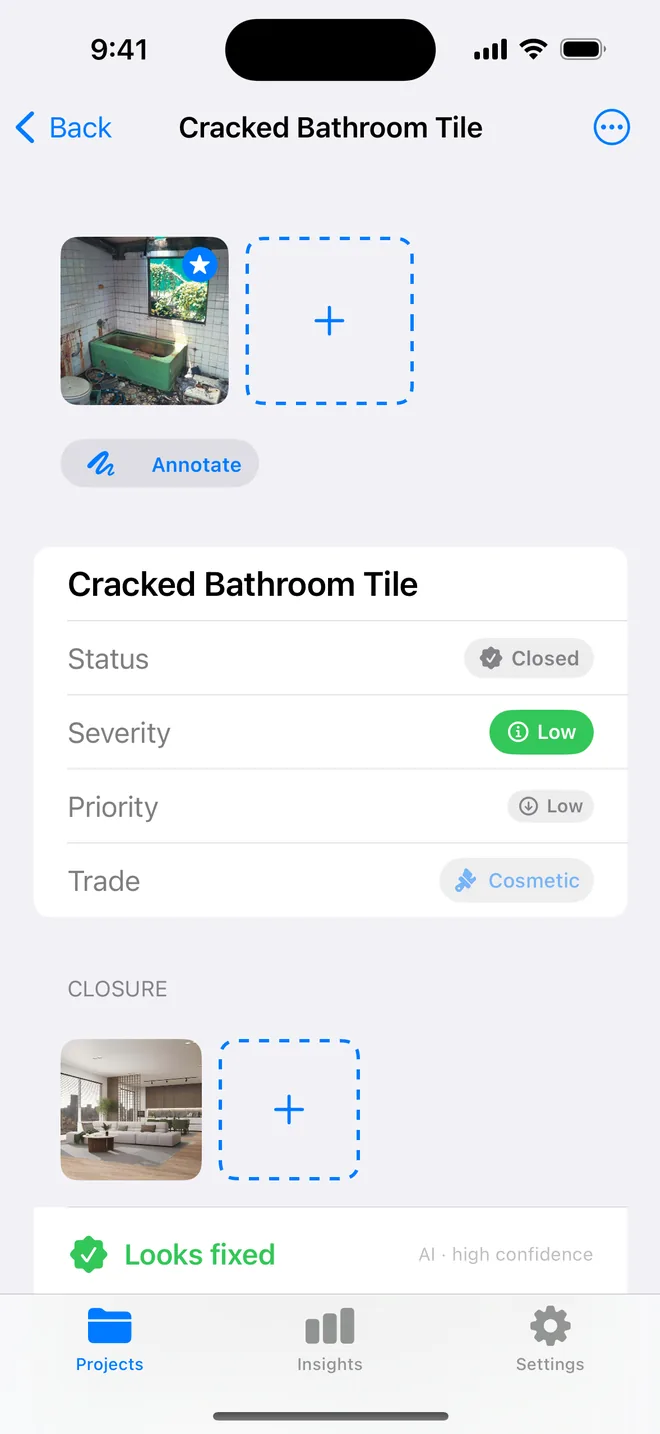
An after photo, who verified it and when, Before/After side by side on the report, and an AI read of the pair.
FeaturePDF and Word reports
Ten themes, three layouts, your own wording, a client sign-off on the cover. Word, CSV and a photo zip.
Turn your next site walk into a finished report
Free to download. Open the sample inspection or analyse your first defect in under a minute. No account, no setup.