The report your client actually reads
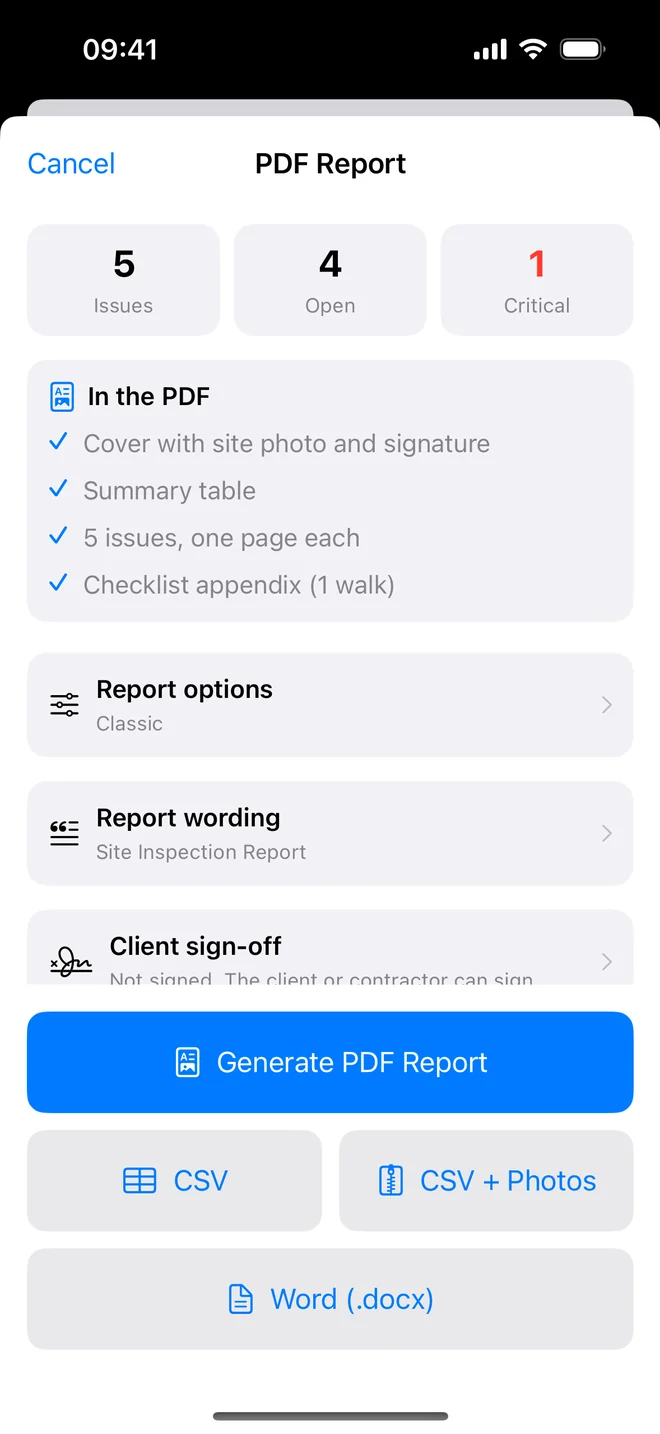
Pick one of ten themes and a layout, write the title and headings your clients expect, have the client sign at handover. The PDF has real text; the Word version opens for editing in Word, Pages or Google Docs.
What is in the report
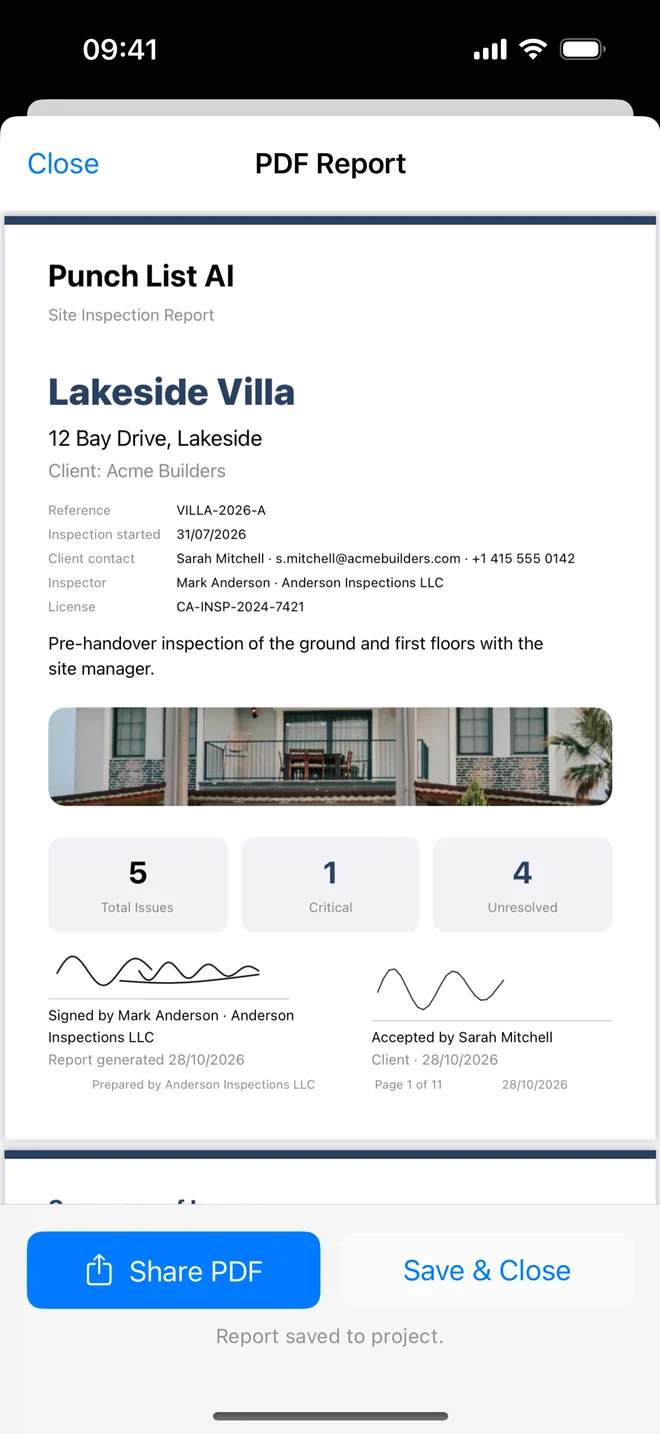
- Cover: your title, reference, inspection date, client contact, inspector and licence, your logo and company name, the site photo, an introduction, your signature and the client's.
- Summary table: every item with severity, trade, assignee, location, due date; overdue in red.
- One page per item, photos with markup, time and GPS under each, description, recommendation, status, priority, reference, tags. Closed items show Before and After side by side with who verified the fix and when.
- Closing remarks on their own page, then the checklist appendix: each walk, each check, its result and the item it created.
The PDF has real text: search it, copy from it, and the file stays small enough to email.
Ten themes, three layouts
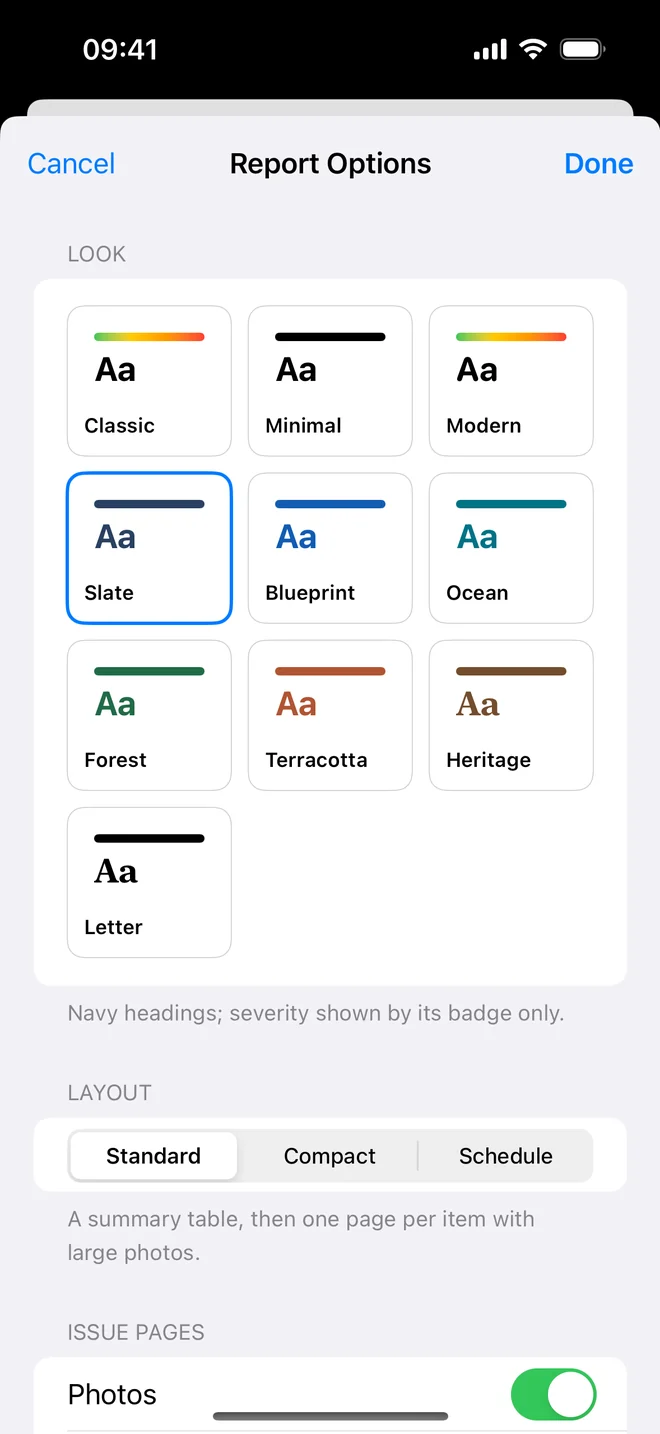
Ten themes change the accent colour, the typeface and how severity shows: colour bands in Classic, a badge only in Slate, grey rules for printing in Minimal, a serif in Heritage and Letter.
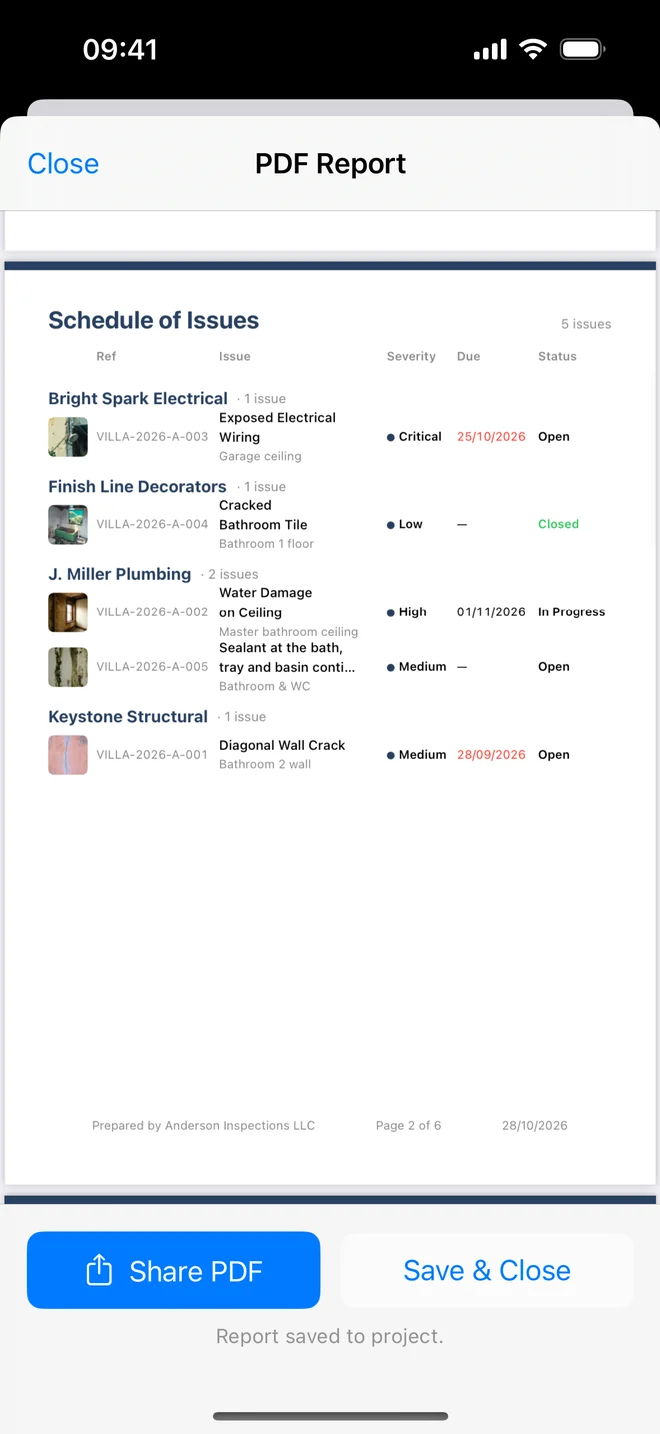
Three layouts: Standard (a summary table, then one page per item with large photos), Compact (two items a page, photo beside the text) and Schedule (one table grouped by the contractor each item is assigned to, with thumbnails, to hand out to the trades).
Switches for photos, photo size, time and location lines, recommendations, inspector notes, the cover photo, the appendix and page numbers. Turn notes off to keep your own remarks out of the client's copy.
One table per trade
The Schedule layout replaces the item pages with one table grouped by assignee: Bright Spark Electrical, Finish Line Decorators, J. Miller Plumbing. Each row has the reference, a thumbnail, the location, severity, due date and status, so a main contractor can send each trade its own rows.
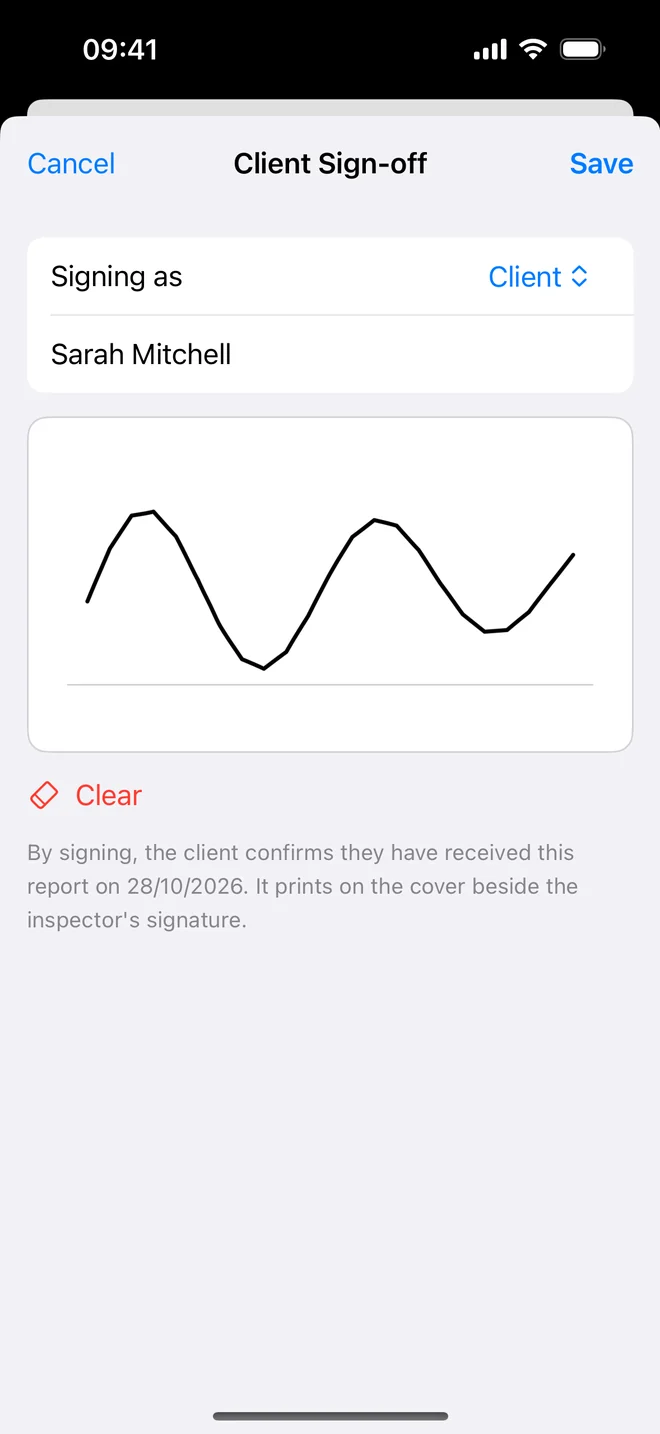
Your words on the cover, the client's signature beside yours
Report wording sets the cover title (Snagging Report, Pre-Handover Inspection), renames the headings on each page (Observation, Action required), and adds an introduction on the cover and closing remarks on their own page.
Call each item an issue, snag, defect, deficiency, punch item or observation, or type your own word; every heading in the app and the report follows.
Client sign-off: the client, the contractor or the owner's representative signs on your phone or iPad at handover. Their name, role, date and signature print on the cover beside yours.
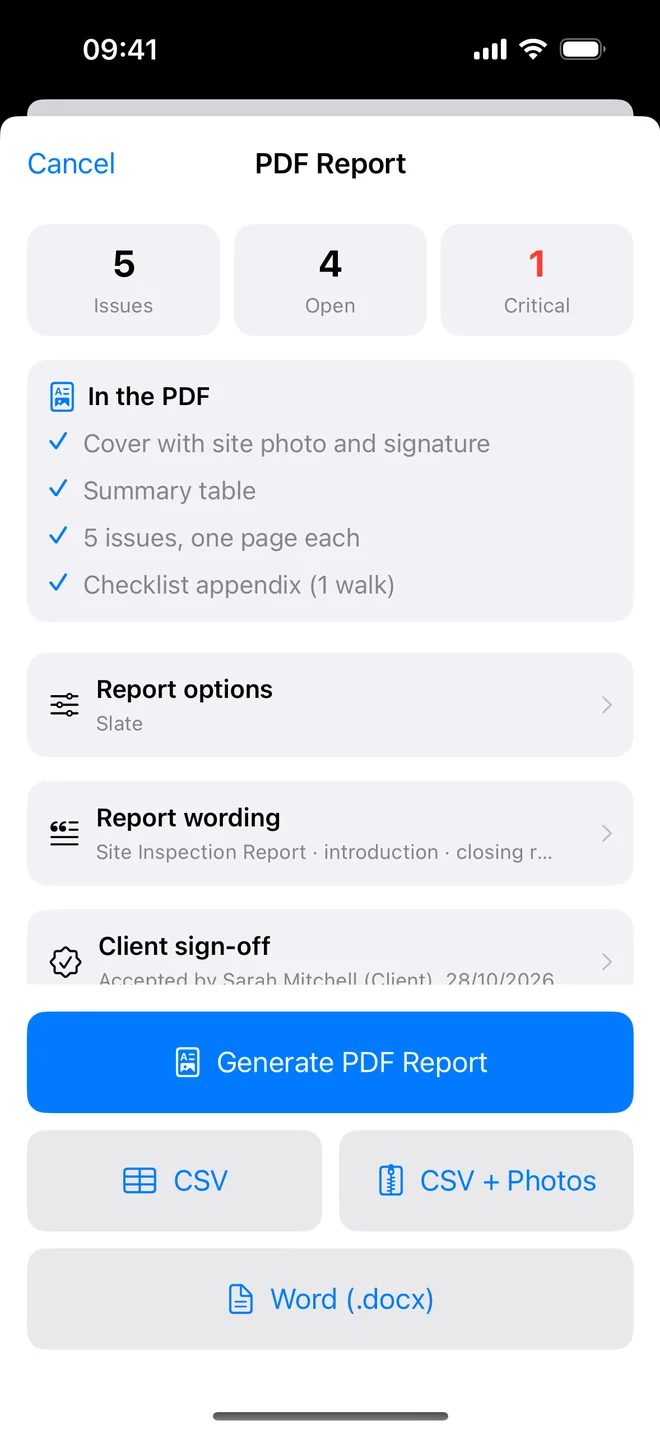
Word, CSV, CSV with photos, email
Word (.docx) exports the whole report, photos and signatures included, as an editable document for Word, Pages or Google Docs. It is part of Pro.
CSV opens in Excel, Numbers or Google Sheets with every field, including GPS.
CSV + Photos adds a zip where each photo is named after its row (photos/003-VILLA-12-1.jpg,
-after-1.jpg for closure photos) with a manifest, the format contractors' systems import.
Email Client opens a pre-addressed message with the PDF attached. The share sheet does the rest: AirDrop, Files, Drive, Teams.
The free plan exports a watermarked PDF and CSV, with every theme and layout. Pro removes the watermark, prints your logo and adds the Word export.
About pdf and word reports
Can I see the PDF before I send it?
Yes. It opens full screen after generation. Go back, change an option or an item, and generate again.
Can the report say 'snag' instead of 'issue'?
Yes. Settings, Call each item a… offers issue, snag, defect, deficiency, punch item and observation, or your own word. Headings, counts and the summary table follow.
Can I change the title and the headings?
Yes. Report wording sets the cover title, renames the Description, Recommendation, Inspector notes and Closure headings, and adds an introduction and closing remarks for that project.
Can the client sign the report?
Yes. Client sign-off on the report screen: the client, contractor or owner's representative signs on the device, and the signature prints on the cover beside the inspector's.
Is there a Word export?
Yes, on Pro: the full report as a .docx you can edit in Word, Pages or Google Docs, photos and signatures included. CSV opens directly in Excel and Numbers on every plan.
Does the free plan export?
Yes, a watermarked PDF and CSV, with every theme and layout. We will not move export behind the paywall, that is the number one complaint about competing apps.
Related features
Closure evidence
An after photo, who verified it and when, Before/After side by side on the report, and an AI read of the pair.
FeatureRoom-by-room checklists
Walk a handover, a rental condition, a fit-out or a fire walk. Pass, Fail or N/A, a Fail becomes an item.
FeatureFolders, search, bulk actions
Projects in folders by client. Search and filter items, select many and change them at once, assign a trade.
Turn your next site walk into a finished report
Free to download. Open the sample inspection or analyse your first defect in under a minute. No account, no setup.