Forty items, four projects, one client, still findable
Projects sit in folders by client or site. Every item has a status, severity, trade, assignee, location, reference, tags and a due date, so filtering is the difference between a list and an answer.
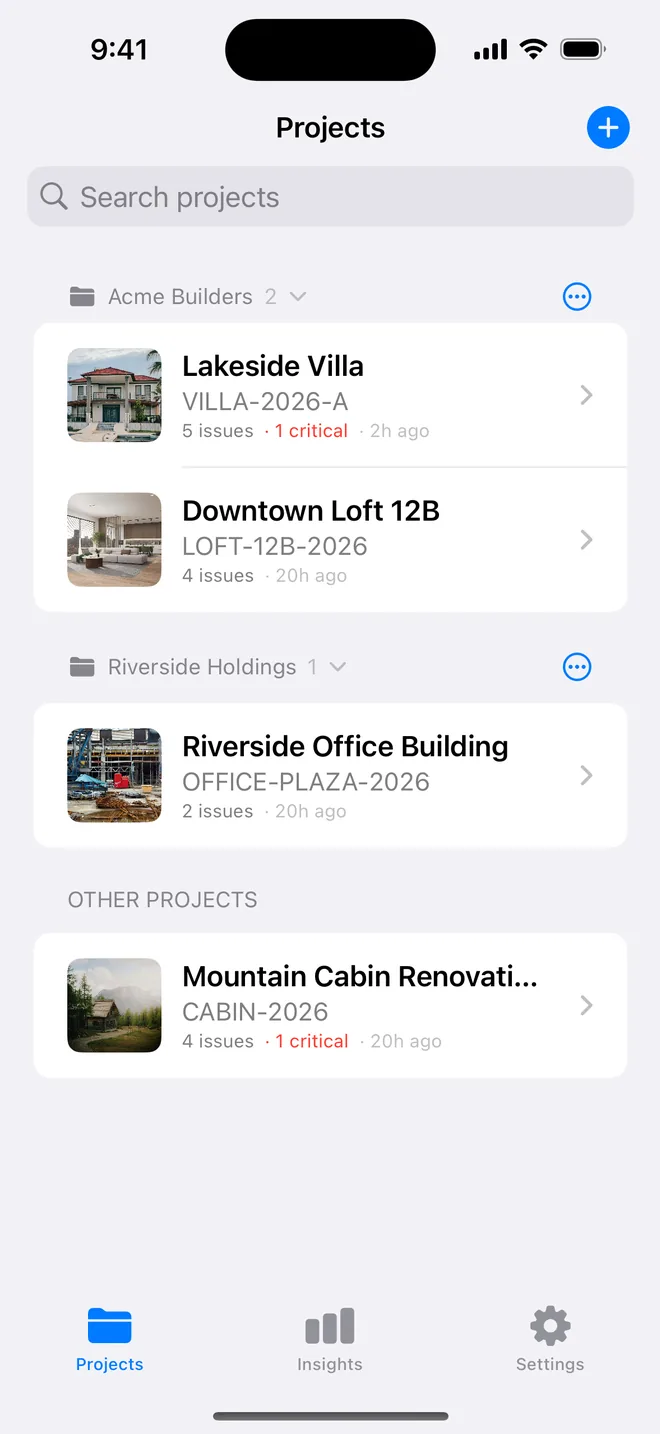
Folders by client, duplicate for the next plot
Group projects under a client or a development; collapse the folders you are not working on. Each project carries client, site address, reference, inspector, licence and a cover photo, all free.
Duplicate project copies the set-up (not the items) for the next unit on the same development.
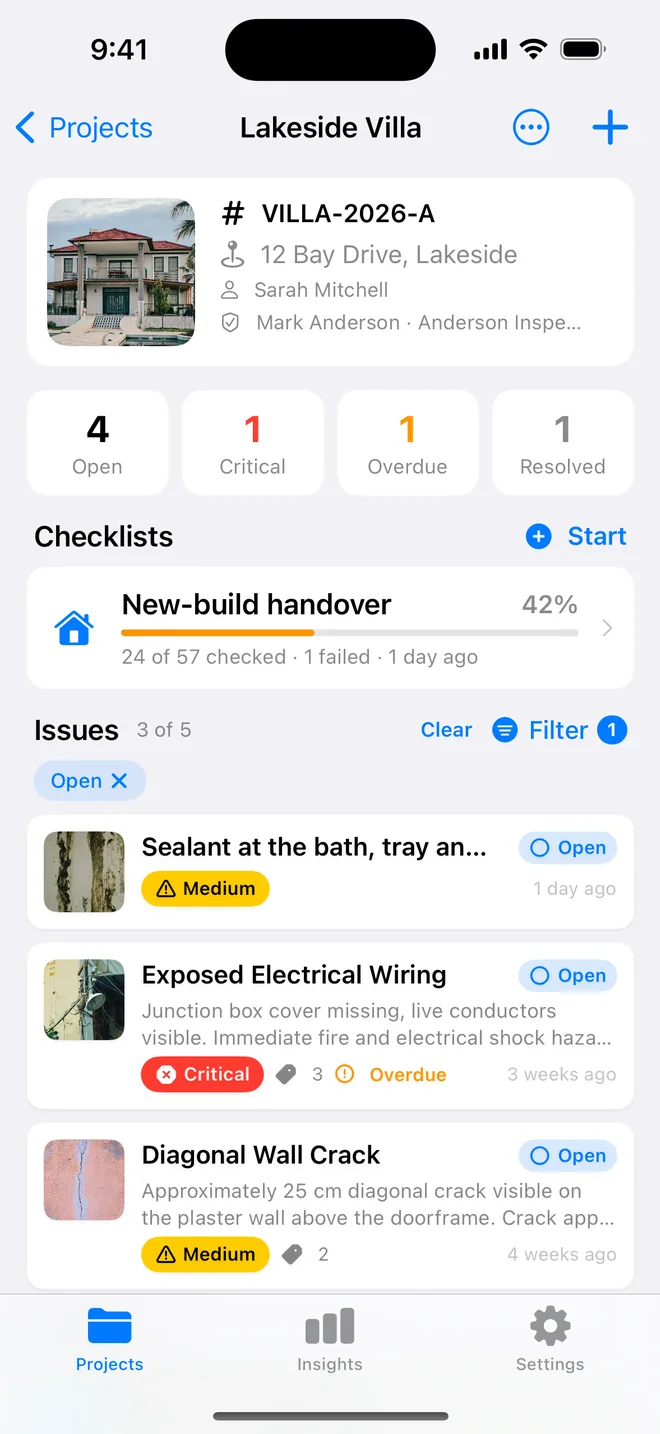
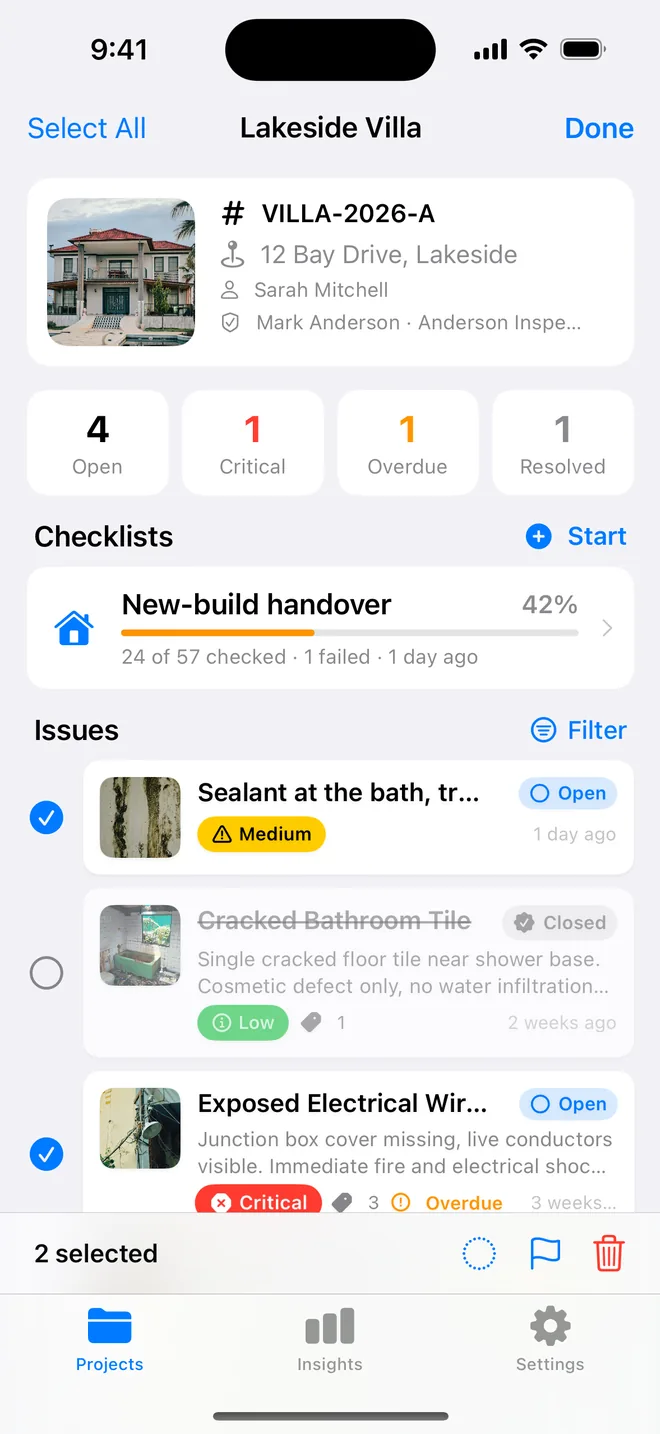
Search, filter, then act on many at once
Search by title, description, location or reference. Filter by status, severity, trade, assignee and overdue; the chips show what is applied and the count updates. Select several items and set status, priority or delete in one go, the one bulk feature Site Audit Pro users praise, at parity.
Assignee on every item, on the report
Assign each item to a trade or a named contractor; the project's previous assignees appear as chips. The assignee prints in the summary table and on the item page, and is a filter, so "everything for the electrician" is one tap and one PDF.
About folders, search, bulk actions
Can I move a project between folders?
Yes. Swipe the project or use its menu; folders are renamed or dissolved from the folder menu.
Is there a limit on projects?
One project on the free plan, unlimited on Pro. Folders and filters are free.
Can I export just the filtered items?
The PDF and CSV cover the whole project so the numbering stays complete; the assignee filter helps you decide what to send to whom.
Related features
PDF and Word reports
Ten themes, three layouts, your own wording, a client sign-off on the cover. Word, CSV and a photo zip.
FeatureAI Insights
What needs attention across every project, in one screen: criticals, overdue, the trade that keeps failing.
FeatureRoom-by-room checklists
Walk a handover, a rental condition, a fit-out or a fire walk. Pass, Fail or N/A, a Fail becomes an item.
Turn your next site walk into a finished report
Free to download. Open the sample inspection or analyse your first defect in under a minute. No account, no setup.