What needs your attention this morning
Insights reads every project and answers the question you would otherwise scroll for: what is critical, what is overdue, which project is slipping, and which trade keeps producing the same defect.
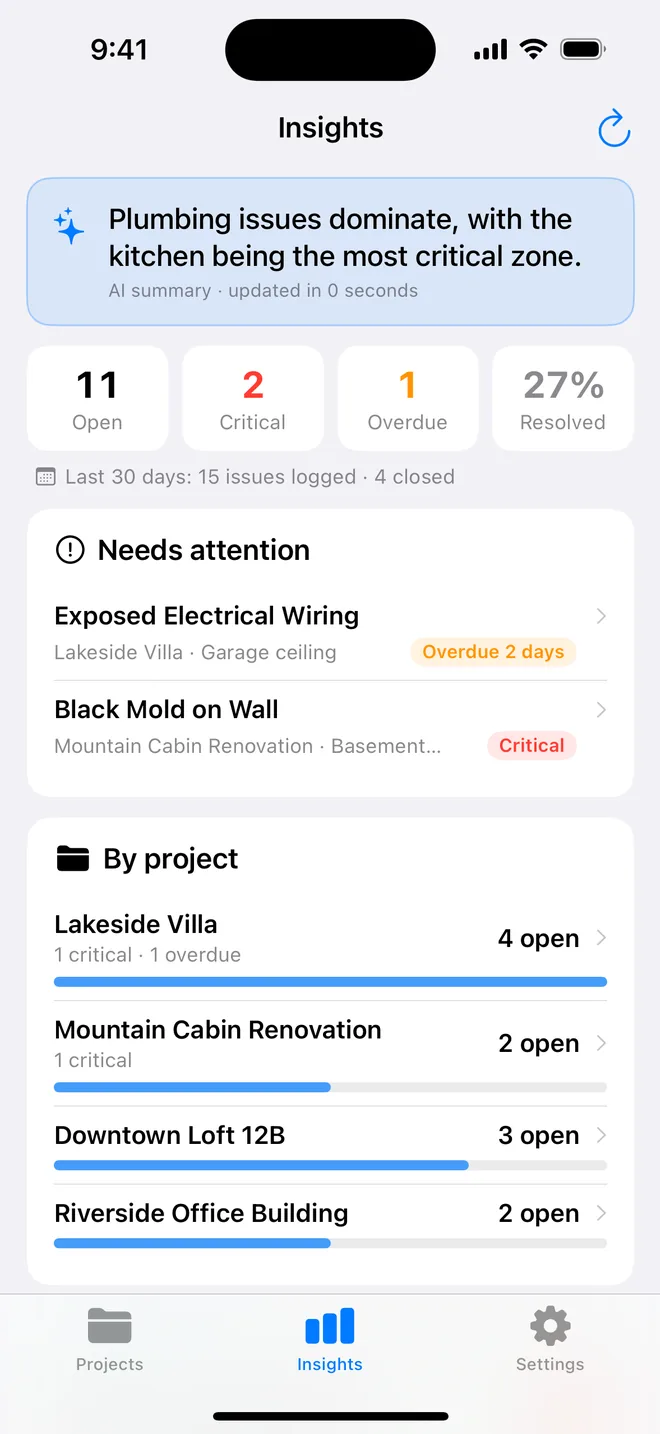
The headline, then the numbers
A one-line AI summary of the whole portfolio, then four tiles, open, critical, overdue, resolved, and the last 30 days of items logged and closed. Red is reserved for critical; overdue is orange; nothing else shouts.
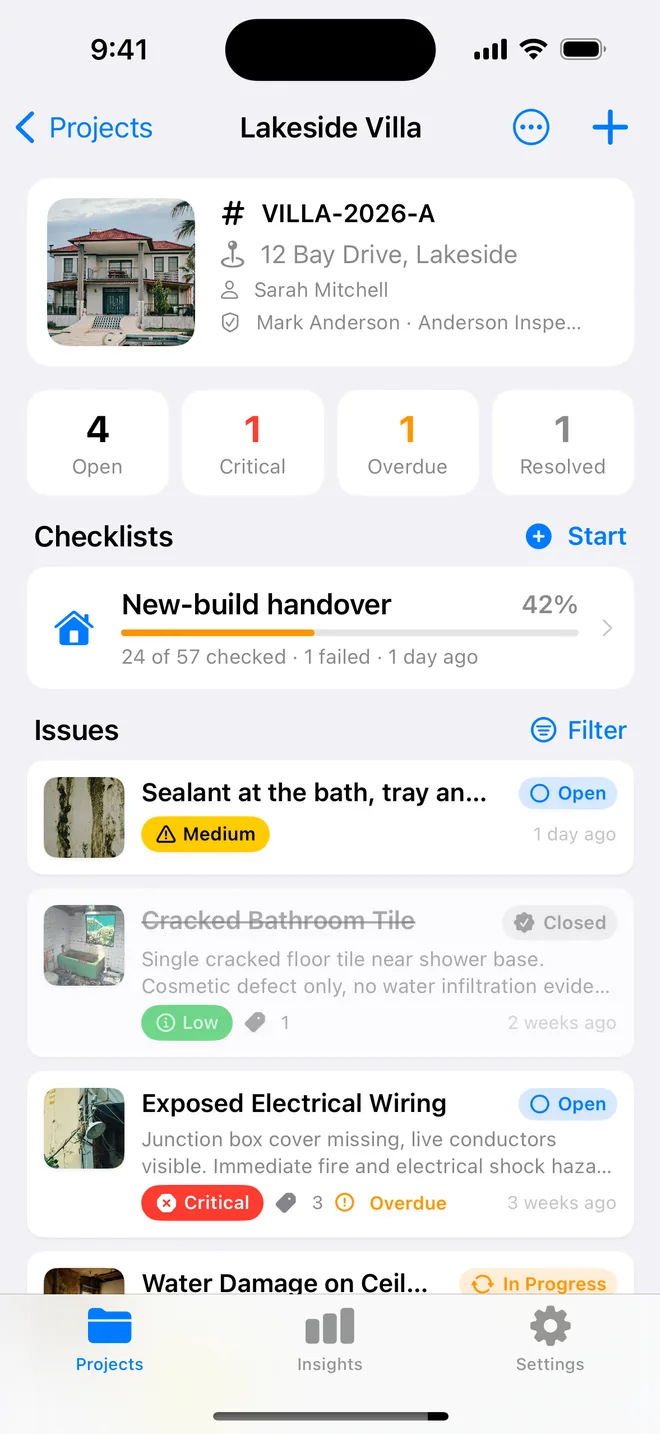
Needs attention, by project, and what stands out
Needs attention lists every critical and overdue item across projects; tap one and you are on it. By project shows open counts and progress bars. Below, the AI's next steps, the breakdown by severity, status and trade, and the locations and tags that keep repeating, the recurring defect you had not noticed.
Insights is a Pro feature; everything it reads is already in your projects.
About ai insights
Does Insights send my data anywhere?
The summary and next steps are generated from anonymised counts and titles through the same attested relay as the photo analysis; nothing is stored.
How often does it update?
Each time you open the tab, with a refresh button for the AI summary.
Related features
Folders, search, bulk actions
Projects in folders by client. Search and filter items, select many and change them at once, assign a trade.
FeaturePDF and Word reports
Ten themes, three layouts, your own wording, a client sign-off on the cover. Word, CSV and a photo zip.
FeatureClosure evidence
An after photo, who verified it and when, Before/After side by side on the report, and an AI read of the pair.
Turn your next site walk into a finished report
Free to download. Open the sample inspection or analyse your first defect in under a minute. No account, no setup.