Step by step
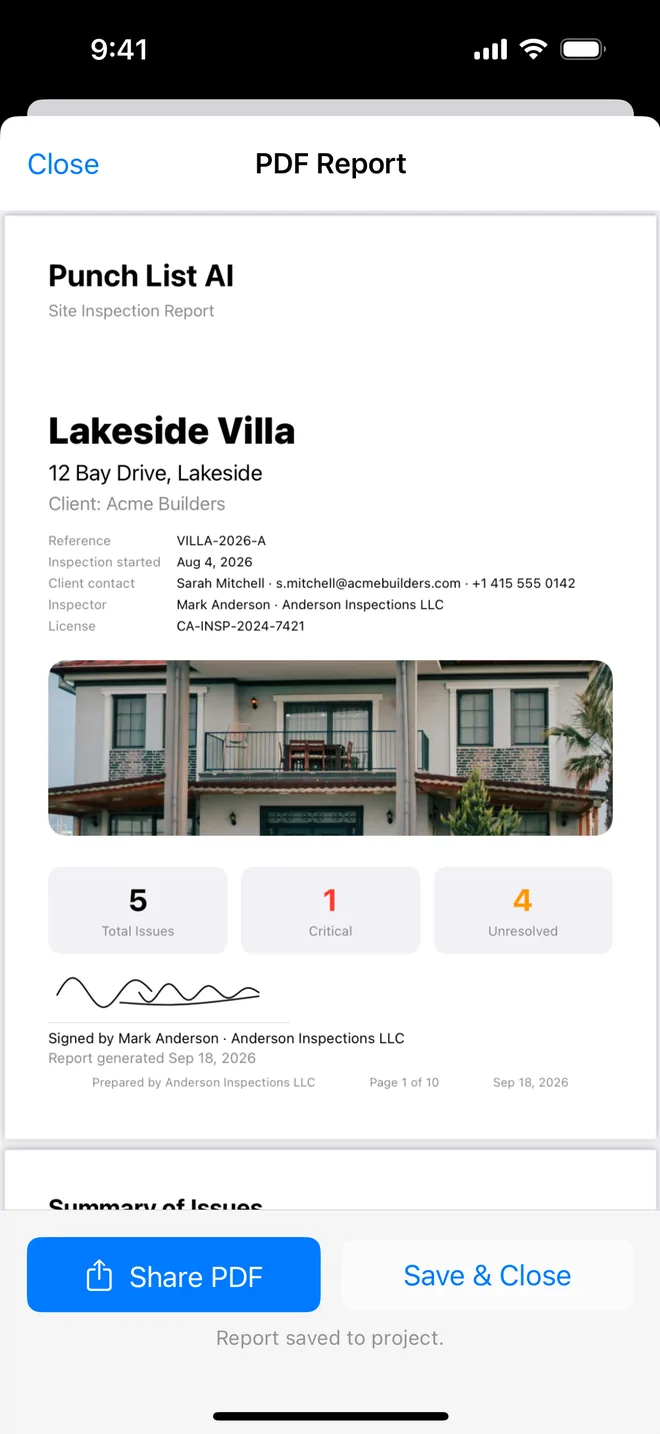
- Cover: project reference, site address, client contact, inspector and licence, inspection date, signature.
- Summary table: number, title, severity, trade, assignee, location, due date, overdue in red.
- Item pages: photo with time and location, description, recommendation, status, priority, reference, tags.
- Closed items: Before and After side by side with who verified the fix and when.
- Appendix: the checklist walked, each check and its result.
That is the page order of Punch List AI's PDF. Report options let you drop photos for a text-only list to email, or notes to keep your own remarks out of the client's copy, without changing the structure.
Related questions
How long should the report be?
As long as the item count. One page per item with a photo is the length clients accept; a summary table at the front is what they read.
Should I include the AI's text?
Include what you approved. The report never says which words were drafted by the AI, because you edited and saved them.
Try it on your next walk
Free to download; the first project is free for good. No account.
Download on theApp Store