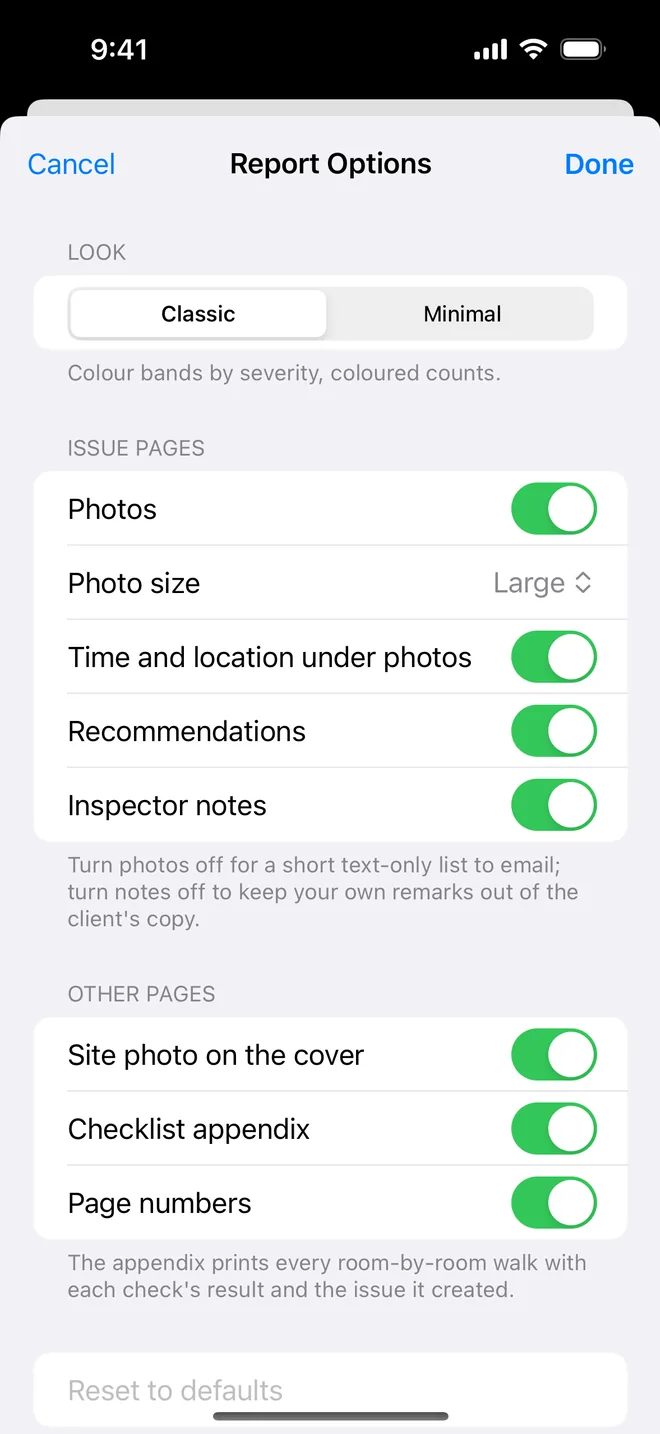
Step by step
- Report options: Inspector notes off, Recommendations on, Time and location on.
- Choose Classic (severity colour bands) or Minimal (monochrome, prints well).
- Generate, read it through once as the buyer would, then Email Client.
- Generate again with notes on and save that copy to Files for your records.
On site
Reading your report the way a buyer does
A buyer usually reads a snagging report twice. The first time quickly, looking for anything alarming. The second time slowly, usually with the developer's reply open beside it. Write for both readings.
- The summary table carries the first reading. If severities are consistent, a buyer can see at a glance that there are 60 items, two of them serious. If everything is marked high, nothing is.
- Each finding page carries the second. A clear photo, one sentence on what is wrong and one on what should happen. Buyers forward single pages to the developer, so each page must stand on its own.
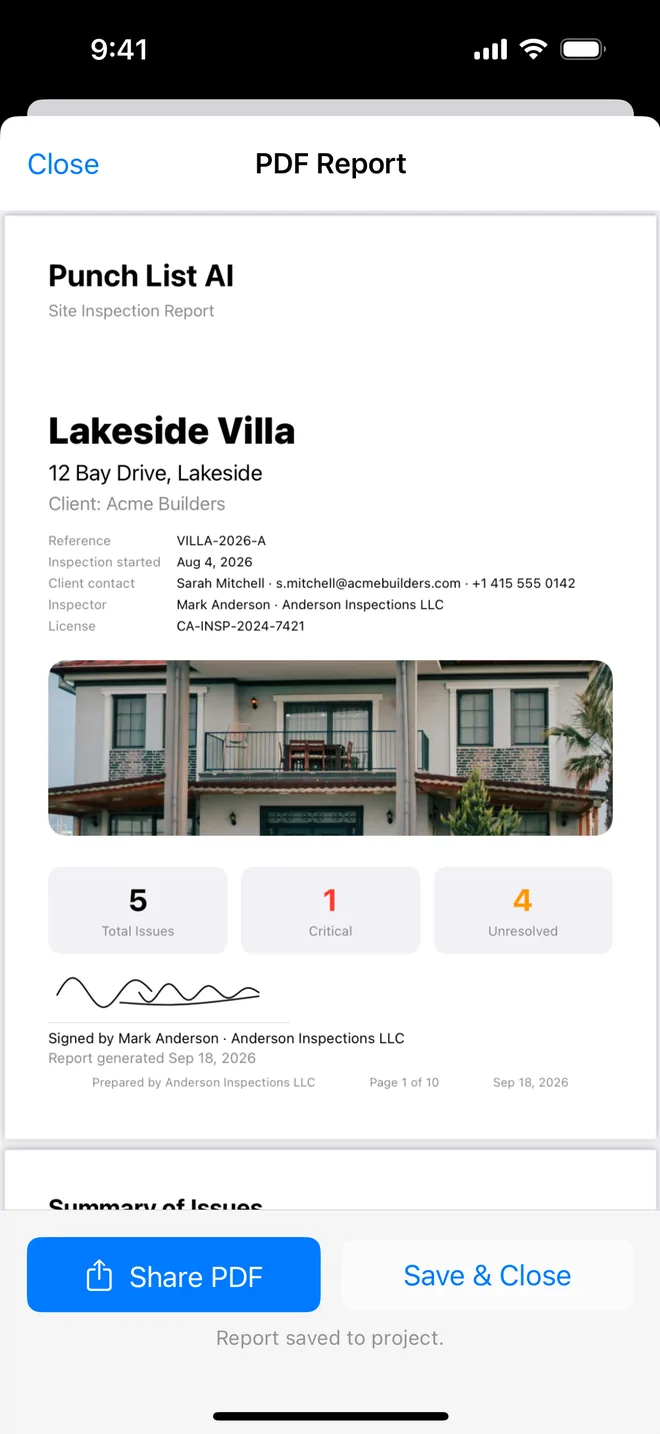
- Your cover carries trust. Name, company, signature and date tell the developer this came from a professional and deserves an answer.
What should not reach the buyer: your private working notes, half-formed thoughts on causes, and anything you would not want quoted back to you. Keep those in inspector notes and generate the client copy with notes switched off; save a second copy with notes on for your file.
Related questions
Can I add a cover letter or a disclaimer?
Not inside the PDF yet. Most inspectors put it in the email body, which the app pre-addresses for you.
Does the client see the AI's text?
They see the text you approved. The report does not say which words started as a draft.
Try it on your next walk
Free to download; the first project is free for good. No account.
Download on theApp Store