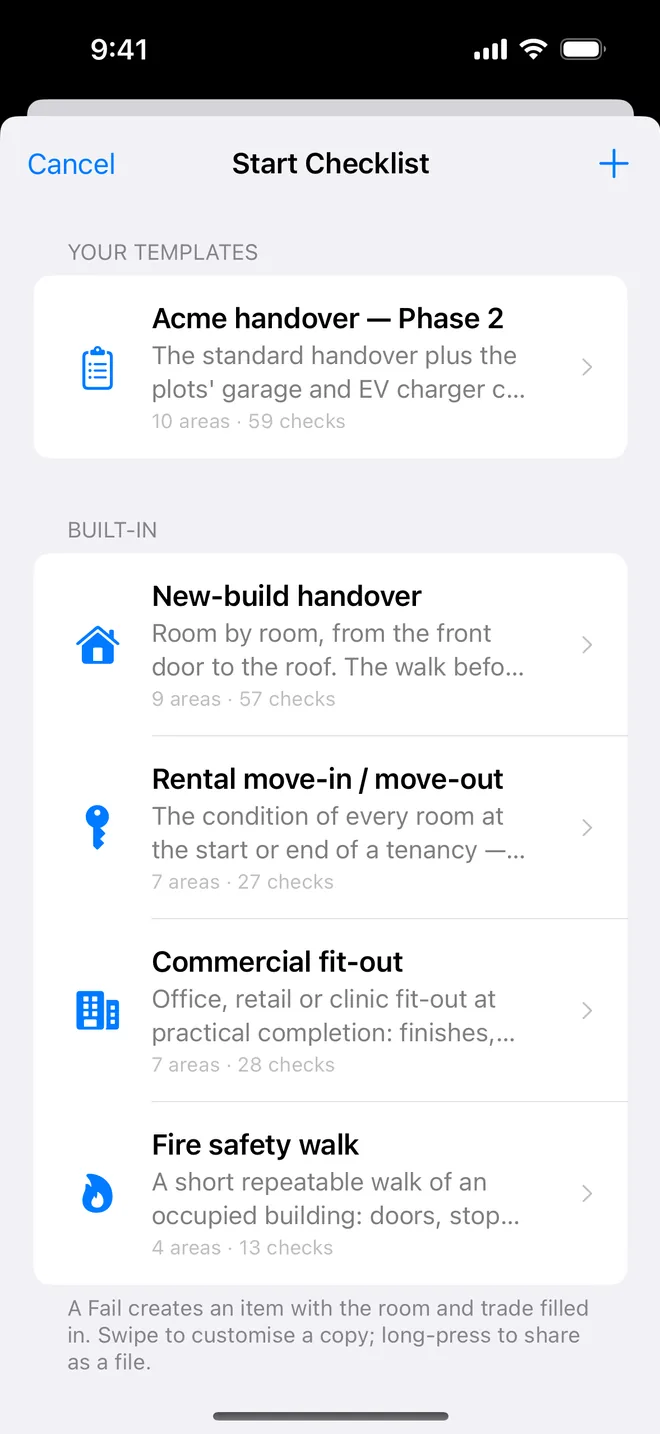
Step by step
- Open the project, tap Start next to Checklists, choose New-build handover.
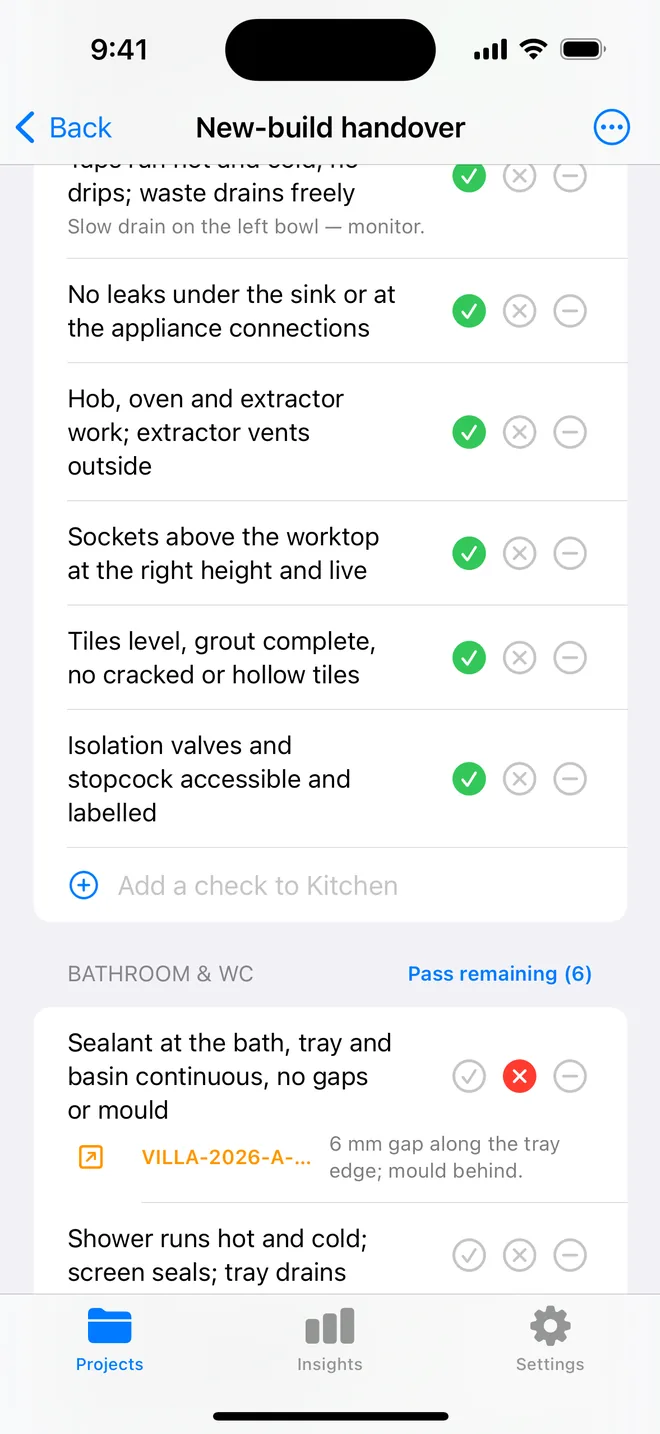
- Walk the rooms in order; tap Fail on anything wrong and take the photo when prompted.
- Add a check on the spot if the list forgot something; save the walk as your own template.
- Generate the report: the appendix lists every check and its result.
Walking a new build without missing a room
Professional snaggers find more than buyers mainly because they follow a fixed order. A checklist is that order, written down. The walk that works for most houses:
- Outside first, while the light is good: roof line, brickwork, pointing, windows, doors, drainage, paths and fences.
- Ground floor, front to back: hall, living room, kitchen, utility, WC.
- Stairs, then each bedroom in turn, then bathrooms and en-suites last, because they carry the most items and deserve a fresh eye.
- Loft, if it is accessible and safe: insulation, ventilation, any daylight through the roof.
Inside each room, the same sequence every time: ceiling, walls, windows, doors, floor, then fittings and services. It feels slow for the first two houses and becomes automatic after that.
Use Fail generously. A Fail creates the snag with the room and trade already filled in, and you only need the photo. If the checklist is missing something that matters on this development, add the check during the walk and save the result as your own template for the next plot.
Related questions
Can I edit the built-in checklist?
Swipe it to customise a copy: rename areas, add or remove checks, change the trade.
Can I share my checklist with a colleague?
Long-press it to export a small file; it imports on their phone in one tap.
Try it on your next walk
Free to download; the first project is free for good. No account.
Download on theApp Store