Step by step
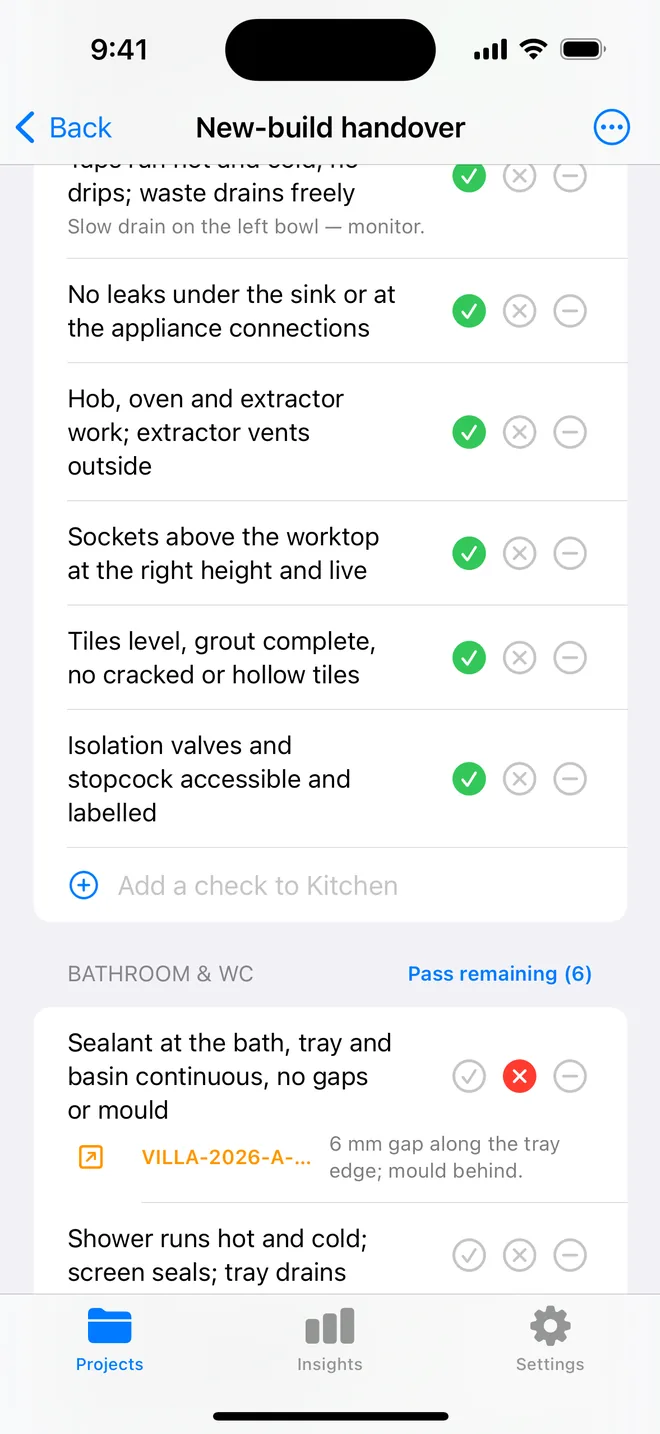
- Walk in a fixed order, hallway, living room, kitchen, each bedroom, bathrooms, outside, so nothing is missed. A room-by-room checklist keeps the order for you.
- For each snag: photo first, with the whole element in frame and a close-up if it helps.
- Record the location (room and element), the defect in one plain sentence, the trade, the severity and the action.
- Number the snags. The developer's site manager will refer to them by number.
- Export as a PDF with the photos next to the text, and keep a CSV for your own records.
In Punch List AI the six fields are drafted from the photo and the checklist's Fail button pre-fills the room and trade, so the writing is a review rather than a chore. Call each item a snag in Settings and every heading, including the PDF's, follows.
Related questions
How many snags is normal on a new build?
Trade surveys put the average between 100 and 150 on a new house; a professional snagger finds more than a buyer does.
Should I send the snag list to the developer or the site manager?
Both. The PDF to whoever is named in your contract, and keep the numbered list so the re-inspection can tick items off.
Try it on your next walk
Free to download; the first project is free for good. No account.
Download on theApp Store