Step by step
- Fill the project header the night before: reference, address, owner contact, your name.
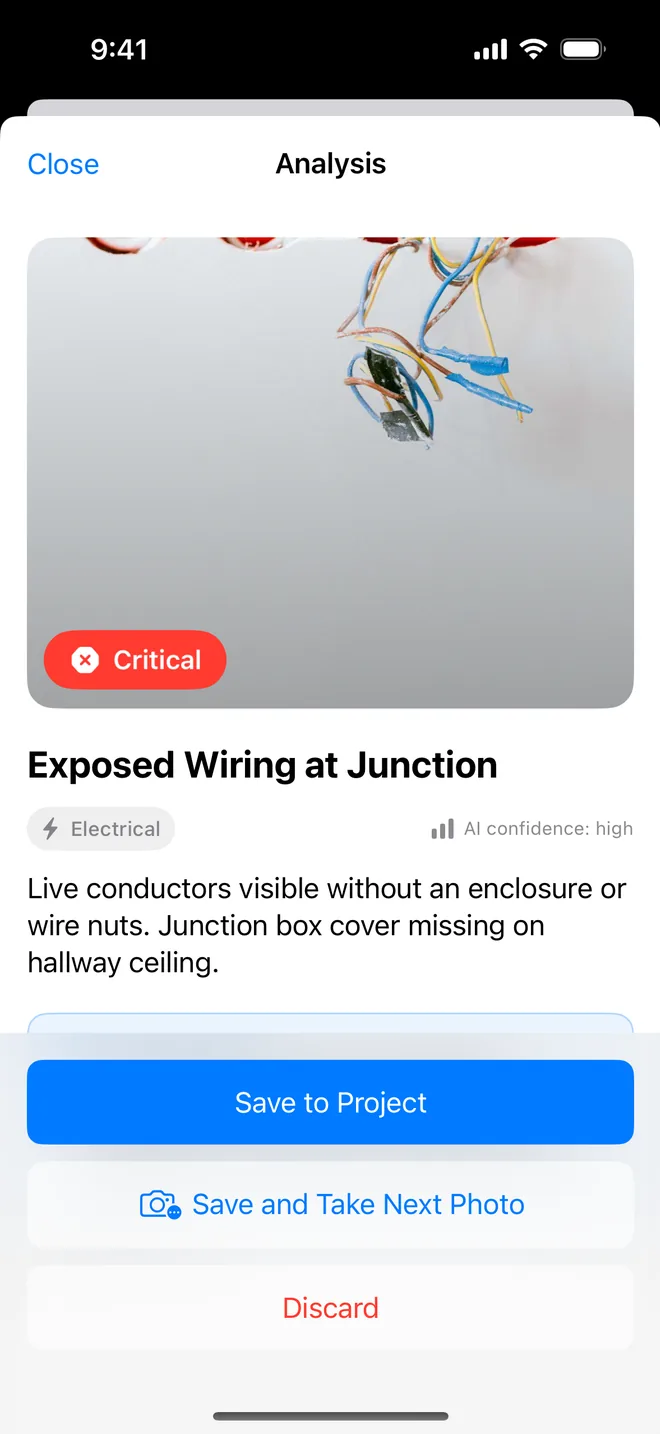
- Walk one direction, one floor at a time. Photo, glance, Save and Take Next Photo.
- Let the app carry the location and the assignee from the last item. Change them when you change rooms.
- Skip the notes field on the walk. Add notes to the two or three items that need them at the end.
- Generate the PDF before you drive off. Email it from the app to the owner's rep.
If the subs already sent you photos, Multi-add imports the batch and drafts each one. If you are in a basement with no signal, use Create Manually from the plus menu and type the item; the AI needs a connection only at the moment you tap Analyze with AI.
Related questions
Does it work with no signal?
Capture, checklists, closure and the PDF all work offline. The AI draft needs a connection; if it fails you get a Retry button, or you type the item with Create Manually.
How many items can one project hold?
Unlimited on Pro. The free plan stops at five, which is enough to test the walk on one room.
Try it on your next walk
Free to download; the first project is free for good. No account.
Download on theApp Store