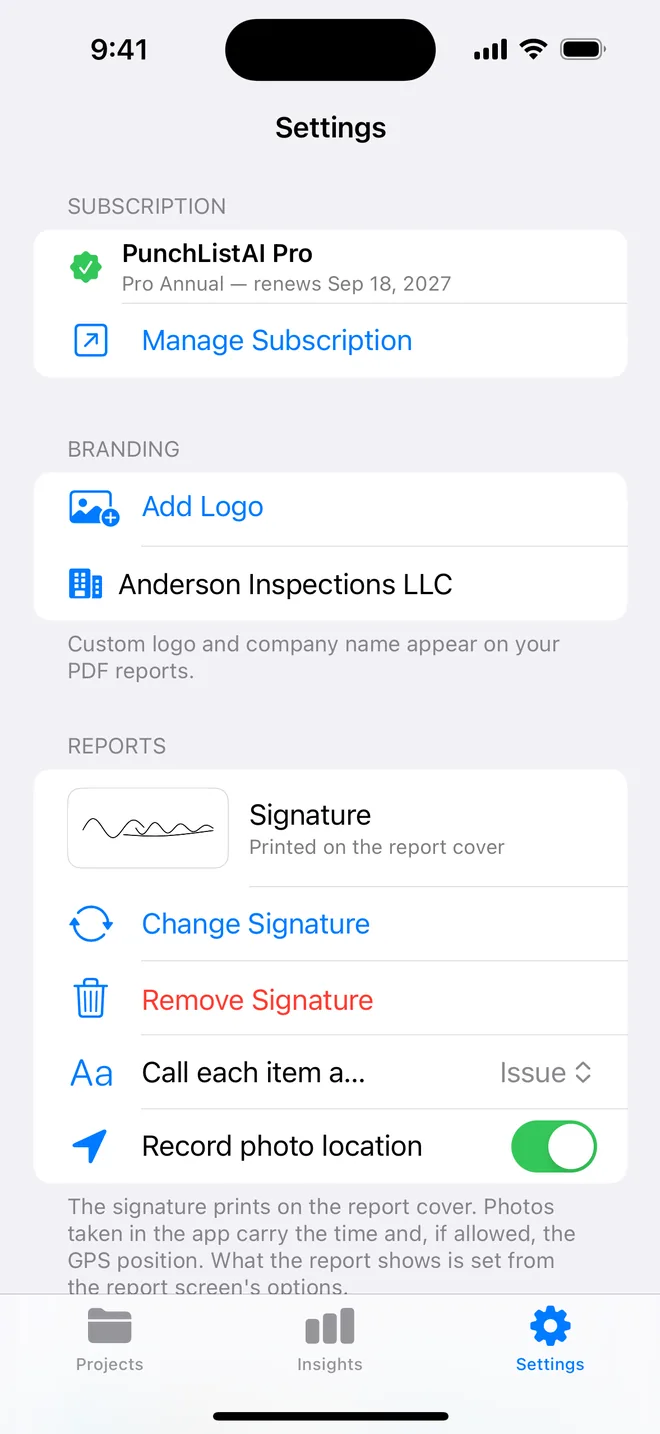
Step by step
- Settings → Reports → Add Signature.
- Sign in the box; tap Done. The preview shows how it will print.
- Generate any report: the cover carries the signature.
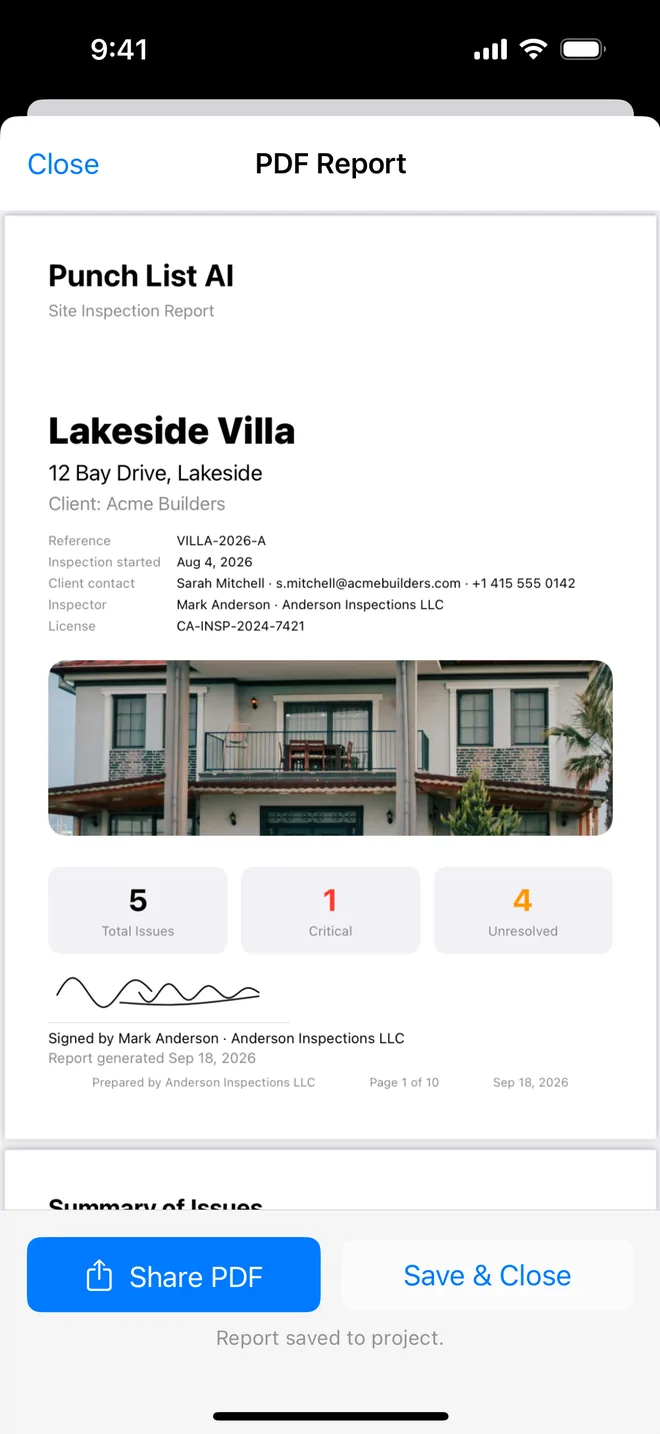
What a signed report does for you
A signature turns a list into a statement. It says that the inspector named on the cover walked the property on that date and stands behind what follows. Buyers forward the report to their solicitor, landlords file it with the tenancy, and a developer's customer care team is far quicker to act on a signed, dated document than on an email with photos attached.
Three habits keep it credible:
- Sign once, properly. Take ten seconds over it, with Apple Pencil on an iPad if you have one. A rushed squiggle looks worse on a printed cover than no signature at all.
- Put your credentials beside it. Your name, company and licence or membership number print next to the signature, so the reader can check who you are without calling you.
- Keep the date honest. The cover shows the inspection date. If you revisit, generate a new report rather than editing the old one, so each signed copy matches one visit.
The signature is stored on your device and in your private iCloud, and it is drawn onto the PDF when you generate it. It is never sent to us, and removing it in Settings takes it off every future report.
Related questions
Can the client sign too?
Not yet. One inspector signature. Client and contractor sign-off is on the list; tell us if you need it.
Is the signature stored safely?
On your device and in your iCloud, like everything else. It is an image, never sent anywhere.
Try it on your next walk
Free to download; the first project is free for good. No account.
Download on theApp Store