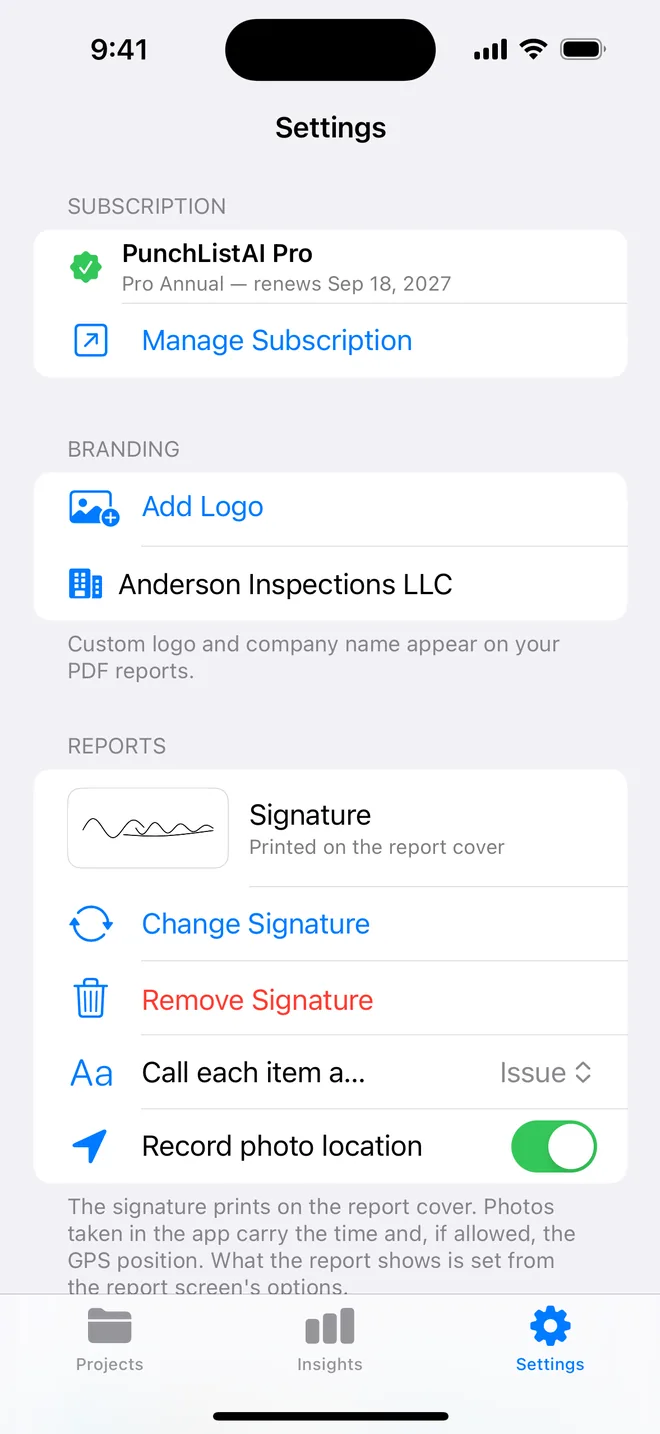
Step by step
- Settings → Branding → Add Logo; pick a PNG with a transparent background if you have one.
- Type the company name as it should read on the cover.
- Settings → Reports → Signature, so the cover is complete.
- Generate any report: the cover shows logo, company, inspector, licence, signature.
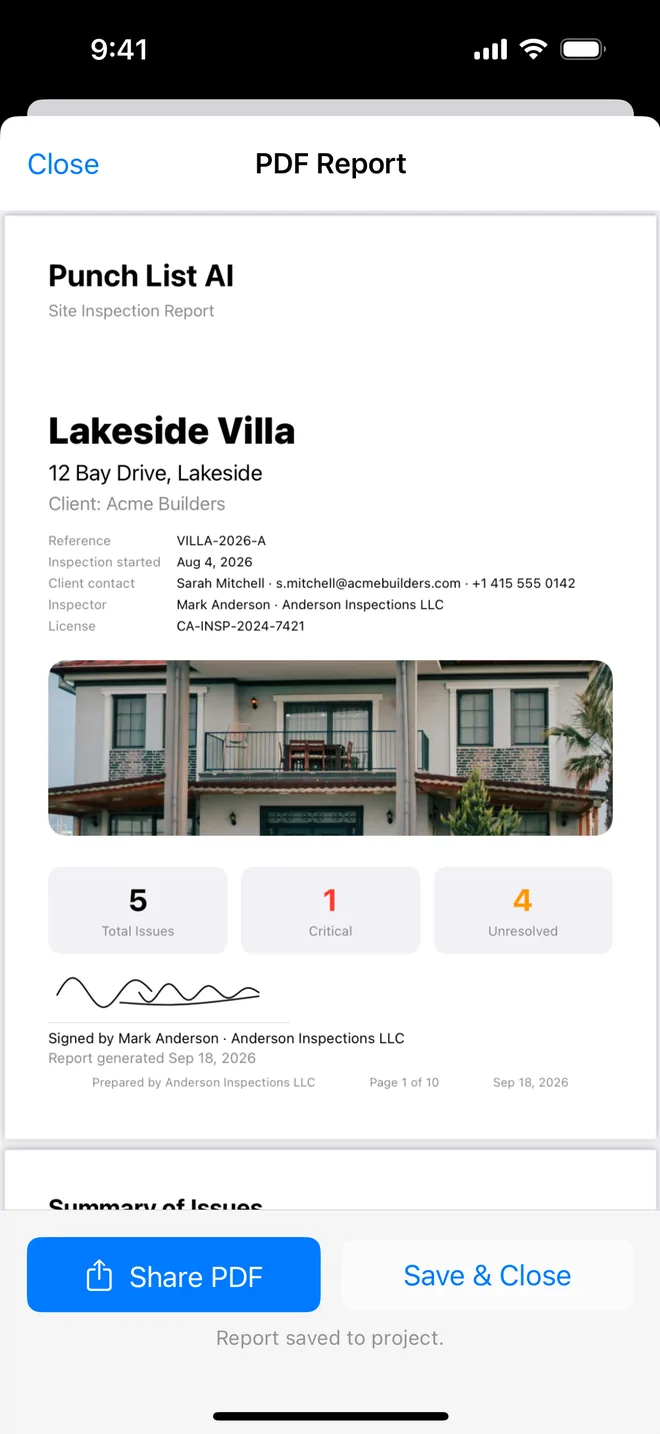
Getting the cover to look like your own document
A client judges the report in the first three seconds, and the cover is those three seconds. The logo does not need to be large; it needs to be sharp and in the right place.
- File: a PNG with a transparent background, at least 600 pixels wide. A JPG with a white box around the logo shows as a white rectangle on a coloured cover.
- Shape: wide logos read better than tall ones on a cover. If your logo is square, it still works, it simply prints smaller.
- Name: type the company name exactly as it appears on your invoices. Clients match the two.
After adding it, generate a report on the sample project and look at the cover on your phone and on a printed page. Colours that look fine on screen can print muddy; a darker version of the logo sometimes works better.
On the free plan the cover shows a small watermark instead of your branding. Most inspectors try the whole workflow first, then switch to Pro when they send the first report to a paying client, which is also the moment the logo starts earning its keep.
Related questions
What size should the logo be?
At least 600 pixels wide; a PNG with transparency sits cleanly on the cover. The app scales it.
Does the logo appear on every page?
On the cover; the footer carries the company name and page numbers.
Try it on your next walk
Free to download; the first project is free for good. No account.
Download on theApp Store