The desk half of the job, on an iPad
Capture on the phone, review and report on the iPad, or do the whole walk on an iPad mini. The layout is built for the width, not stretched to it.
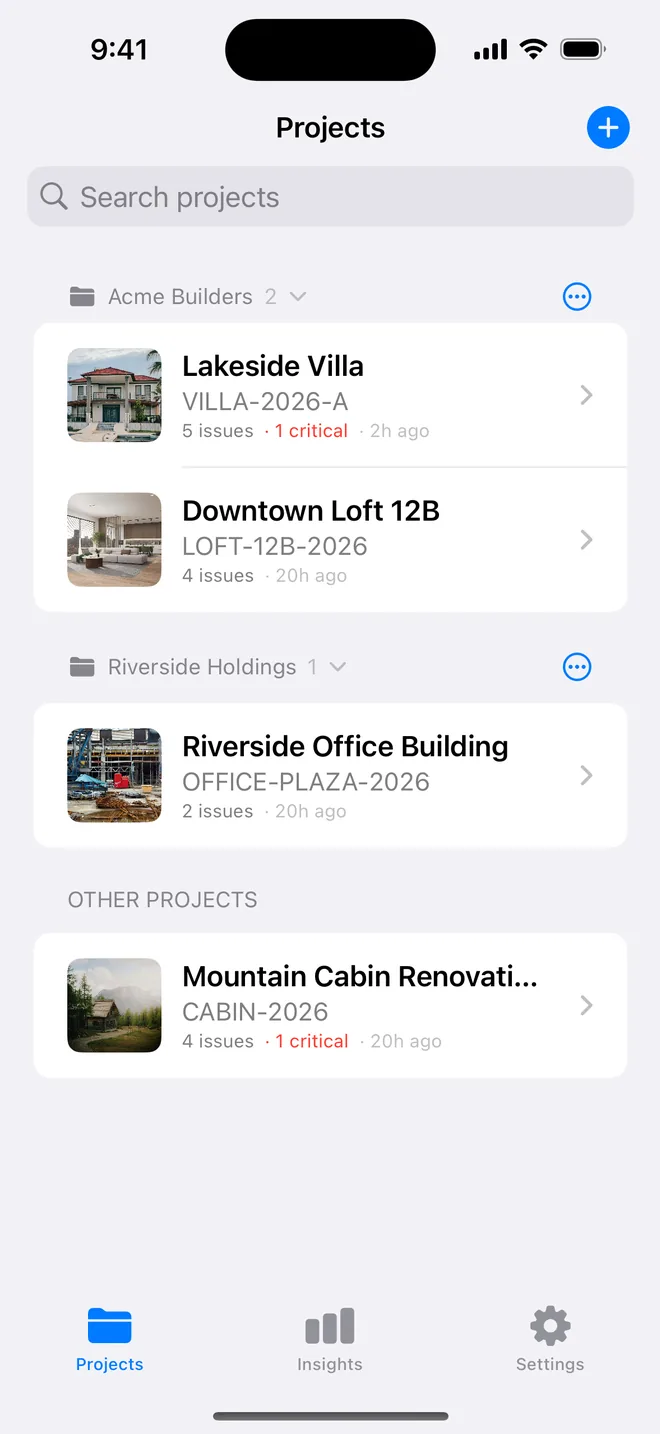
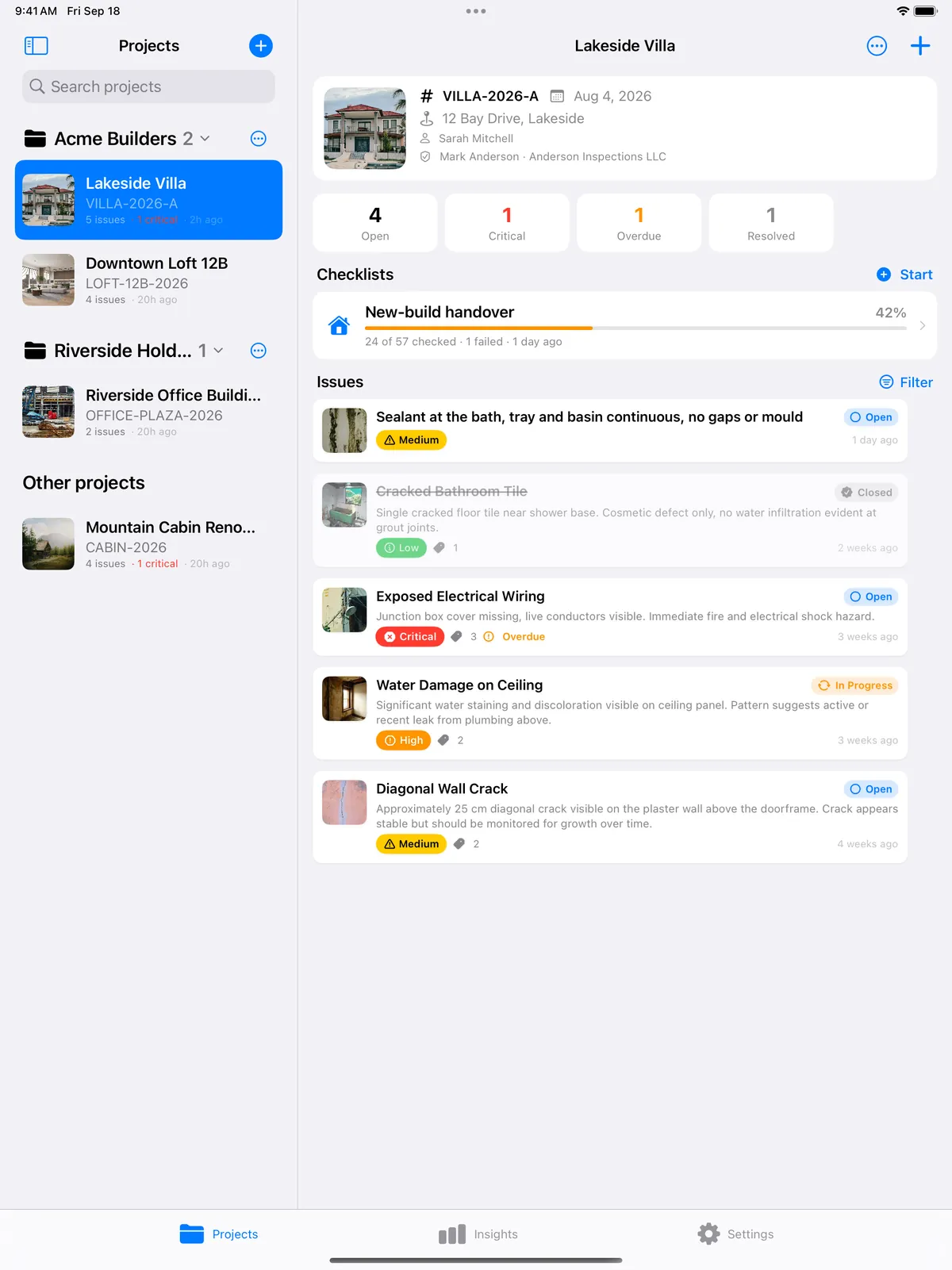
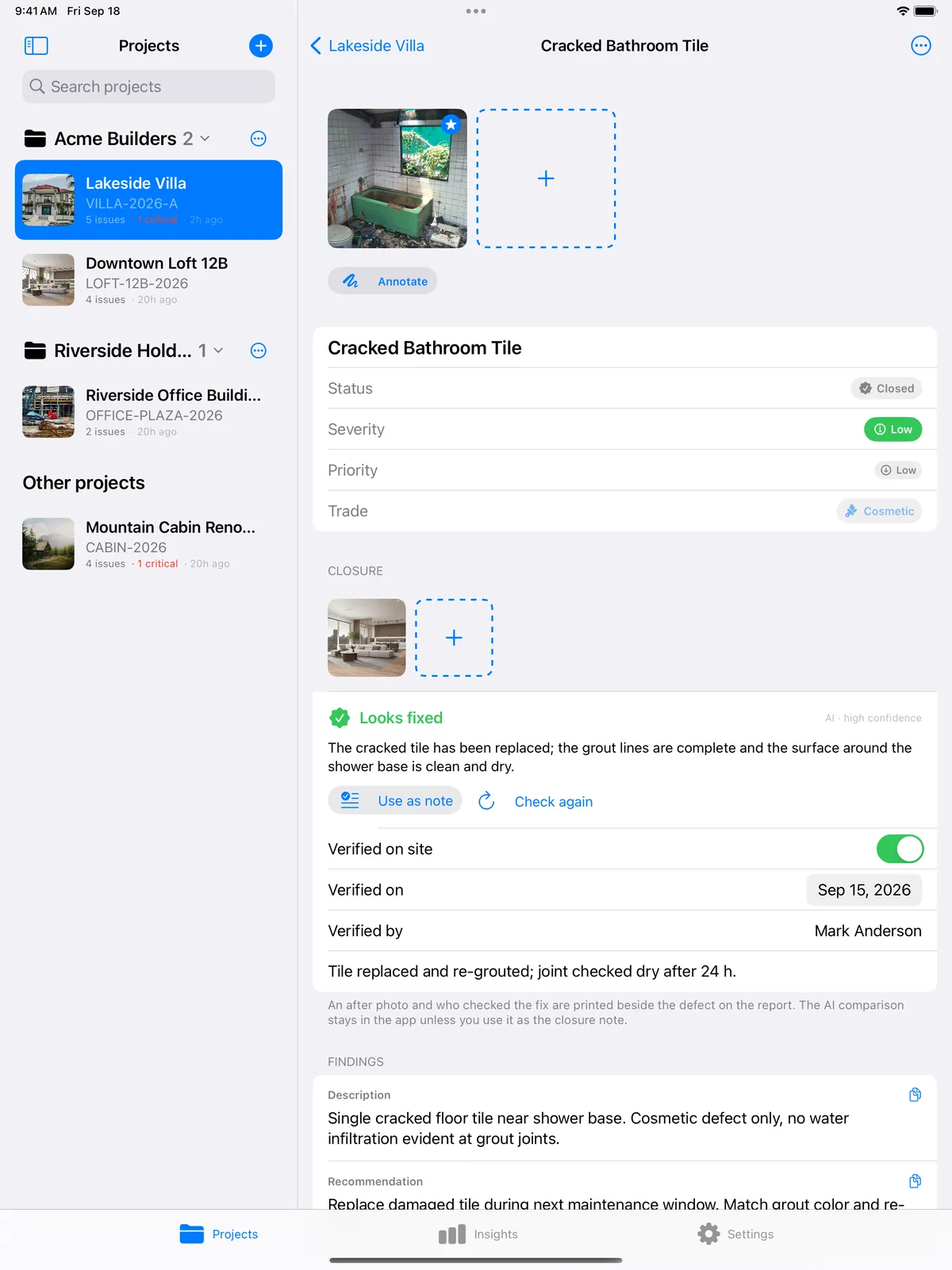
Two columns, one context
The project list stays on the left; the project: header card, counters, checklists, items in an adaptive grid fills the right. Items open in place. Insights is capped at a readable width instead of stretching across the screen.
Pencil and keyboard
Mark up photos and sign the report cover with Apple Pencil. With a keyboard: ⌘N new item, ⌘⇧N new project, ⌘R report, ⌘L start a checklist. Split View and Slide Over work as on any iPad app.
About ipad
Is the iPad version a separate purchase?
No. One app, one subscription per Apple ID, every device you own.
Does Apple Pencil work?
Yes. For photo markup and for the signature on the report cover.
Which keyboard shortcuts?
⌘N new item, ⌘⇧N new project, ⌘R report, ⌘L start a checklist.
Related features
iCloud sync and privacy
iPhone and iPad on the same projects through your own iCloud. No account, nothing stored on our servers.
FeaturePDF and Word reports
Ten themes, three layouts, your own wording, a client sign-off on the cover. Word, CSV and a photo zip.
FeatureClosure evidence
An after photo, who verified it and when, Before/After side by side on the report, and an AI read of the pair.
Turn your next site walk into a finished report
Free to download. Open the sample inspection or analyse your first defect in under a minute. No account, no setup.