Step by step
- Filter the project to Open (or by assignee for one trade).
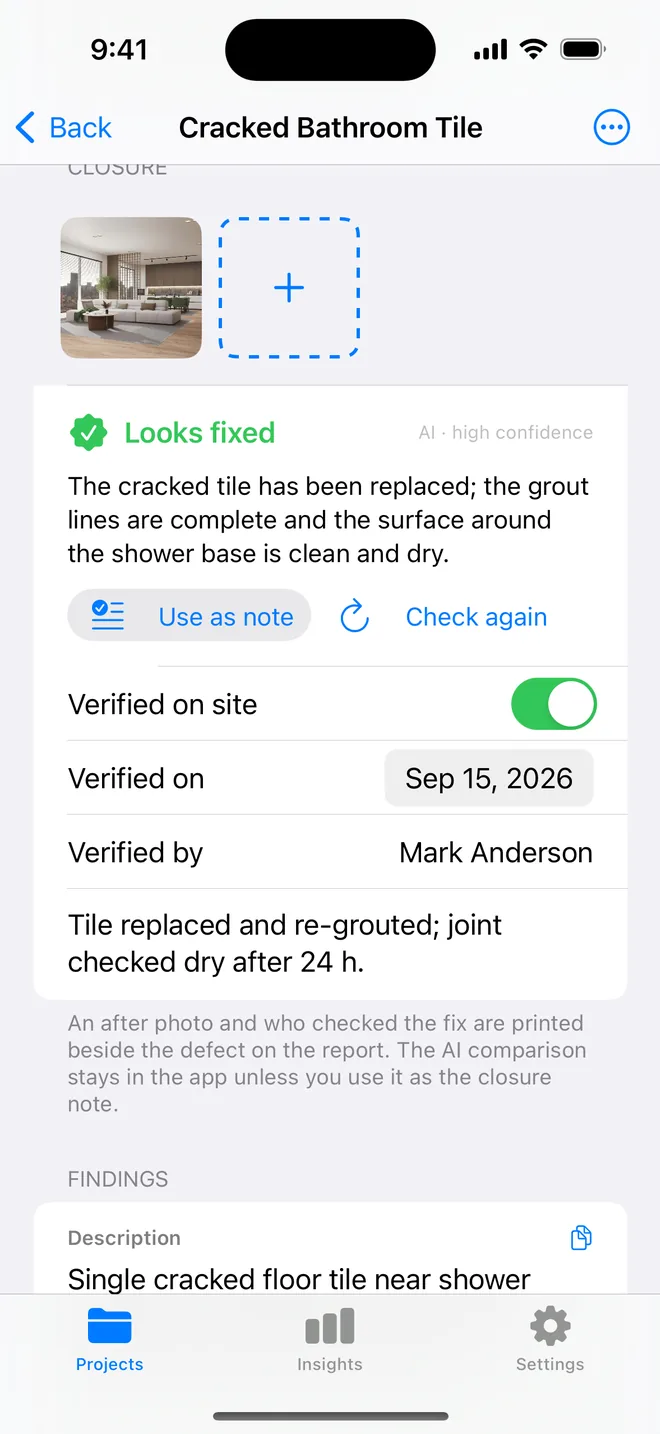
- Open each item, tap Add after photo, confirm the verifier and add a note.
- Optionally tap Check with AI and use the verdict as the note.
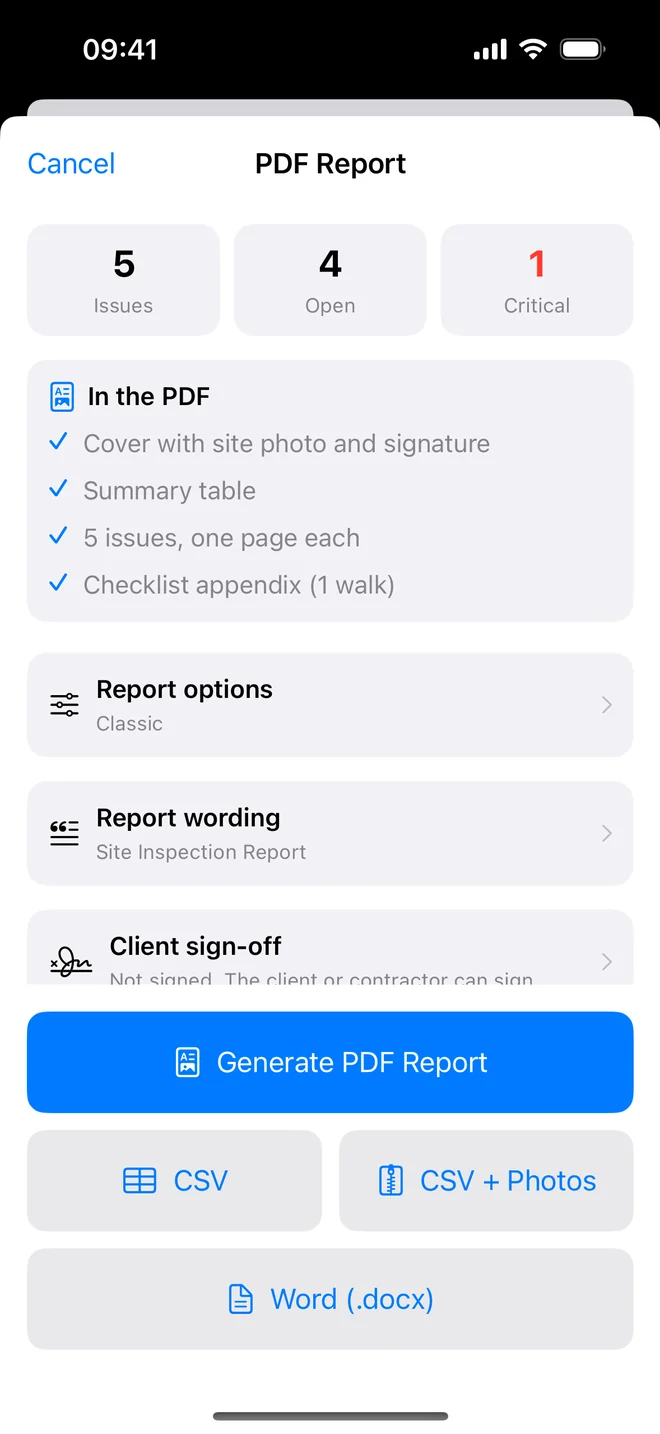
- Generate the closeout report, closed items show Before/After; the summary marks them Closed.
Why closure needs evidence, not a tick
A punch list is only half finished when the items are fixed. The other half is being able to show it. Six months later, when a buyer finds the same crack or a landlord's deposit is disputed, "closed on the 14th" means little. An after photo, a name and a date mean a lot.
A re-inspection that holds up usually follows this order:
- Filter to open items for one area or one trade, so you walk in a line instead of zigzagging.
- Stand where the original photo was taken and take the after photo from the same angle. Side by side on the report, the comparison is obvious to anyone.
- Record who verified the fix: you, the site manager, or both. That line is what a solicitor reads.
- If the fix is partial, leave the item open with a note. A half-fixed item marked closed is the one that comes back.
The AI check is useful as a second pair of eyes when you are tired at the end of a long list: it compares the two photos and says whether the defect still looks present. It is advisory and never prints; the decision and the signature stay yours.
Related questions
Can I reopen an item?
Yes; the resolution date clears and it counts as open again. The after photo stays as history.
Is the AI verdict on the PDF?
No. Only your photo, name and note print.
Try it on your next walk
Free to download; the first project is free for good. No account.
Download on theApp Store