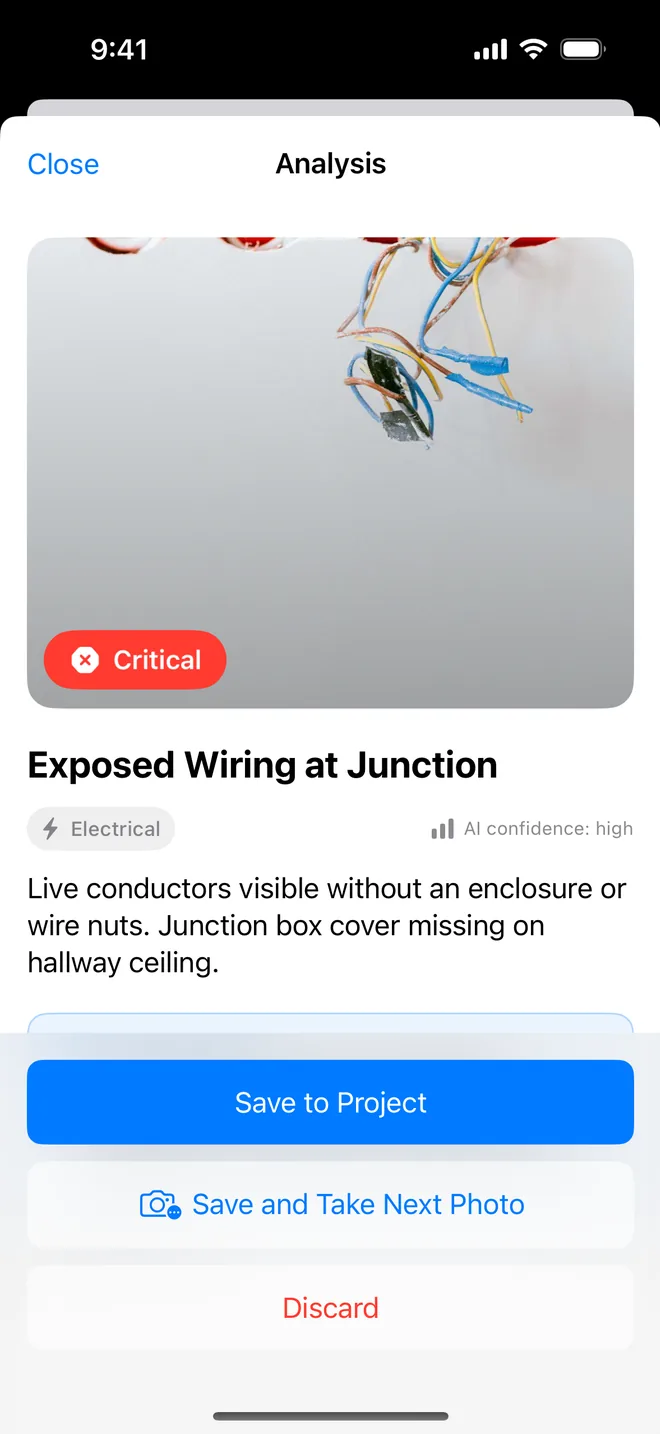
Step by step
- Take the photo; the draft appears with a confidence rating.
- Change the severity or wording if you disagree, one tap each.
- Save. The report never says which words were the AI's.
At close-out the same model reads the before and after photos together and says fixed, partial, not fixed or unclear, advisory, never printed. Nobody else in the category drafts the item; two "AI" apps exist but neither produces a punch list report.
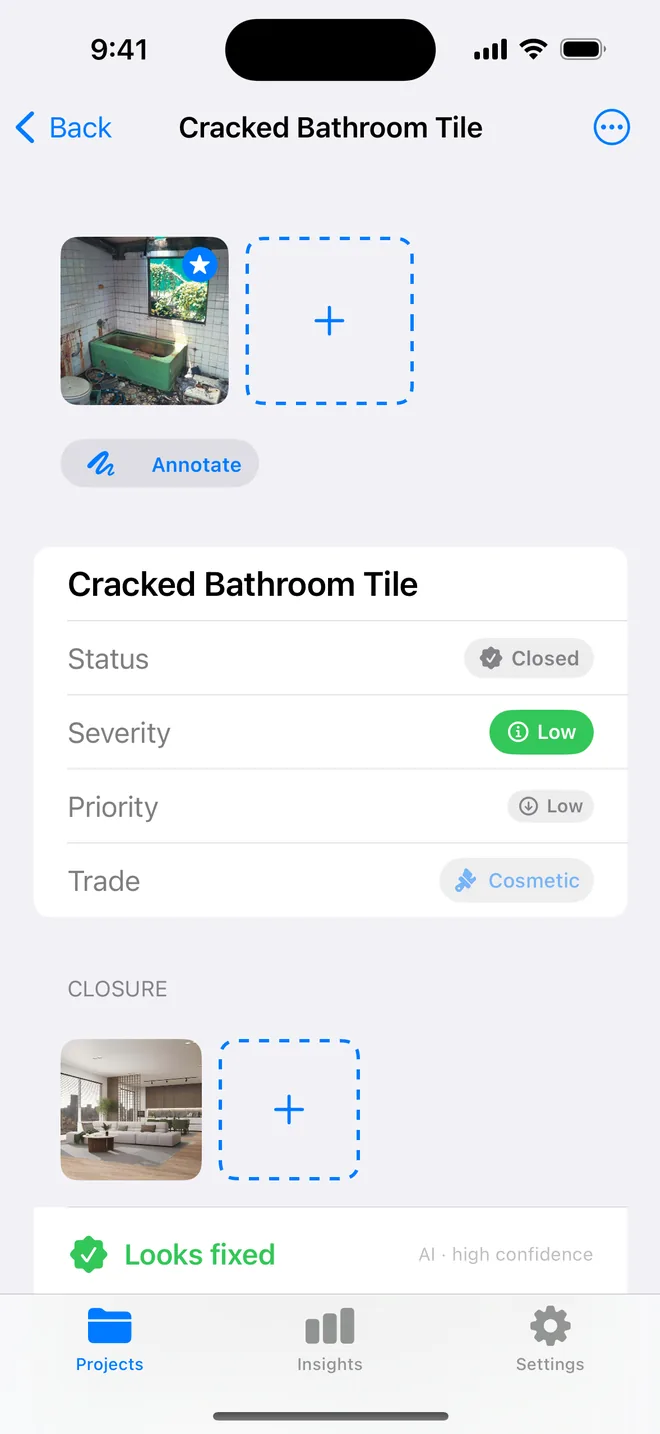
Where the AI draft is strong, and where to watch it
The draft is strongest on defects that are visible and common:
- cracks, gaps and poor joints in plaster, tiling, sealant and trim;
- paint and finish defects: runs, patchiness, missed areas;
- damage: chips, scratches, dents, stains;
- obvious safety issues such as missing covers on electrical boxes.
It needs your eye on things a single photo cannot show: whether a door binds, whether a floor is out of level, whether a pipe is leaking right now, or anything that depends on the drawings and the specification. A low confidence rating is the app telling you to look twice.
The practical gain is in the writing, not the judgement. Instead of typing "hairline crack approx 300 mm running diagonally from corner of door frame, likely shrinkage, fill and redecorate" on a phone keyboard in a cold room, you read a draft that says roughly that and correct the one detail it got wrong. Over a 60-item walk that is the difference between finishing on site and finishing at midnight.
Related questions
How accurate is it?
Good on common visible defects, cracks, sealant, staining, exposed wiring, tiling. It tells you when it is unsure. It cannot see behind walls, and it is not a substitute for your judgement.
Are the photos kept?
No. They pass through an attested relay for analysis and are not stored.
Try it on your next walk
Free to download; the first project is free for good. No account.
Download on theApp Store