Step by step
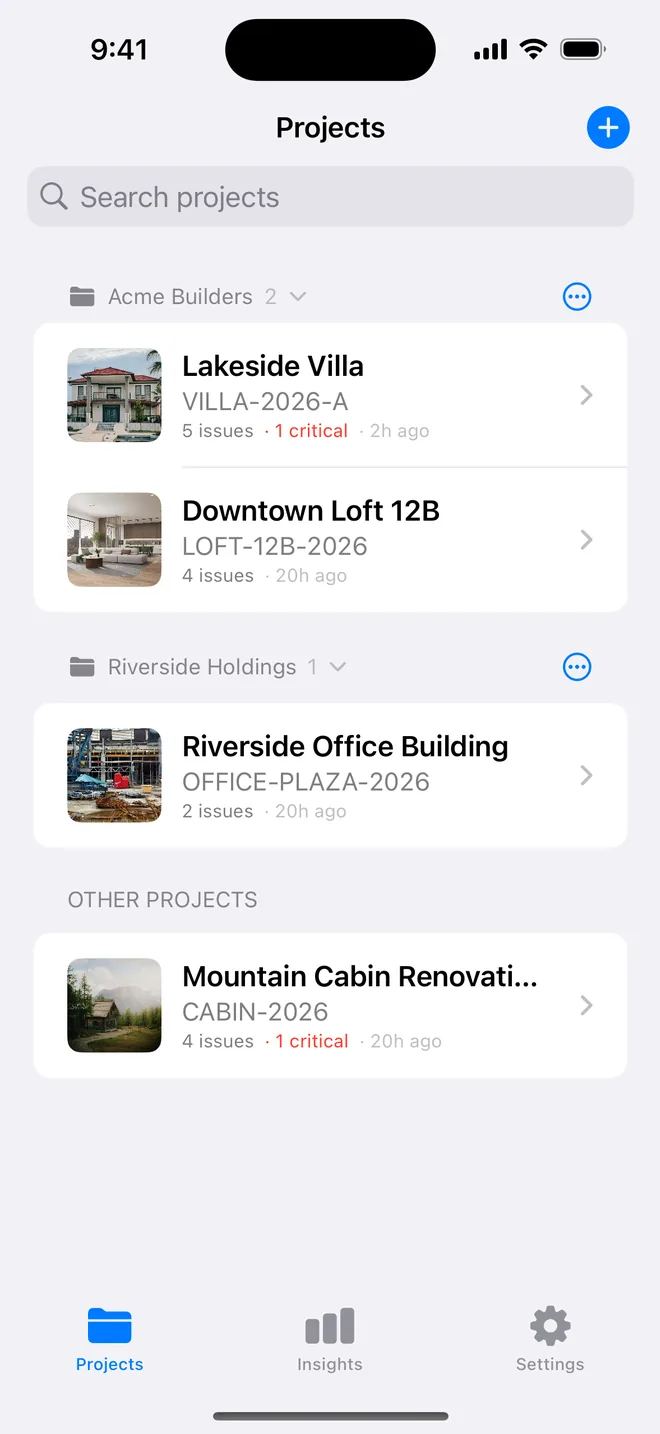
- Create a folder per client or development; collapse the ones you are not on this week.
- Duplicate a project for the next plot so the header is already filled.
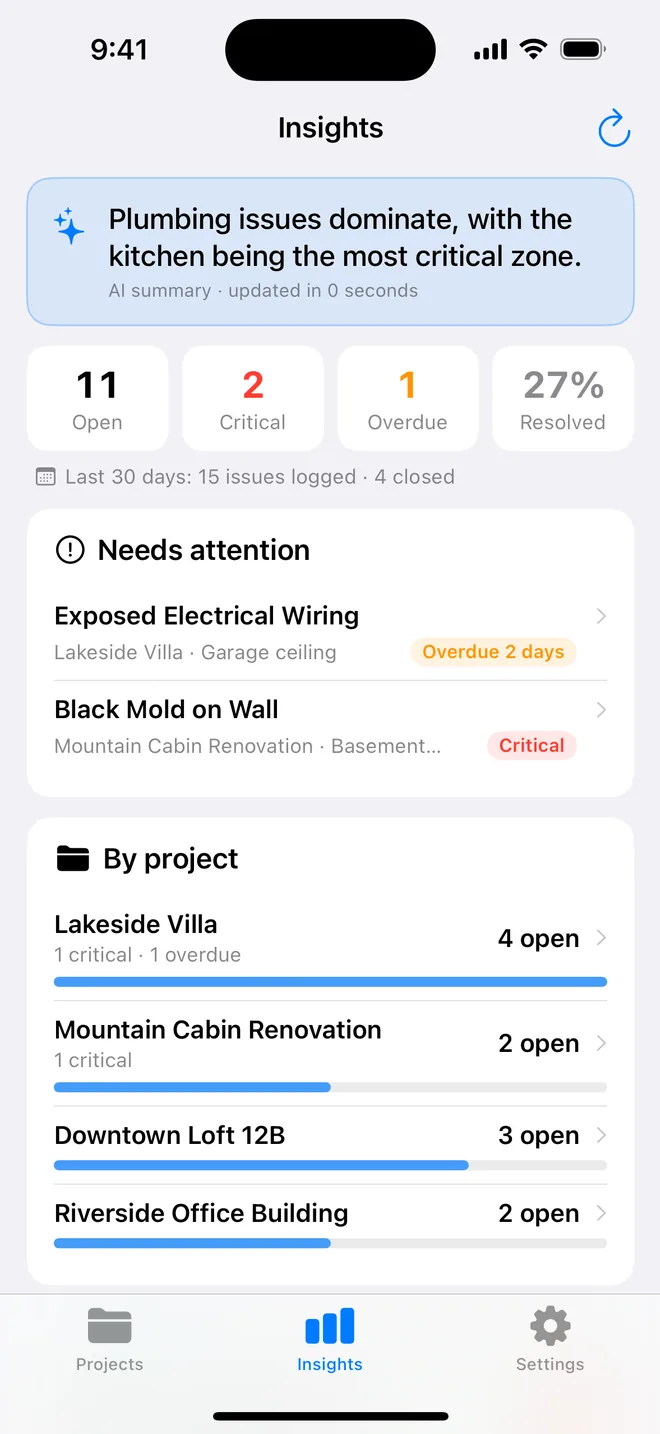
- Insights → Needs attention: every critical and overdue item, tappable.
- Insights → By project: who is behind. The bars are the conversation with the site manager.
A weekly routine for five or more live sites
The problem with several sites is not recording defects, it is noticing the ones that stall. A routine that works for site managers and independent inspectors alike:
- Monday, ten minutes: open Insights. Read Needs attention first: every critical item and every overdue one, across all projects. Those are the calls to make today.
- Per site visit: filter the project by the trade you are meeting and walk their items with them. Close what is done, update due dates on the rest, together.
- Friday: look at progress by project. A site whose bar has not moved in a week needs a conversation, not another inspection.
Folders keep the list readable: one per client or per development, collapsed when you are not on it this week. For repeat work, such as plots on the same estate, duplicating a project copies the header and structure so the next inspection starts with the client, address and reference already filled.
Insights also names the location and the trade that keep coming up. When the same shower tray detail fails on four plots, that is a message for the developer's build manager, not four separate snags.
Related questions
Is Insights on the free plan?
No. It is Pro, because it reads across unlimited projects, which is also Pro.
Can two of us see the same projects?
Not today; sync is between your own devices. Share PDFs and CSVs, or the checklist templates.
Try it on your next walk
Free to download; the first project is free for good. No account.
Download on theApp Store